LexonTech

Tech, mostly Apple, from Lex Friedman.

MembershipMembers get a full-text RSS feed, a members-only Discord, a private podcast, and more.Join now
Link Meta News

Meta to pay up to $17.1 billion over claims it harmed youths

The amazing part to me isn’t the massive settlement amount, though obviously $17.1B is a huge amount of money. It’s more than Meta made in profit in Q2 of 2026. It’s more than a quarter of the profit Meta made all of last year.

(It’s worth noting that “only” $12.7B of this settlement is truly guaranteed. The remaining $5B of the settlement is paid only if Snapchat, TikTok, and YouTube adopt similar child-safety protections. Which… okay, I guess.)

The amazing part of the settlement to me is twofold:

  1. These are restrictions that frankly would be great to apply to everyone who uses these damn sites, you know? Not that we need to be nannied by our websites or governments, but it doesn’t feel like adults are served any better by Facebook than teens are:

Teenagers will be limited to just two hours a day on its platforms, and blocked entirely between midnight and 6 a.m. Notifications will be silenced during school hours.

Every time a user under 18 is on Instagram or Facebook for 15 consecutive minutes, that person will receive a prompt on the screen.

The apps will limit or remove features that psychologists link to negative social comparisons, such as beauty filters and the tallying of “like” counts.

  1. We all just expect that Meta will work hard to avoid actually following what it’s agreed to. I found this line from The New York Times understandable, disappointing, and even shocking.

It is not yet clear how aggressively Meta will work to verify how old users are, a critical component in most of its changes.


Link News

X cancels XCancel

On the one hand, sure, they were repurposing X’s content. On the other hand, Elon sucks.

But I do love that this scrappy scrapey site scared X.

Apple Opinion

Four things John Ternus should do

He didn’t ask for my advice. I’m sharing it.

Apple announced its next event, a September 9 infomercial they’re calling Surprise and Shine. Will they surprise us? I don’t know. It’s a phone that folds. I’m excited about it, sure. But whether we’ll be surprised about it is an open question. I will be surprised if, for example, they charge a price I’m willing to pay.

John Ternus and Tim Cook.
John and Tim. Image courtesy of Apple.

This Apple Event will also be the first one where John Ternus is the company’s new CEO.

I have four pieces of advice for him, of varying specificity and importance levels:

  1. Be a better presenter than Tim Cook. There are bigger Tim-related things to complain about — and I do! — but he was never a great presenter, in my view. He took the reins from a world-class showman in Steve Jobs, and then was, at best… fine. We already know Ternus is a better presenter, and he should lean into it. Let that personality shine, John.
  1. Let the other guy do the kowtowing. One of the things Apple said when it announced Tim’s retirement was that Cook would continue “engaging with policymakers around the world.”

My read is that this means that Tim will continue sucking up to Donald Trump. That means Ternus actively should not. Don’t get stained with the stink of that cozying. If Apple feels it needs to award Trump shiny trophies and heap on “Dear Leader”-level praise — well, I initially wrote “so be it,” but I take that back. I think it sucks, and what’s the point of being one of the world’s most valuable companies if you can’t withstand a little government pressure, but that’s not my point.

My point is if that is Apple’s decision, let it be Tim. John should remain above the fray, away from the asshole in chief, untainted by the taint that’s staining the United States on the daily.

  1. Be actively, loudly, noisily good. This is a corollary to number two. I’ve complained repeatedly on The Rebound that if Tim truly feels he must suck up in these ways, the least he could do is make some big public good actions. Donate to Trans Lifeline. Praise Apple’s DEI efforts, loudly. Do SOMETHING.
  1. Follow one of Steve’s best bits of advice. Cook said that Jobs told him: “Never ask what I would do, just do the right thing.” Ternus can’t try to play WWTD or WWSD. He’s gotta do what John would do.

I’m choosing to be optimistic about how that’ll play out. I mean, especially if John plans to listen to me.

Apps I Love

Mimestream is great

I understand folks who feel hesitations regarding Gmail. I do. But Google offers an insane amount of storage, the search is incredibly fast, and I’m a Gmail dude. I accept this about myself.

I can’t pinpoint exactly when I began hating Apple’s default Mail.app on macOS. But I can’t stand it. Search is slow, and the interface just doesn’t work the way that I want it to. I even spent a couple years using Gmail on the web, which — I mean, intellectually, is gross. But I did it.

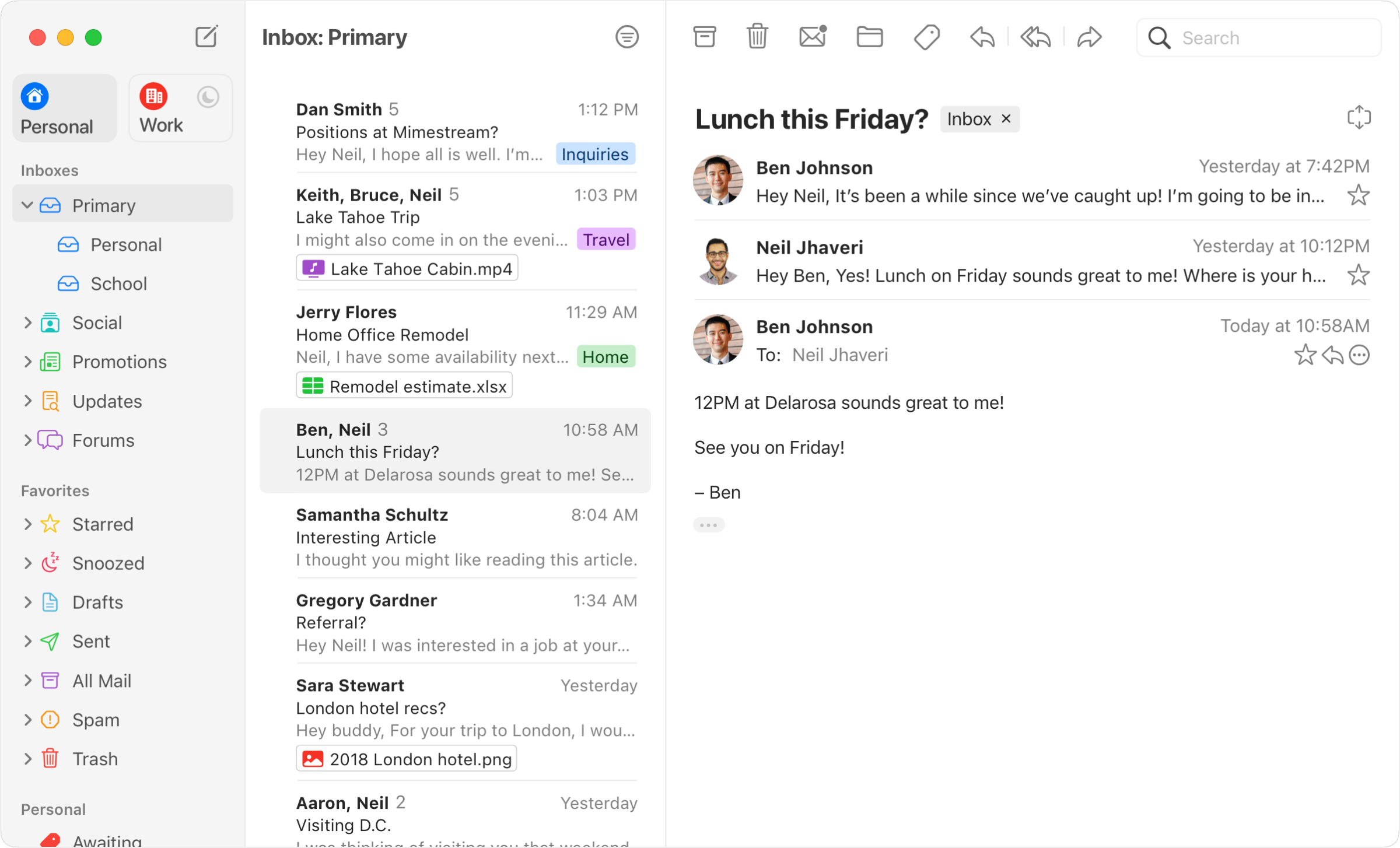
Mimestream's three-pane Mac window: Personal and Work accounts, "Inbox: Primary" list, and an open thread.
Screenshot courtesy Mimestream.com.

But boy howdy, do I love Mimestream.

Some folks object to apps that are Gmail-only, which I get. But I’m also essentially Gmail only, so it works for me. It takes everything that Gmail does right, and puts it in a Mac-assed Mac app. Fantastic.

After years of working in Gmail, and falling in love with its keyboard shortcuts, it thrills me that Mimestream lets me use Gmail’s web-style keyboard shortcuts in a Mac app. “E to archive” is pretty sweet for my use case with all the muscle memory I’ve built up over time.

Mimestream handles multiple Gmail accounts cleanly, so you can separate work and home without difficulty. And it integrates cleanly with Google Calendar — which I also rely upon! — so you can accept meetings and even spot conflicts without leaving your inbox.

Paying Mimestream users can also opt-in to the iOS beta. It’s become my default iOS email client. My distaste for Mail on iOS wasn’t as high as my distaste for the Mac version, but I love that now I can use Mimestream anywhere.

Even better, Mimestream — unlike Mail on either platform — can give you instant push notifications for new messages, so if you’re someone who wants to know the second some store you once shopped at years ago is having a sale, you can get that feature, too.

Apps I Love Games

Pocket Run Pool is still a great iOS game

I still love Pocket-Run Pool.

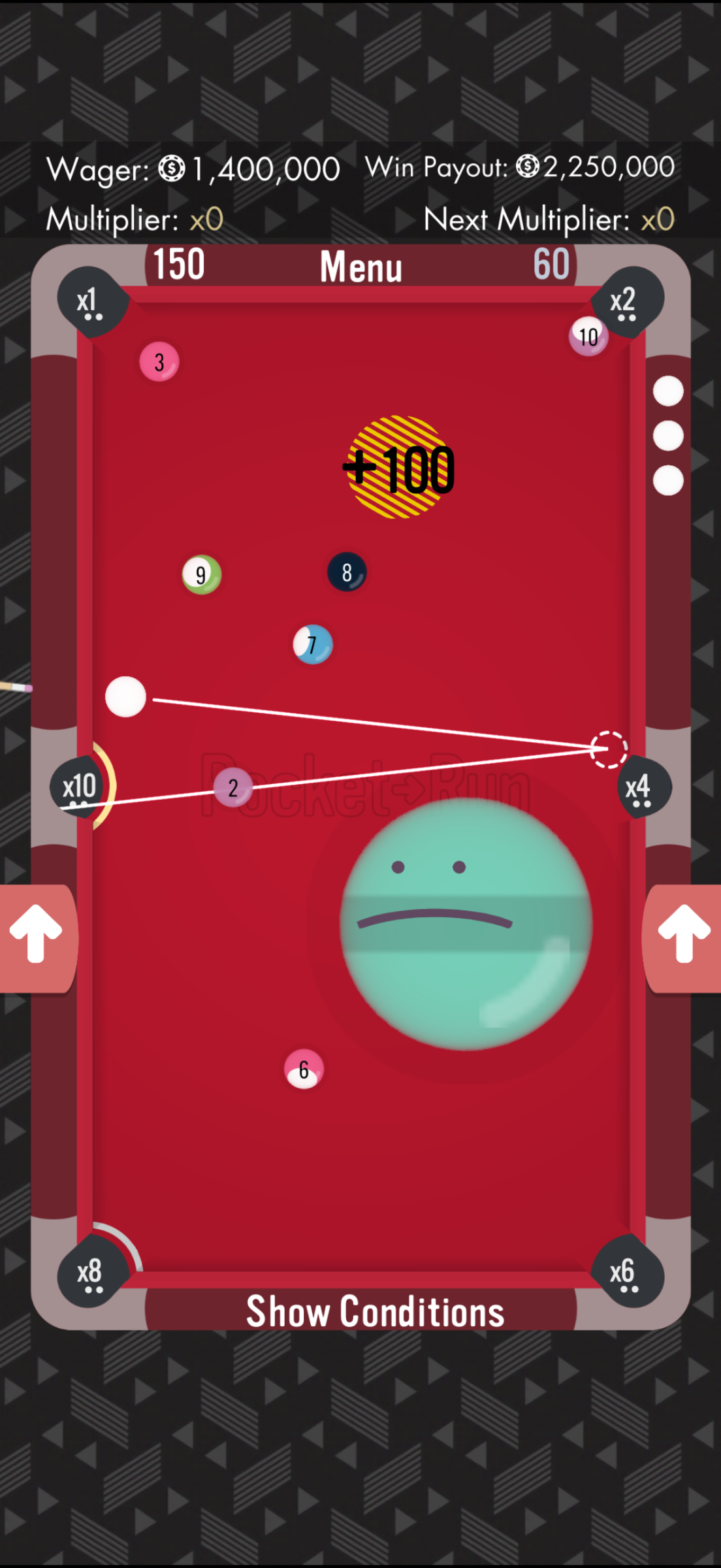
Pool table with numbered balls, x1 through x10 multiplier pockets, a white aiming line, and a +100 score burst.

Game developer extraordinaire Zach Gage (alongside Denver Coulson) originally released the game in May 2018. That’s… a long time ago. It remains fun, it remains eminently replayable, and it remains a go-to game for me on my iPhone to this day.

It’s a billiards-style game, but with a couple brilliant innovations in gameplay and scoring. Pockets — the holes where you’re aiming to sink the billiard balls — get score multipliers in them. Sink the 2-ball in the ×10 hole, and you score 20 points.

Another UI affordance I love in the game is that Pocket-Run Pool always shows you where your ball should go. I thought that the on-screen lines showing a ball’s expected path (including ricochets) would be temporary during learning modes, but it’s always there — and it doesn’t make the game too easy. It’s helpful and strategic.

The physics in the game are great, which is a win — and on the iPhone, the haptics implementation is second to none: You can feel the balls bouncing and sinking; you can feel the pool stick make impact. It’s great.

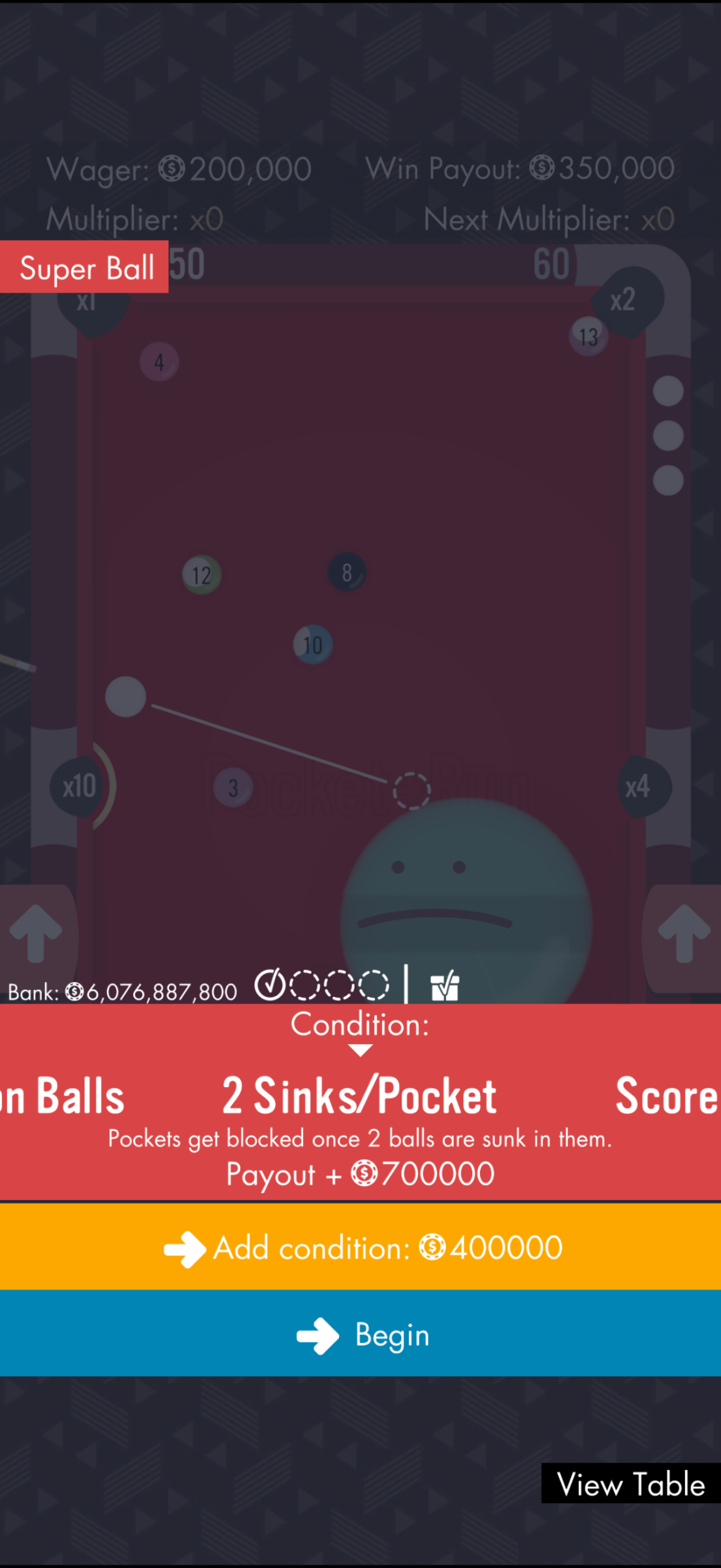
High Stakes setup: "2 Sinks/Pocket — Pockets get blocked once 2 balls are sunk in them," Payout + 700000.

The game includes a handful of modes: Insta-Tournament, High Stakes Pool, Standard Run, and Break of the Week — that last being kind of a weekly puzzle.

My favorite mode is High Stakes Pool, where you wager some in-game currency and add on some obstacles: 2 Sinks/Pocket blocks a given pocket on the board once you’ve sunk two balls there; Exploding Pockets causes an on-the-felt quake near the hole you just landed a ball in; Super Ball puts a giant stupid ball in the way of… everything.

How much do I love this game? I’ve amassed more than 6 billion units of its in-game currency with High Stakes wins.

Do I have complaints? I mean, sure. The Game Center integration isn’t great, and I wish I could mix and match more of the High Stakes obstacles from different levels within the game. But if I have a few minutes of waiting or downtime and don’t want to wade into Mastodon or Reddit or — heaven forbid — my inbox, Pocket-Run Pool is always a delight.