My love/hate relationship with Eero, and how Ubiquiti saved me $600
It’s probably 80 percent hate and 20 percent love right now, if I’m being honest
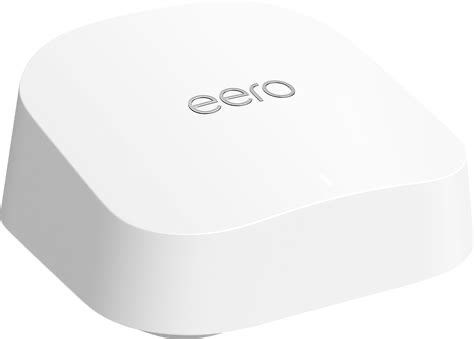
A few months ago, my home Wi-Fi network choked. I use Eero, a wireless mesh solution that Amazon acquired in 2019. I’ve used (many) Eeros for (many) years.
Mesh networks, in the simplest terms, extend your Wi-Fi network’s reach; they grab your Internet connection (either via Wi-Fi themselves or via wired Ethernet) and rebroadcast it with the same network name and credentials, so that your wireless network reaches further.
That happened to me a few months back. The Internet blipped out, and I assumed it was an issue with my Internet provider (Optimum), and then realized it wasn’t. I then spent hours on the phone with Eero. This is not hyperbole. My call started after 9pm, and went past midnight.
We did fix the problem that day.
Here was the crux of the issue: I also use a Ring Alarm. That’s a home security system, also owned by Amazon. At some point, Amazon realized that since it owned both Eero and Ring, it could make a combined Eero/Ring device. I worked at Amazon for a year and a half after they acquired a podcast company where I worked as chief revenue officer, and I joined an internal beta test for the hybrid Eero/Ring device.
Neither Amazon nor I ever learned the lessons of Mary Shelley. This Frankenstein’s monster hybrid device has been a source of misery since it joined my network. I’ll note that Amazon did eventually sell the device, and now doesn’t, probably because it’s a piece of shit.
The Ring Alarm uses the Internet to contact the authorities if the alarm goes off. The Ring/Eero monster hybrid had built-in battery backup and built-in cellular access, so if your network died and/or your power went out, the Ring could still call the police. All of which is reasonable.
A quick explanation of Eero’s terminology
When you have multiple Eeros, one of them, of course, must connect directly to the Internet. In my home setup, that means my modem’s Ethernet jack is wired directly into one Eero.
Eero calls whichever Eero holds that responsibility your “Gateway.”
For a while, my Eero/Ring was the Gateway. Eons ago, that caused trouble, and Eero recommended that I make that one not the Gateway, so it now hasn’t been for years.
(One of the problems with such a Frankenstein monster product, by the way, is that Eero support wants you to talk to Ring support. You’ll never guess who Ring support wants you to talk to.)
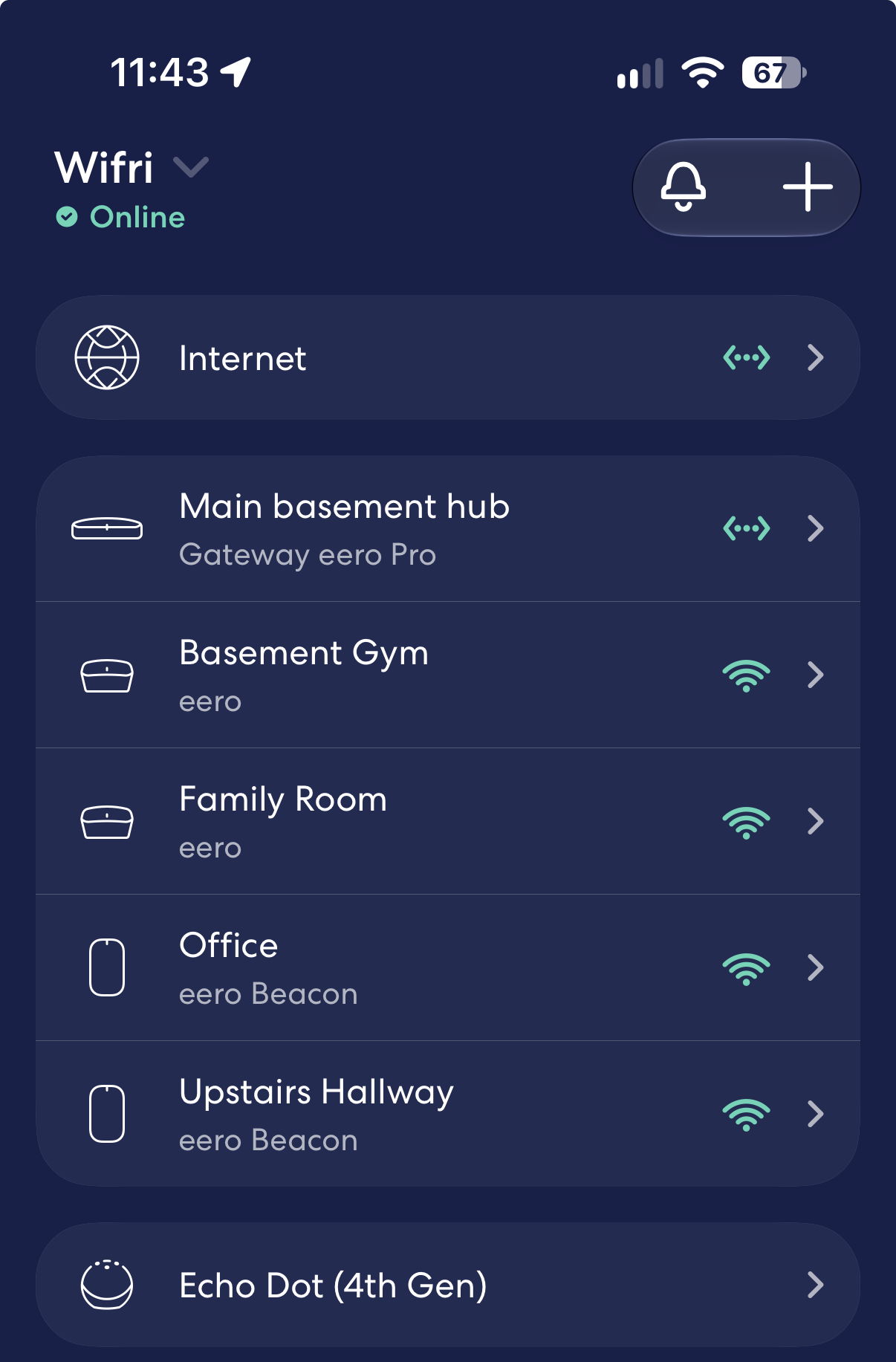
So instead, a different Eero — an Eero Pro model — has been my Gateway, with all my other Eeros working as extenders or beacons.
The problem: Sometimes, when my Internet went out, and the Ring/Eero provided cellular backup, it would then declare itself the Gateway again. That’s bad.
Eero’s app is clever and thoughtful and far too dumbed down. It gives the user (that’s me!) absolutely no way to say, “Hey, dummy, no; the Eero Pro connected to my modem is the Gateway.”
Back to my first time having this issue
⤢My Eero setup is working right now. Nobody touch it.
So, the first time I dealt with this struggle, I had to unplug the Ring/Eero… which doesn’t do much, because it has a battery backup. I had to unscrew the battery cover and remove the battery to actually get the Frankenstein device to turn off.
For reasons that defy explanation, though, the network continued to see the Eero/Ring thing. Eero support asked me to remove it from my network; the app wouldn’t let me do so — so, with my permission, Eero did it from their side. Helpful, in this case, but creepy.
After many power cycles — Eero’s support staff times them and wants the modem and intended Gateway Eero off each time, then to let the modem fully start up, and only then to power back on the Eero — we finally got the network to decide that the proper Eero was indeed the Gateway. Eero support said that all my other Eeros should notice this and start working right away; they didn’t. I had to manually power cycle all of them. I got back online.
And then, cautiously, I reconnected the Ring/Eero mongrel and got it to work properly as a beacon. All was right with the world.
Then last night happened.
About last night
Last night, the same damn issue occurred. The Internet still worked, but the Eero app had various issues and wouldn’t let me update things; it wouldn’t allow me to administer the network.
I did some deep breathing and called Eero support.
It turns out they could see more of my network’s details than I could. I had to log out and back into the Eero app to see the current state, which I never would have thought to do. And Frankenstein’s Ring/Eero monster, once again, was displaying stolen Gateway valor.
Last night’s call lasted another three hours, and was far more frustrating — not least because it did not end with a fix for my problem.
I again disconnected Frankenstein’s monster and removed its battery. I power cycled the modem and intended Gateway Eero eleven times. We waited two minutes after unplugging the devices each time, and later switched to five minute waits.
On reconnecting power, of course, I had to wait for my modem to again connect to my ISP, which takes a couple minutes. Then I had to plug in the Eero, and then — each time — Eero support could see that it was connecting, then disconnecting and reporting failure, faster than I could. I only get a status LED; it would turn red several beats after the support person saw the issue on her side.
Eero support — as it did on my first call, for what it’s worth — really wanted the issue to be on my ISP’s side. It wasn’t.
I could plug in a USB-C Ethernet adapter into my iPad Air with its Wi-Fi off, get an IP address, and access the Internet. I repeated this many, many times. I’m proud to report I stayed polite throughout my interaction with the rep, even though I did at times express frustration at the process, and the many (many) (many) suggestions that it was an Internet problem, not an Eero one.
As had happened with my previous call, tier two support eventually got involved, but only indirectly: My support rep would communicate via chat with them, and they would respond to her, and she would give me their questions and advice. Their questions were sometimes reasonable, but got us no further: Did I verify the Ethernet cable worked (yes, it’s the same one I plugged into my iPad). Was there potentially an Internet outage right now (headdesk.gif; obviously not, since I could get online when wired directly, and I’d checked with my neighborhood WhatsApp group and no one else was offline).
I had one new-in-box Eero, and I proposed setting up a whole new separate Wi-Fi network, factory resetting the others, if that might help. The support rep warned me that might take a while. That was more than 2.5 hours into the call, and I assured her I was in it for the long haul.
For reasons I still cannot explain, we couldn’t set up the new Eero as a Gateway for a brand new network.
The support rep begged to get on a three-way call with Optimum, my ISP. I relented. Eero was certain that my ISP was using MAC-address filtering: Essentially, that my ISP needed to permit the Eero I wanted to use as my Gateway to have access to my Internet connection. I assured Eero support that Optimum did not use MAC-address filtering in this way, plus I reminded them that the identical Eero had successfully been the Gateway up until a few hours ago. But I still caved, and we did the call.
For the record, my Eero support rep was atrociously horrendous at navigating Optimum’s phone system, and couldn’t break out of the AI helper tool that was talking to her. Eventually I interrupted and said “human,” and it immediately connected us with one.
To no one’s surprise but Eero’s, Optimum confirmed that my Internet connection was fine, that they do zero MAC address filtering, and that the fact that I could connect devices wired directly made clear that the issue was an Eero one.
I felt quietly smug. Then Optimum did me dirty.
The rep on Optimum’s side said “We did start some unscheduled node repair work in your area at 11am today, with a projected conclusion time of 5am tomorrow, but it shouldn’t affect your connection at all.”
The Eero rep seized on this, of course. “That must be the source of the problem.” I stayed polite, I swear. “I don’t think so,” I said. “If Optimum is saying it didn’t cause issues, and I can get online when wired directly—”
“But the node repair is exactly the kind of thing that can mess with the Eero network, and we can’t control that.”
Reader, my sanity was now being tested. As was Optimum’s — the rep on that side simply disconnected. I couldn’t blame her.
My Eero rep then proposed I run a ping test with a wired device to help diagnose the issue. I agreed. She said the test would need to run for eight hours.
I told her I appreciated her time but that Eero clearly was not going to solve my problem today, and that I was going to disconnect the call.
My modem lives in my basement, where my T-Mobile reception is terrible. So maintaining access to the phone call and Internet was a significant challenge. I’d leave my phone on speaker at the top of the basement stairs, run down to the modem to check status lights on it and the Eero, and yell back to my phone, or run back up the stairs to provide a normal-volume update.
It sucked. The Eero rep said “This happens all the time, don’t worry.” Okay.
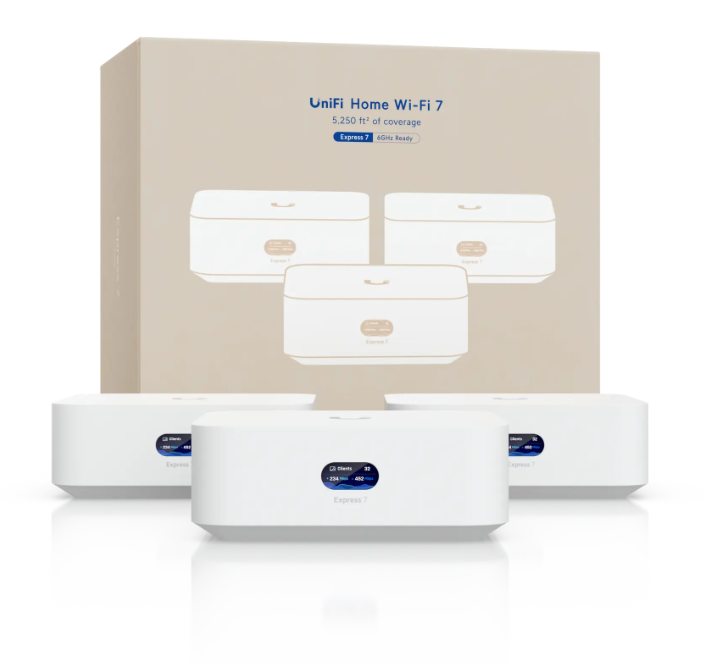
During the call, I texted a fewtrustedfriends, and decided screw it, I was going to order a Ubiquiti… something. I wasn’t sure what. But Internet nerds love Ubiquiti, especially Internet nerds who’ve given up on Eero. Casey was less convinced of Ubiquiti’s mesh capabilities, but I decided I was going to pull the trigger on the UniFi Whole Home WiFi 7 setup. I decided to get the 3-pack, which they claim is $559, but they sell for $616 because of a current “memory cost surcharge.”
I didn’t care. I just wanted something that would work.
I did get annoyed that they wanted me to pay $119 per unit for “UI Care,” which gives you priority support for five years, and did not check that box.
Then I went to check out, and got the error that they couldn’t ship to my house. I cannot explain why not. And, of course, you can’t buy it on Amazon.
When I gave up on Eero support and ended the call, I decided to try one more time. I also disconnected my Ethernet switch from the intended Eero Gateway device and plugged in the modem directly to the Eero again. (An Ethernet switch of this sort is kind of like a power strip for Ethernet; it lets me share a wired Internet connection with many other devices.)
To my shock — and joy — the Eero Gateway established an Internet connection. It got online.
I connected my switch again. The Eero immediately went offline.
I unplugged the switch. The Eero went online again. I waited two minutes and connected the switch again.
Everything… just worked.
I do not know what connected device on my switch was making the Eero struggle. I don’t know why waiting helped. I just know that — for now — my house is online. I’ve gone back to my original, dumber, better Ring Alarm base station that doesn’t try to be an Eero hero. So it should never steal the Gateway status again, because… it literally can’t.
What I should do is figure out how the hell to get the UniFi setup into my hot little hands. I hope that removing the Ring/Eero mutt from my network means that this issue won’t recur, and when Eero works, it just works. The problem is that when it doesn’t work, the tools don’t give me enough access to fix things easily.
But right now, Ubiquiti’s crappy check out process saved me $600+. I’ll take it.