I want to love the new Siri in iOS 27. Apple calls it Siri AI, and it’s supposed to be smarter, more powerful, and faster. Sometimes, I’m impressed by the things it can do.
When I linked to David Pogue’s piece about all the ways he was using Siri AI, I was excited by that list. David wrote about the powerful things he got Siri to do, and about the hardest part of using the new Siri: remembering to use it after years of being underwhelmed by how Siri operates.
I am remembering to use it more. But it’s also pissing me off a lot again.
There’s one new feature of Siri that seems like a positive in theory, but in practice I find rather infuriating: When Siri isn’t quite sure it heard you properly, it seeks clarification.
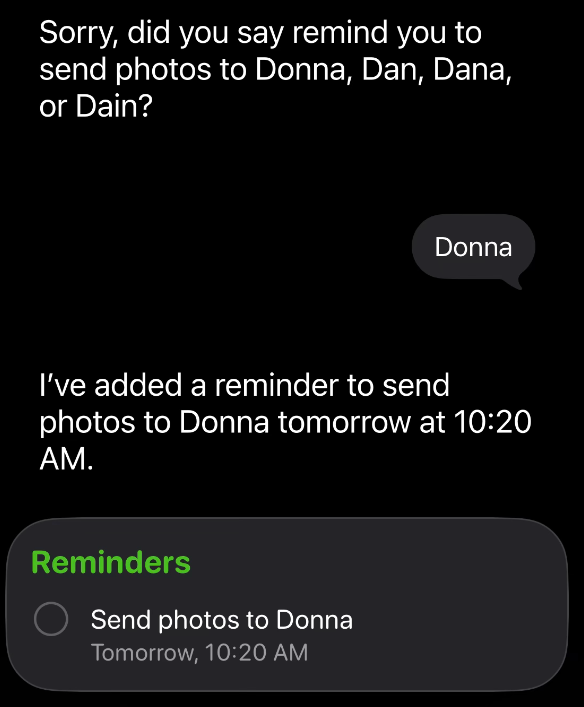
Here’s one example. I needed to remember to send Donna photos of my kitchen. I asked Siri to remind me to send Donna photos on a specific day, at a specific time. Siri wasn’t sure what name I’d said, so it asked which of four names I’d been trying to say. Then I had to speak to Siri again to clarify. Then it set the reminder.
I get this kind of interaction all the time. Something about my diction doesn’t work for Siri, I guess.
The first problem is that sometimes providing the requested clarification is extremely annoying. The second problem is that it slows the whole process down.
I would much prefer that Siri set the reminder to send Donna photos—using the first name it thought I’d said, which was exactly correct—and then say: “I set a reminder to send Donna photos. If you said one of these other three names, let me know.”
Then I could move on with my day. Siri could make the most likely guess, and I could correct it if necessary.
I have another annoyance with the new Siri when I’m setting appointments, which used to work just fine under the old Siri. I have all kinds of annoying interactions when it comes to setting appointments, but here’s one from just this morning.
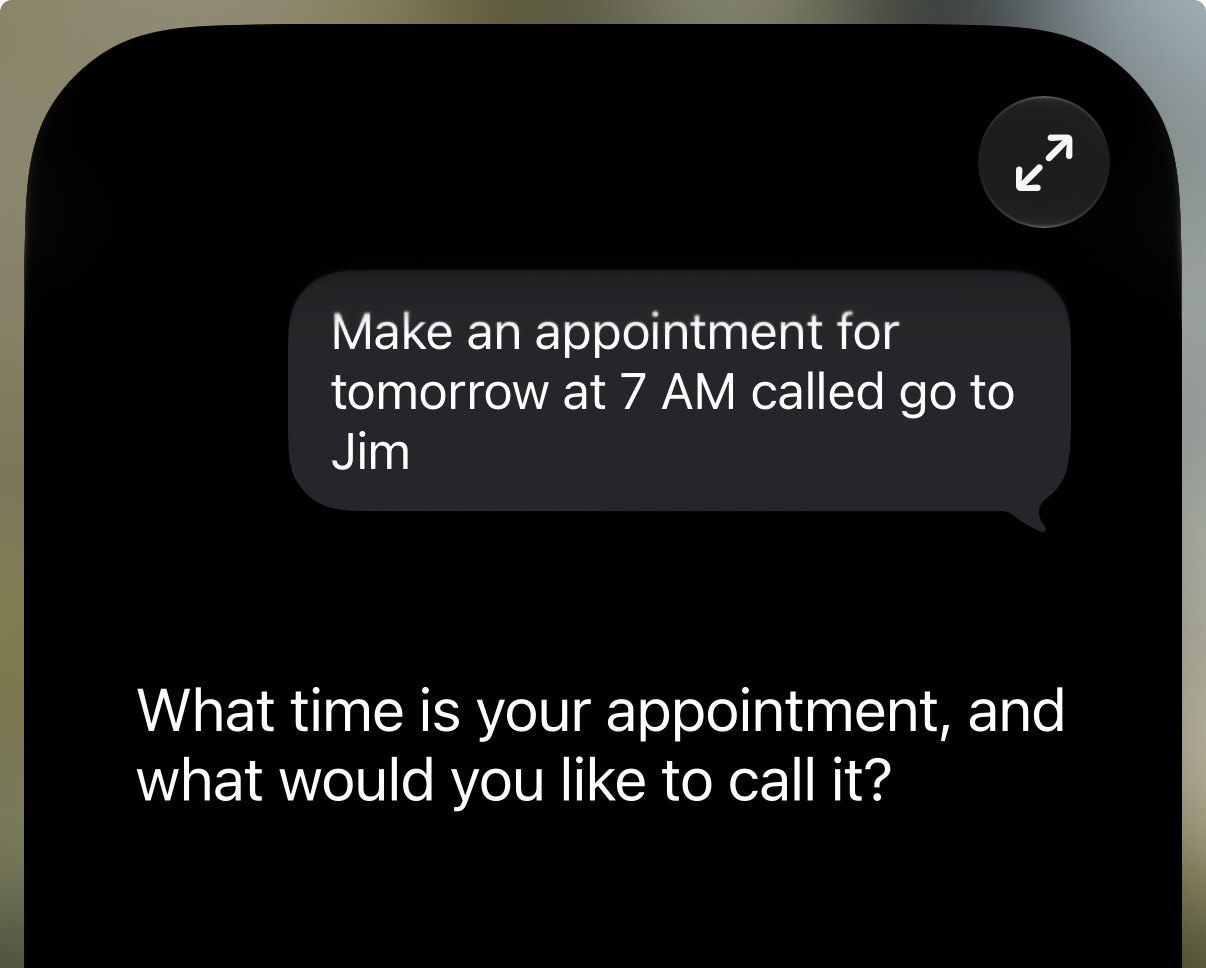
I was setting an appointment to go to the gym tomorrow. After I provided the event’s date and time, Siri asked me to provide both again. Then, before I could respond, it set the appointment anyway.
Except it assumed I meant I wanted to go to a human being named Jim, as opposed to the workout place. Contextually, I think that’s a bad guess.
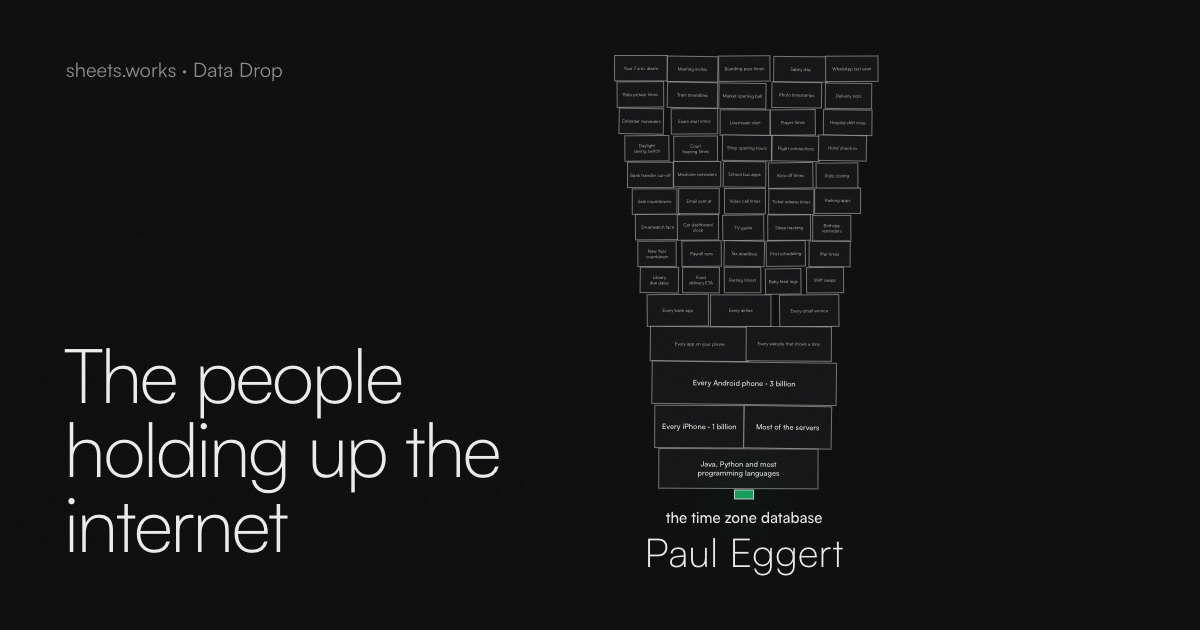
It also appears that Apple is rolling out iOS 27 more slowly than in previous years. David Smith’s adoption data from Widgetsmith and Pedometer++ shows a slower rollout, which he suspects is deliberate, to help manage the Siri AI waiting list.
John Gruber wrote about this yesterday at Daring Fireball, and he thinks that explanation makes sense, too. In that same piece, Gruber wrote that Siri AI feels slower and sometimes gives worse answers than it did over the summer. He was careful to describe that as his personal experience, rather than a definitive finding. But it matches my experience, too.
All of this is to say: I’m trying to train myself to use Siri more. And I am more impressed by some of the powerful things it can do.
But in general, I’m just as annoyed by it as I’ve been for years when it makes common, frustrating mistakes that the other assistants and AI tools in my life don’t struggle with nearly as much.
63 apps, many of them free, all of them thoughtful utilities
Sindre Sorhus makes a slew of apps. His site puts the count at 63. Most are simple, which I mean as a legitimate compliment: They’re singularly focused, do what you expect, and are straightforward to use.
Sorhus is a full-time open-source developer. He quit his office job in 2014 to backpack around Southeast Asia while writing open-source code. He maintains more than 1,000 npm packages, which is the kind of number that sounds made up until you look at his GitHub. These days, much of his energy goes into Mac apps, written in Swift. His site also keeps a running tally of six million users and 10,000 answered support emails. I’m guessing he’s at least a little tired.
Most of Sorhus’s apps are free. The ones that cost money are one-time purchases, and affordable.
I’m not going to break down all 63 apps. But here are a few worth highlighting:
Mailway
Mailway ($4) fixes a tiny annoyance: You click an email address on a web page, and your Mac “helpfully” launches Apple Mail, even though you handle your email needs in a Gmail browser tab. Mailway makes itself your default email app and then routes every mailto link wherever you actually want it to go — Gmail, Fastmail, Outlook, a third-party app, whatever. You can add rules, too: Addresses at your work domain open in one place, everything else in another. The app doesn’t even stay running. It launches when you click a link, hands it off, and quits.
Menu Drop
Menu Drop (free) puts an AirDrop target in your menu bar. Drag a file, a folder, a link, or some selected text onto the icon, and the AirDrop picker appears. That’s it. It’s faster than digging through the Share menu, and it works. (It requires macOS 26.)
Simple Color Palette
Simple Color Palette (free, for Mac, iPhone, iPad, and Vision Pro) lets you create, view, and edit color palettes in an open file format Sorhus designed himself. It imports Adobe Swatch Exchange files, copies colors as hex, RGB, or OKLCH, and adds Quick Look previews for palette files. He’s explicit that it’s not a palette organizer or a palette generator; it’s a palette editor, period.
Googly Eyes (free) puts a pair of googly eyes in your menu bar. They follow your cursor around the screen. They blink when you click. There’s no point. It reminds me of similar utilities from the System 7 days. Sometimes, it’s fun to have an app whose only aim is silliness and joy. The App Store reviews are a treat, too. My favorite, in its entirety: “why are they all watching me. i did nothing wrong. it was an accident.”
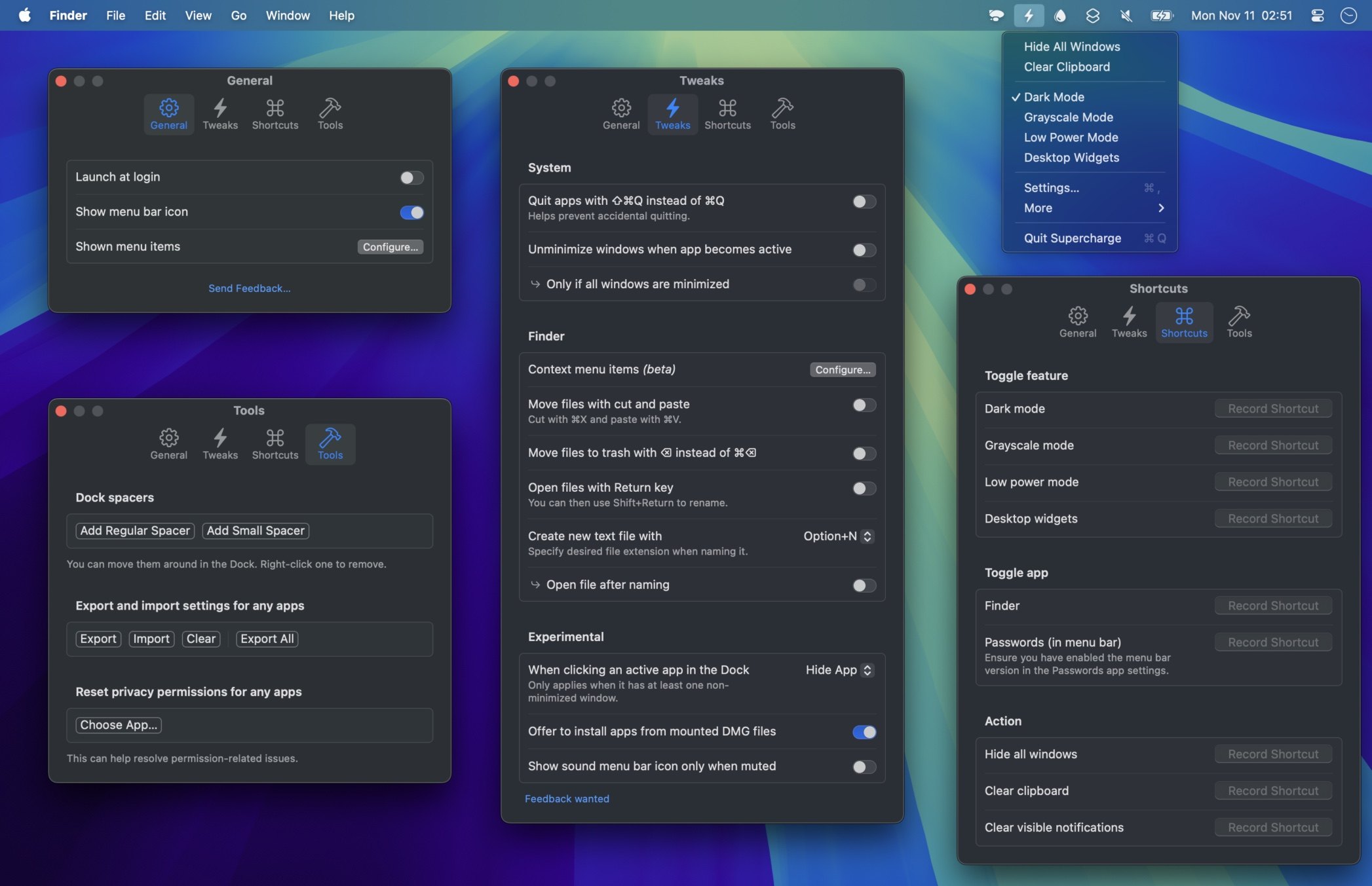
Supercharge is in the category of Swiss Army knife Mac tools, and it does a lovely job with a few nitpicky features you just might want to enable. Every feature is opt-in, so you flip on only the stuff you care about. Option-N to create a new blank text file in the Finder, for one. You can make the red window button quit the app instead of merely closing the window, or require Shift-Command-Q to quit so a stray Command-Q doesn’t wreck your progress. You can clear every notification with a keyboard shortcut, and stop the Music app from launching every time you tap Play on your keyboard. There’s a tool that tells you which app has claimed a global keyboard shortcut. There’s screen OCR. There’s a QR code scanner. There’s a lot.
Supercharge is $20, one time, with a free trial, and it’s on Setapp as well. It requires macOS 26 or later.
Scratchpad
Scratchpad is another entry in quick note taking. I take a lot of quick notes. It’s a single, always-available, plain-text note that lives in your menu bar (or the Dock; your call), with a hotkey to summon it. On the iPhone, it can live on your Lock Screen or in Control Center, and iCloud sync is there if you want it. It keeps local backups, too. It’s $12, one time, and the purchase covers Mac, iPhone, iPad, Apple Watch, and Vision Pro.
Second Clock
Second Clock (free) is very clever when you want just one other time zone always visible. It puts a second clock in your menu bar, and you can stick a flag emoji in front of it so you remember whose clock it is. That’s it. Want more than one? Sorhus offers extra builds with different identifiers so you can run several at once, which is a delightfully brute-force solution. Or you could use a certain other menu bar app that shows what time it is around the world. I mean Time To Go. I made it.
And dozens more…
You’ll get it when you browse his site: These are tools to make you speedier, more productive, and to help you bend your Mac (or other Apple device) to your will.
Paul Kafasis shares the story of a recent trip to Norway, and the review he wrote of the apartment he stayed at.
There are just so many unnecessary emails.
The booking site emailed him to prompt for a review, which he wrote. Then it emailed him to thank him for the review — with a link to read the review he just wrote.
It’s too easy to send emails. I am sad about how little I look forward to my inbox.
The problem is that fair use on the internet has been stifled by content-detection algorithms that don’t care about your fair use. It just notices that you used something that belongs to someone else.
Spotify is content to break and decentralize podcasting. I applaud Jason for quitting it. The short version is – Spotify sucks.
That’s an oversimplification, but barely. But the early App Store rejection Riley dealt with became his origin story, and it doesn’t get more indie than this: A man wants one app to exist, a gatekeeper says no, and the guy decides he’ll skip the gate entirely.
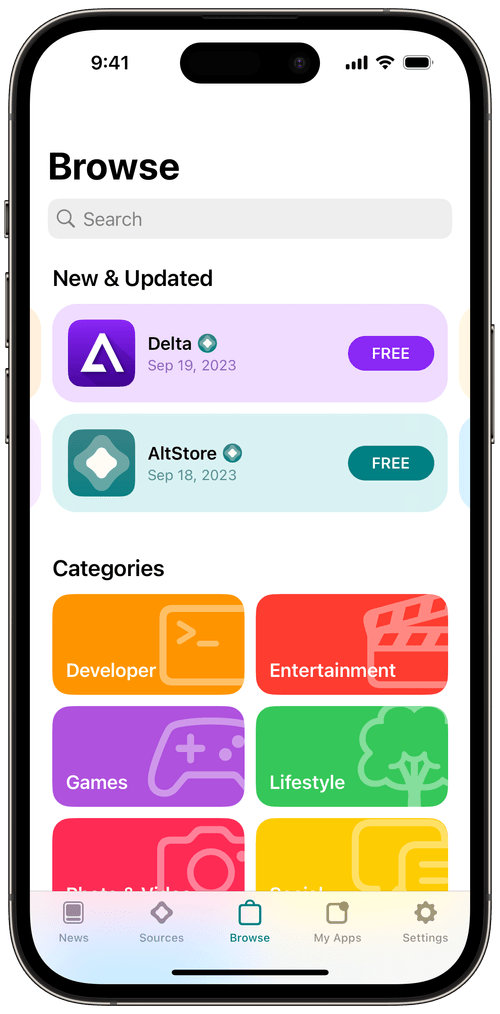
You probably know Riley’s work. He makes Delta, the gorgeous Nintendo emulator that finally landed in the App Store in April 2024, after more than a decade of Apple blanket rejecting emulators.
Riley is also the force behind AltStore, the alternative app marketplace that launched in the European Union that same month, the moment the EU’s Digital Markets Act forced Apple to allow such stores. If you want the whole saga, Riley told it at Deep Dish Swift, and his talk is worth watching in its entirety. Riley goes deep on his early back-and-forths with Apple, his pain in launching AltStore, and the chapter where he unexpectedly spent an extra month living in Europe to get AltStore launched, which struck me as living large. Riley assured me it was, in fact, mostly stressful.
Riley reached out to me, and we talked. He wanted to share some perspectives on distributing apps outside the App Store. He did not need much prompting.
From a third bedroom to Union Square
AltStore was, for years, Riley and his co-founder Shane Gill, working out of the spare bedroom of Riley’s home in Texas. It’s now a real company: eight people, most of them in New York, in an actual office near Union Square. A year ago, the company took outside funding for the first time, with a goal that Riley states plainly: They want to be a real app store, in every country, not just in the EU, and they want developers to feel confident that AltStore will stick around.
But the business is still, at its core, a Patreon. Riley and Shane’s Patreon has been the entire income source since the beginning, and he really seems to appreciate that. (Patreon supporters are kicking in $20k+ per month. I understand Riley’s appreciation.) Users love the Patreon, he told me, because they’re supporting developers, not just buying a software product. And he can issue refunds himself, which is a thing Apple has never let a developer do.
“I just wanted to play Pokémon on my phone”
I asked Riley why — as an American who can’t even access international third-party app stores — he was the guy to build AltStore. Why did building an alternative to the App Store become one of his projects?
“I literally feel like I didn’t choose it,” he told me. “I just wanted to play Pokémon on my phone.” Pokémon Emerald, specifically. It’s perfect for a phone. The controls aren’t hard. So he built an emulator, first as an open-source project he released in high school for people to compile themselves. Then he attempted to release it as Delta, which he submitted to the App Store, and which Apple in turn rejected, as Apple did with all emulators at the time.
Riley told me that while dealing with that App Store rejection, he concluded that if he felt this strongly about this one app of his own, other developers surely felt the same way about theirs. And they couldn’t ship some of them, either. “That was the eye-opening moment for me,” he said. “I should build something not just for me, but for others.” When the EU passed the DMA, he said, “it was like, we have to do it. This is the moment.”
When AltStore launched in Europe, Riley says Apple was openly hostile. Apple was rejecting apps from his store. Reviews took forever. Apple repeatedly kicked up roadblocks, creating friction that didn’t need to exist. “We could just sense from the outside: Apple does not like us,” he said. “We get no special treatment. We are only here because we’re allowed to be.”
That stung, because Riley — who strikes me as a true optimist — hoped to be aligned with Apple. “We’re not trying to take apps from the App Store,” he said. “We’re trying to allow new apps. We think that’s good for everyone.” Apple wasn’t interested in working with him on those terms, so AltStore got more aggressively defensive for a while. (Watch that video I mentioned before, and learn about Riley’s “Notarization Sucks” app. It’s great.)
Riley even has a theory about why Apple suddenly decided to allow emulators in 2024: Apple figured Delta was the whole point of AltStore, and if Delta could be in the App Store, the AltStore project would wither. “I actually think it was a very strong strategic move by Apple,” he said. “Good for them.” It just didn’t work, because by then AltStore was never only about Delta. His thought at the time, when he got the surprising Delta approval: “I don’t want to stop now because my problems are solved.”
The thaw
Earlier this year, something changed in the dynamic between Apple and AltStore.
Within the span of a single week, Riley told me, Apple did several nice things for him: They invited him to WWDC. He’d applied every year for more than a decade and never gotten in. They waived the letter of credit AltStore had been required to maintain to operate as a marketplace. And they quietly fixed a backend problem for Delta that had been nagging him.
“This is interesting. This is new,” he remembers thinking. “They’re actually treating us like partners.”
A couple of weeks later, Apple announced that Tim Cook was stepping aside and John Ternus would become CEO.
Riley is careful here. Nobody at Apple told him, “New boss, new Apple mindset.” He just noticed a tangible shift in Apple’s approach before the company made the big Cook/Ternus announcement, and the timing was, in his words, suspicious.
Riley also believes Tim Cook genuinely thought Apple had to be a hard-ass about all… this. Nobody outside Cupertino can say for sure. Apple also came to terms with the European Commission around the same time, and Riley believes that Apple no longer wants to draw the Commission’s ire by flagrantly hampering the marketplaces the law requires.
Whatever the cause, the effect is real. At WWDC this year, Delta’s icon was up on the wall alongside other app icons, which is a significant milestone for any indie developer — particularly one that Apple spent years rejecting. Riley says that he now finally feels like he can reach out to Apple and ask for help. He’s no longer afraid that any given Delta update will be rejected. “They are acting more like actual business partners.”
He also thinks the arguments have shifted. Apple used to say alternative marketplaces were dangerous: security, stability, battery life, the works. AltStore now has millions of users, and Riley says there hasn’t been a single incident. “Apple has changed their arguments from ‘they’re big and dangerous’ to ‘nobody uses them,’” he said. “Because their security argument was just completely unfounded.” But Riley’s “millions of users” are a pretty solid counter to Apple’s latest claim.
What’s actually in AltStore
I’m in New Jersey. I can’t use AltStore. So I asked Riley what Europeans are actually installing.
Delta, for one. Then the old, pre-DMA version of AltStore, which can install apps that haven’t gone through Apple’s notarization. And then the list gets even more fun.
One of the most popular apps in AltStore right now is a utility for jailbreaking your e-scooter. Riley never would have guessed it, but there are enthusiasts who love it. There’s a Japanese developer whose app lets you remap the Side button so it launches an assistant other than Siri, which Apple allows only in Japan and would prefer nobody talk about. The app is literally available in Apple’s App Store too, but Apple won’t promote it. You know who will? AltStore did, and it took off.
There’s Clip, Riley’s own clipboard manager, which has had to rely on a workaround to capture your clipboard, and which, he told me, iOS 27 finally lets work fully automatically, the way a clipboard manager should. He’s stoked. He uses it all the time. I’m legitimately jealous.
And there’s UTM, a virtual machine app that runs Windows on your iPad, which was on AltStore for years. When Riley tried to make it one of AltStore PAL’s first third-party apps, Apple rejected it. Then Apple called him with “great news”: UTM would be allowed not just in AltStore but in the App Store, too. So now the App Store supports virtual machines. You’re welcome, everyone.
In Europe, Delta itself is about to do something you can’t do in the App Store version: use the volume buttons as L and R shoulder buttons when you hold your phone sideways. App Store rules forbid using the volume buttons for anything but cameras (and, of course, volume). In AltStore, Riley’s philosophy is, “why not?”
Why a US developer should care
I’ll admit, I didn’t realize you could sell your apps in alternative app stores and the App Store. I thought Apple’s rule was you could only be in one or the other. I was wrong.
Riley’s pitch to developers whose apps are already in the App Store is simple. It’s the same binary. There’s an API to detect at runtime where the app was installed from, if you care. You submit through App Store Connect, tick an extra box, and one build gets approved for the App Store and for alternative marketplaces at the same time. (Yes, Apple does human review of AltStore apps. Screenshots, the whole thing. It is not the Mac’s automated notarization. I had no idea. I used profanity when Riley told me this was how it works.) If you’re already putting up with App Review, Riley’s point is that AltStore costs you essentially nothing extra.
What you get is a self-selected audience of enthusiasts who like trying new apps. “It’s much easier to make a name for yourself,” he said, than in an App Store where you’re one of a couple million apps. And, he added, it’s just more fun. Fewer roadblocks. Less stress. I’d add: More Riley.
The in-app purchase Apple is making him sell
Delta is about to ship a big update for the iPhone Duo, and that update will include in-app purchases worldwide, which Riley does not necessarily want, and which Apple is requiring. The story of how that happened is a good illustration of something I’ve complained about before: Apple’s rules are… a lot.
After the Epic ruling, Delta added a link to its Patreon in the US App Store version. Apple’s rules said that if you link out, you also have to offer in-app purchase, so Riley added US-only in-app purchases priced at triple the Patreon tier, essentially labeled please don’t buy this. He told Apple exactly what he was doing. Apple approved it. A year of updates went by.
Then one day Apple said: Wait, you only have in-app purchase in the US! If you want external purchases anywhere, you must offer in-app purchase everywhere! Riley doesn’t believe that rule had ever been stated before. It didn’t matter. No Delta updates until he complied.
So the Duo update will have IAP worldwide, at $5 to Patreon’s $3. “We’re just owning it,” he said. “We’ll only fight so hard.”
When I floated my theory that Apple is sometimes intentionally vague about what’s allowed, Riley mostly agreed. “It allows them leeway,” he said. If Apple doesn’t care, it doesn’t care. If one app gets very popular doing something Apple dislikes, there’s always a rule to point to. “I know they look at Delta very carefully” with every release he submits, Riley told me.
Will AltStore ever come to the US?
The big question I put to Riley was whether he thinks AltStore will ever launch in the US? “I do firmly believe it’ll happen,” Riley said. “It is just a question of time. And I don’t think Apple is going to do it voluntarily.”
His read: Something forces Apple’s corporate hand. The Department of Justice case, a settlement, another lawsuit, something else. Meanwhile, AltStore’s reach keeps growing: Australia opens up to alternative marketplaces later this year, Riley said. The UK is next year. At some point, in his view, keeping the world segmented stops making sense even to Apple. “They get pushed and pushed, they finally are forced to allow it in the US, and then it’s worldwide. That’s how I envision this happening.”
I hope he’s right. I want a clipboard manager on my phone. I don’t need to hack an e-scooter, but still.
The part I admire most
As you’ll see in that video I’m certain you’re heeding my advice to watch, while attempting to get a second app approved for AltStore pre-launch (after Delta), that clipboard manager kept getting rejected by Apple. So he made an app called Notarization Sucks, whose sole purpose was to share the story of how Apple kept rejecting Clip. And so Riley told Apple, essentially, approve Notarization Sucks or approve the other one. Notarization Sucks is very funny, and he is a person whose business Apple could materially hamper at any moment. He made it anyway. Riley isn’t afraid to call Apple out, in public, with his name attached. A lot of folks wouldn’t have the confidence to do that. I admire it.
It also helps that he’s been proven right, repeatedly. UTM got in. Emulators got in. Delta is on the wall at WWDC.
One last thing. Fifteen or so years ago, I had a humor book called The Snuggie Sutra. It was the Kama Sutra, but everyone was wearing Snuggies, so you couldn’t see anything. It did well. A friend and I made an app version, and Apple rejected it, and I appealed all the way up to Tim Cook, who forwarded it along to Phil Schiller, and the answer stayed no. I asked Riley whether that app would be welcome in AltStore. His exact words: “You should do it. We would promote it.”
I’m going to go see if the Xcode project still opens.
Check out Delta and AltStore, and if you’d like to support what Riley and Shane are building, their Patreon is where the money has always gone.
Add this to your /etc/hosts file on your old Mac running Leopard or Show Leopard (has not been tested on Tiger or Panther), and iChat should be able to make audio and video calls again.
I mean, no one should do this. But I appreciate that they took the time to figure out that they could do this.
We know Apple likes to keep secrets. The company aims for big, splashy, exciting, and (perhaps most importantly) newsworthy reveals, and secrecy is a big piece of that. (That’s why I remain surprised that Apple’s never been able to plug the leaks that Mark Gurman at Bloomberg seems to get before many Apple announcements.)
The short version of the story is: Some iPhone 18 Pro Maxes on AT&T in the US… don’t work. That is to say, they can’t connect to AT&T’s cellular network, and software updates won’t necessarily fix it, and Apple and AT&T are offering replacement phones to affected people.
Imagine being one of those affected people. You spend a boatload of money (or contractually obligate yourself to do so), and you quite likely wipe your old phone, or give/sell it to someone, or trade it in.
Then your shiny new expensive phone only works on Wi-Fi. It’s a big iPod touch.
That’s infuriating. Apple’s statements on this have been minimal — and even, by my read, confusing.
Tom’s Guide:
“We released iOS 27.0.1 earlier this week and strongly encourage all iPhone 18 Pro Max users to update now, and are also issuing a carrier settings update today,” an Apple spokesperson told Tom’s Guide. “These updates together are meant to help prevent this issue from occurring.”
However, if you already have an affected device without service, you can’t reactivate it via software. Apple confirmed that you will need to go to an Apple or AT&T store to get a hardware replacement.
I get that both those things can be true, but it’s confusing.
And here’s what Apple hasn’t said:
“We’re sorry.”
“Here’s what went wrong.”
Here is a single website or phone number where affected users can request overnight replacements.
When John Gruber recently pointed to that old Apple Antennagate conference, the question to which Steve Jobs and other Apple executives had the least satisfying answer was: Why did you take so long to say something? Steve talked about how they needed time to dive in and figure out what was going on, and actually, they did this pretty quickly, and people were working around the clock.
But the smarter move then (and now) would have been for Apple leadership to say loudly and publicly, We are aware of this issue, we are sorry for it, and we are investigating the cause. Here are clear, simple, straightforward instructions for affected users in the meantime.
I’ve heard from more than one AT&T customer affected with this issue who went to an AT&T Store in person, only to be told by staff there that they knew of no issue, and that the customers should talk to Apple if they were having problems with their phones.
That stink rubs off on Apple and the iPhone. It’s avoidable. Say something. Sooner.
Gotta say it’s a bit suspicious how quickly a one man team is “recreating” existing games, while being “a full time consultant”…
That’s from a post I received on Mastodon after launching The Universe, Controlled, my homage to the sorely-missed early iPhone game Flight Control. I pressed to better understand exactly what the poster was suspicious of. “I wonder how much your LLM is copying the existing game,” the user wrote.
Fair enough.
As I wrote recently, not everyone’s a fan of vibe-coded apps. “Vibe-coded,” in fact, is used as an insult, the coding equivalent of “slop.” I think the term is problematic, but I understand some of the concern: Just as people are using AI tools to write crappy articles, generate crappy posters, and make crappy fake photos, there are folks using LLMs to create crappy websites, apps, and other software.
But there are good apps out there that are made at least in part with help from LLMs. In fact, I think it’s a safe bet that the vast majority of regularly-updated software you use today is made by developers leveraging AI tools in at least some ways.
That’s a hunch. Let me talk in real terms, using me and my actual apps. But let’s take a step back first.
I was fortunate growing up: My house had computers. I learned to code initially on a Commodore 64 and then a TRS-80. My parents hired a programming tutor for me from a local Radio Shack when they saw how much I was enjoying coding. I devoured programming books, copied code from magazines, and eventually went to a summer camp where I could study programming, too. (The camp also let me pursue my other two passions: close-up magic and movie making. I was a very cool kid.)
Like many, I started with BASIC and various permutations thereof, then studied Pascal, C, and C++. I released mediocre shareware Mac apps that were not good. I built websites that were fine.
I went to college and majored in Linguistics and Cognitive Science. I decided I didn’t want to major in computer science because I didn’t want to wrestle with computers for the rest of my life. (Hahahaha.)
After college, I moved to LA with my then-fiancée (now wife), got a job at a web-hosting company, and started teaching myself web development when I was finished with my customer support queue each day — first Perl, later PHP.
I got really, really good at web development. I was hired as the first full-time PHP developer at the parent company of MySpace. (I had a cubicle next to MySpace’s Tom for a little while.)
I co-founded a diet-tracking startup in the pre-smartphone era. I was the developer, product guy, and customer service guy in one. My other two cofounders held down other full-time jobs so that they could pay me. This was in the era where you still had to roll your own servers, pre Amazon Web Services. Our stack at a server farm in Seattle would crash at lunchtime when too many people logged meals at the same time. It was a nightmare.
We got acquired by a big Internet company, and I eventually left and went to work at Macworld, and in addition to writing articles, I’d occasionally write tools for the staff there to use for article assignments. At the time, Macworld was using bug-tracking software for article assignments, and I absolutely hated that, so I built a system for us to use instead.
A lot of my software development is inspired by hating existing apps and thus making something that helps others, but also selfishly benefits me.
I share all this to say, I have a healthy coding background.
Apps and downs
I was a web app guy for years. Even when I started my career on the business side of podcasting, when I saw needs for tools, I developed them for myself, and then eventually product managed teams that would make the web-based tools we needed to run the ad sales side of businesses like Midroll/Stitcher, or generate web-based advertising rate cards at Wondery.
But I wasn’t making Mac apps or iOS apps. I wanted to. But it seemed daunting. I read a tutorial or two on using Xcode and SwiftUI and felt out of my depth.
After I launched Lex.Games by accident — a website for daily word games — I eventually felt like I really needed an app. I really wanted to build one. I still felt… daunted.
Then my pals Casey Liss and Ben Rice McCarthy both recommended I take a look at Hacking With Swift, an incredible resource from developer and impressive human Paul Hudson.
I patiently went through his “100 Days of Swift” online course. And by patiently, I mean, without a ton of patience; I went through it in about 30 days, and then started work on the Lex.Games iOS app.
(Quick aside, for both technical and non-technical readers: Lex.Games the app needs Lex.Games the website, to fetch puzzles, sync login states, record gameplays, manage friends, etc. That meant I needed to build an API — a means by which the app could talk to the website back and forth. I’d feel brilliant as I worked on the web side, where I felt like I knew what I was doing, generating JSON payloads for the app to consume. Then I’d feel like an idiot as my Xcode project choked over and over again trying to parse and display the data it got from the app. I’d feel like an idiot trying to make the user interface reasonable. I released many, many betas.)
When I built the Lex.Games app, Xcode offered no integration with AI tools like ChatGPT and Claude. When I got stuck, I’d of course search for answers online, and sometimes I would absolutely go to ChatGPT, share an error I was getting, and ask what it meant. Sometimes I’d paste in chunks of my code. And since I was trying to learn, I’d ask ChatGPT not just how to fix it, but to explain the fixes it was suggesting. They weren’t always good fixes, or even workable ones, but they helped me along.
This wasn’t even that long ago, but it feels like the Stone Age of LLM-assisted coding work: It was a slow, manual process. But I got smarter and released an app! More people play Lex.Games in the app each day than on the web, and I’m pleased by that. Many thousands of games are played across the Lex.Games ecosystem each day, and two-thirds of those plays are in the app.
I’m sharing all this mostly defensively, to say, hey, I’m a real developer. I can do this. I’m not a SwiftUI expert, at all, but I can and have built apps by hand. (After Lex.Games, I launched my Cryptograms app, also built by hand, so I earned that plural apps.)
But Xcode’s integration with LLM agents is a game changer.
The gate keepers and the door openers
I hear from “normal” people who don’t know exactly what’s meant by “agents” when it comes to AI tools. In this context, the easiest way to explain it is this: When I use Claude Code in Xcode today, it can see the full coding project; it can generate, delete, and edit code; and it can do a lot of this surprisingly fast.
Gotta say it’s a bit suspicious how quickly a one man team is “recreating” existing games, while being “a full time consultant”…
So back to this. I feel absolutely endowed with superpowers thanks to Claude Code. But no, I didn’t ask Claude Code to “knock off Strategery” or “recreate Flight Control.”
As I said earlier, it’s certainly possible to make a crappy app with instructions like that, without knowing or writing a lick of code. That’s not what I do.
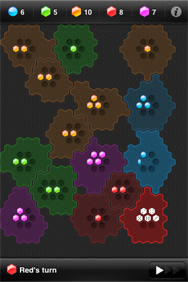
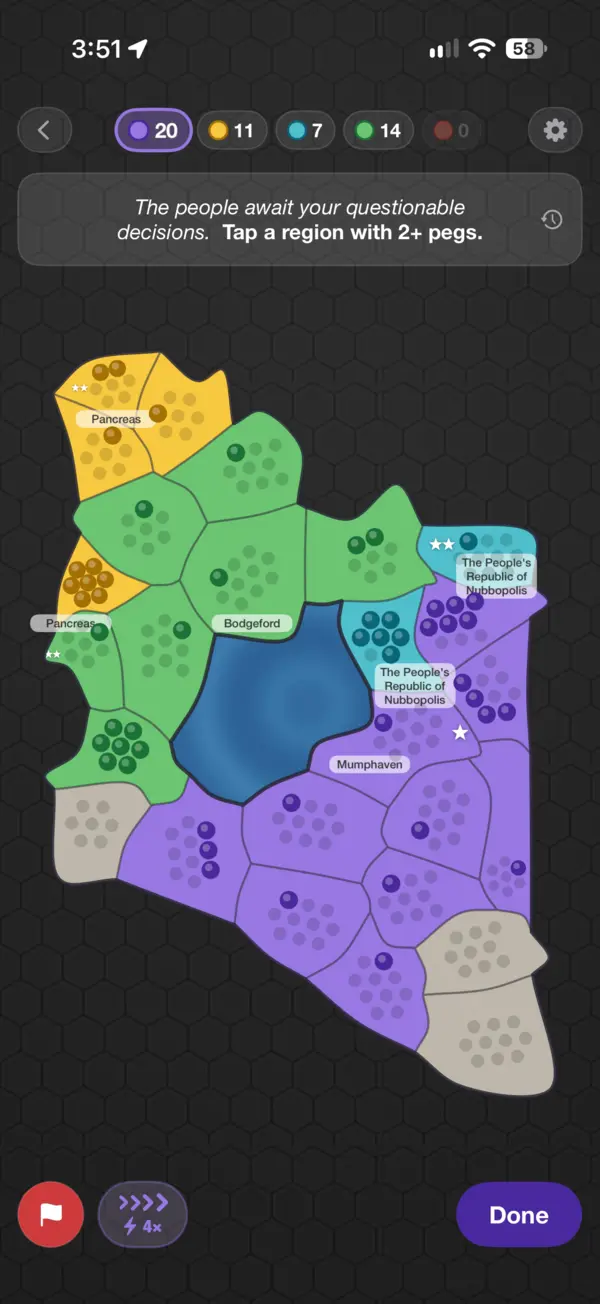
For the record, I now own Strategery after striking a deal with the original developers. Flight Control wasn’t acquirable: EA bought it and then later shuttered it back in 2015; thus, I made The Universe, Controlled an homage instead.
With Strategery, I started by mapping out what I’d want the app to do, and how I wanted it to work. Because I knew I wanted iCloud sync — even before I was sure I wanted online gameplay, which I ended up also building — I thought about how I’d want to generate the maps that game uses, so that they could be seeded and recreated algorithmically. I thought about what rules I wanted the game to have, and how I wanted gameplay to work.
And I crafted an extremely detailed prompt for Claude Code. It was several thousand words.
I explained in detail what I wanted to create, how it would look, how the game would be played, and the functionality needed. I explained the algorithmic approach I wanted to map generation and sharing, and how I wanted things architected. And then I set Claude to work, telling it I didn’t want the entire app built right away, but rather a specific subset of the game’s functionality, on which we’d iterate.
We did.
I gave specific instructions about how I wanted the project itself shaped, because I wanted various areas of gameplay mechanics extrapolated out so that they’d be easier for me to modify directly.
When I added support for online gameplay, I pointed Claude Code to my Lex.Games API that I’d built by hand. I asked it to use a similar structure and approach — so that I could maintain and understand it — and told it precisely what I wanted, down to naming conventions and database structures.
Claude did a lot of the web-code grunt work, but it’s not as simple as saying “build an API for a game” (of which this instance of Claude had no knowledge). I had to map out the exact API calls needed, the return information needed, what the app would say back, and how the two should interact, authenticate, etc — and then set Claude to work implementing it.
Some developers maybe hate this. It’s different from autocomplete and code snippets. It’s different from going to sites like Stack Exchange and potentially copying and pasting code, and I understand that.
But believe me when I say that even though I’m asking Claude to handle the implementation, I promise you, I’m still doing development work.
The Universe, Controlled
My Mastodon writer asked if I just told Claude to knock off another app. I did not.
My initial prompt when I started on The Universe, Controlled was about 1,000 words — more than half the length of this article to this point. And it was explicitly only for a very limited subset of the game’s functionality. I’ve since prompted Claude with tens of thousands of words of additional prompts on the project.
I’m not trying to understate Claude’s work. I literally could not create The Universe, Controlledwithout Claude’s help. Claude is drawing graphics in code, which I’m atrociously bad at. Claude is implementing features that I’m not good enough to implement without its guidance.
What matters to me is that the app was built with humanity. It’s me. Hi. I’m the human.
I released 44 betas before the game hit the App Store, leveraging my own feedback and intuition on what the game needed — and of course, feedback from beta testers.
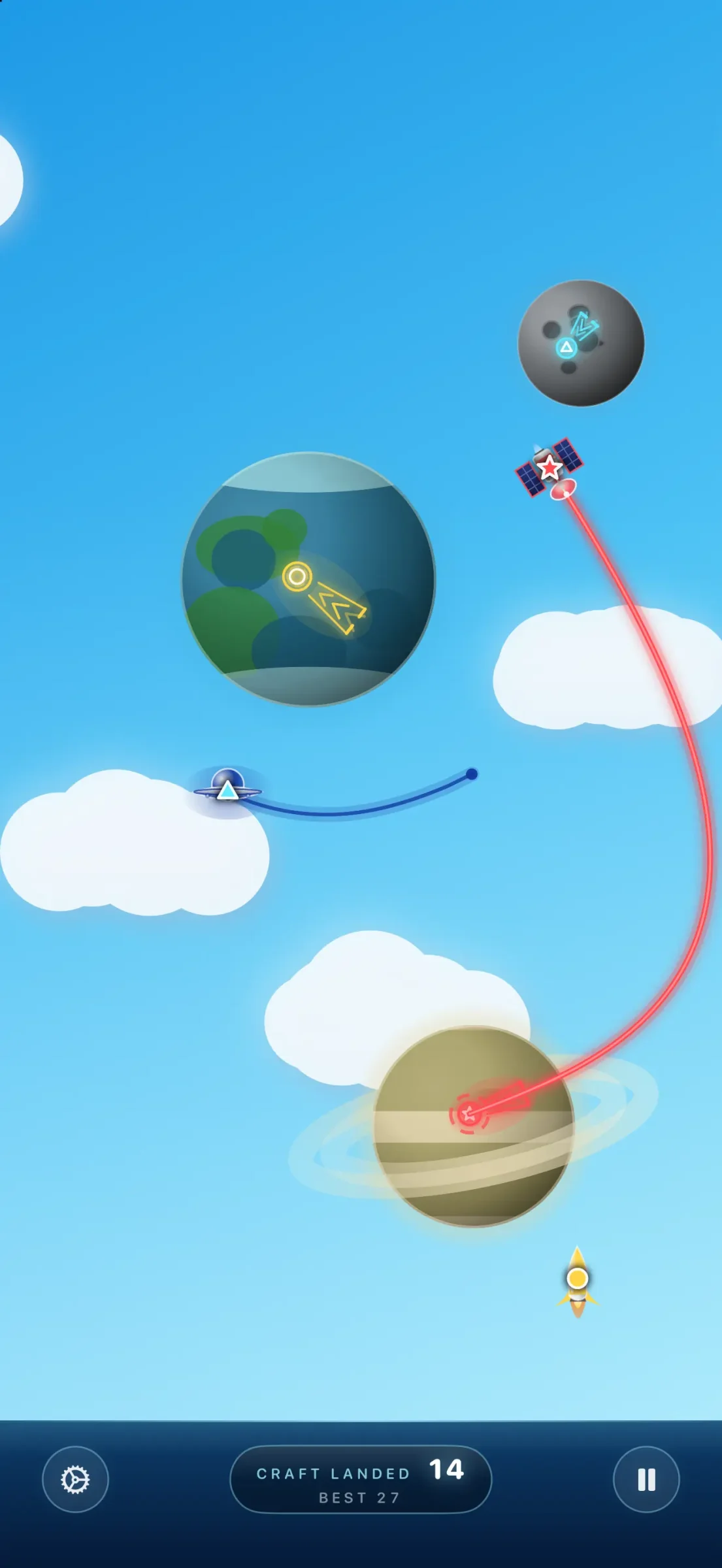
I started the game in landscape mode, the way Flight Control was initially built. But I prefer using my phone in portrait mode, and so wanted to come up with a way to make the game work well there, too. I could not just say to Claude, “make this work in portrait orientation”; that’s not a prompt that would yield good results. I promise.
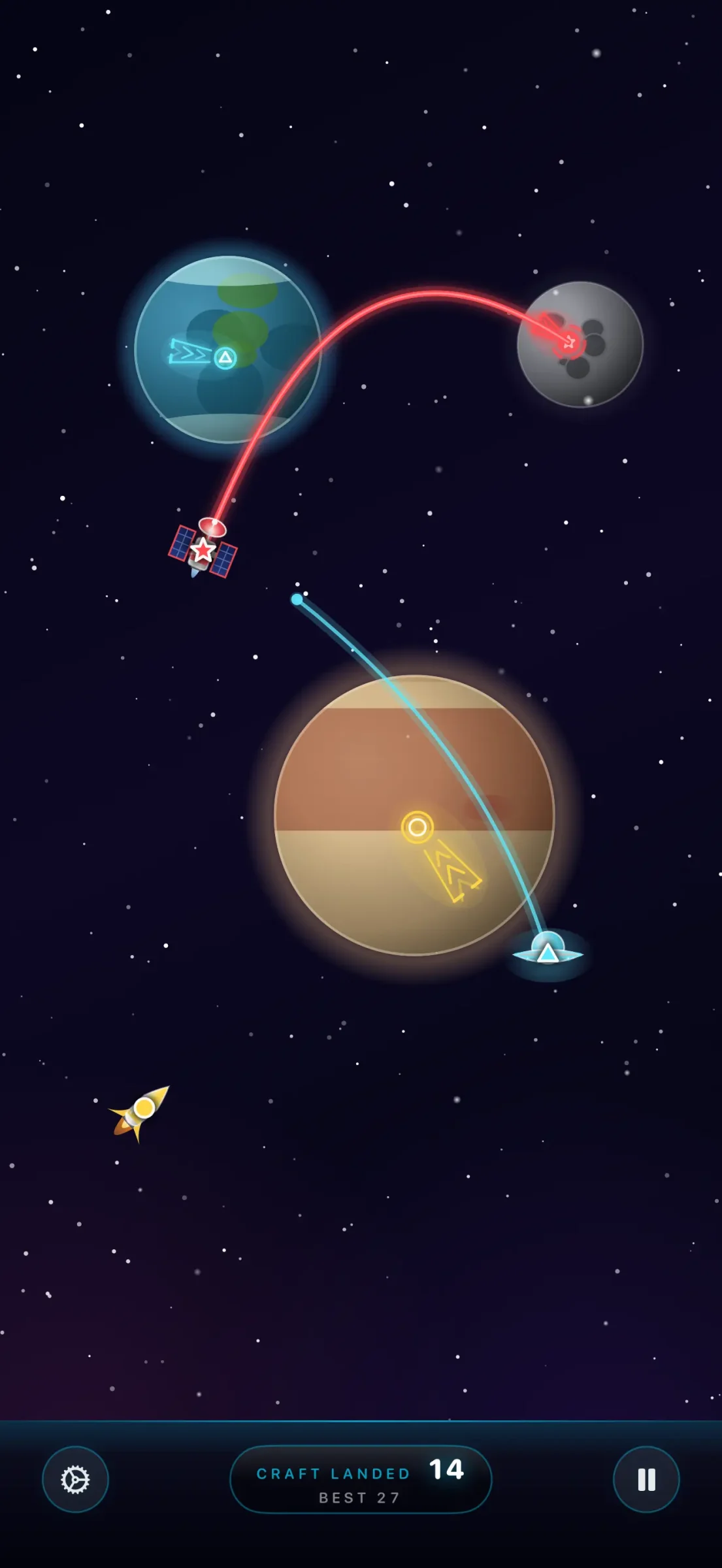
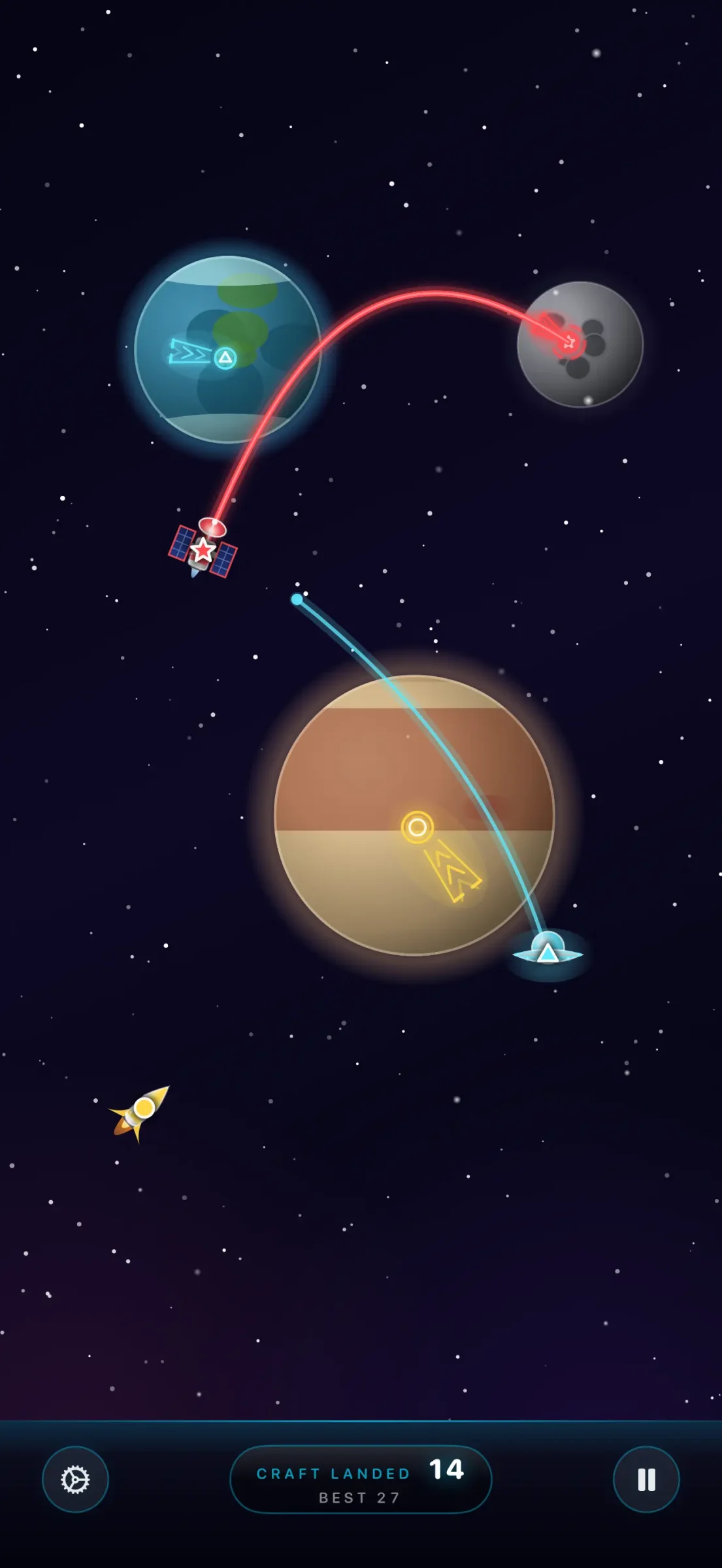
I had to consider the problem and think about what it meant for gameplay. Especially since I wanted the game to handle rotation. Paths you trace for spacecraft in portrait mode must navigate to the same planets, which can’t have moved, when you rotate to landscape. That’s a complicated logic and design problem to think through. Crafting the solution is twofold: It’s figuring out what the hell the right answer is, and also implementing it. I tackled the first half, which I absolutely consider hard work to get right (and I’m pleased with how it works in the game now!) Claude handled the hard work of the implementation. I’m grateful that it did. That’s absolutely challenging work, and I’ll state it again plainly: I couldn’t have done it. I needed Claude’s help.
⤢Paths have to land on the same planets whether you’re holding the device in portrait or landscape.
For more than a dozen betas, The Universe, Controlled had an extremely annoying issue: When you traced paths for spacecraft from the bottom of the screen, you’d trigger the iOS “go to the Home Screen” gesture that you get when you swipe up from the bottom of your device. I kept trying to work around the issue:
Don’t let craft spawn from the bottom two-thirds of the screen
Tell iOS that we should be in game mode
Hide the home bar indicator so it requires a more explicit swipe
These things helped a smidgen, but it was still the number one complaint users had while testing the game. It’s fun, but it’s frustrating how frequently I unintentionally pause the game.
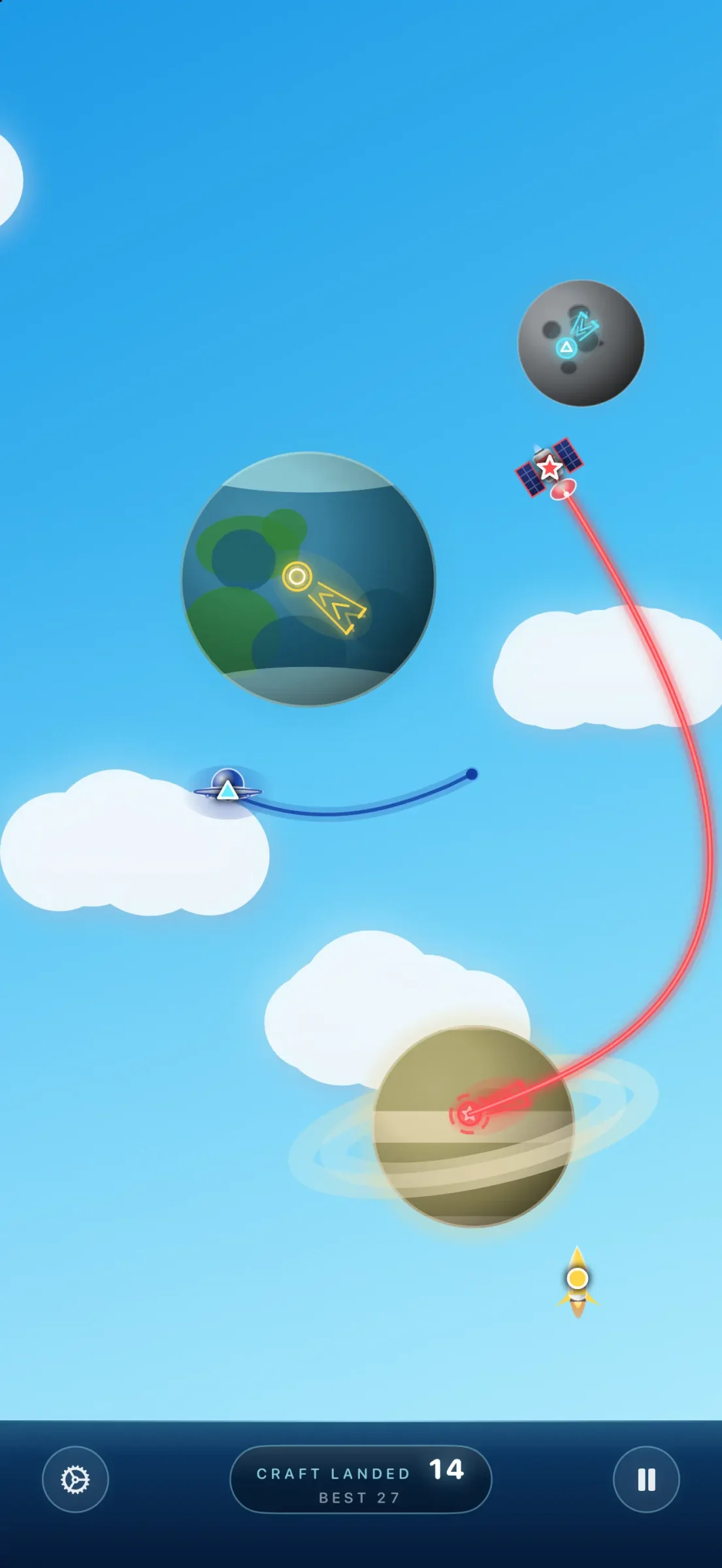
⤢The score bar lives at the bottom of the screen now, so you never swipe up from there.
Claude did not solve this problem. I didn’t even ask it to. To me, it was a human problem in need of a human solution. And the solution was one that feels extremely obvious to me in retrospect, but it took a while to get there. I literally woke up one morning and realized that if I put the “score” module doohickey (that shows your total craft landed, the pause button, etc) at the bottom of the screen, then you never swipe there, and you never close the app.
Again, this was a human solution. Claude wrote the code change.
I look at Claude’s code. I ask Claude (and sometimes ChatGPT) to explain Claude’s code, because I want to get smarter on what it’s doing. I do manual edits. But I let Claude handle a hefty workload.
Oh, the humanity
Claude has helped me vastly improve the Lex.Games app’s Home Screen, which had never looked quite good enough in my implementation. When I built Gnome, my app for finding and sharing GIFs, I built it on the Tenor API, which is owned by Google. When I was ready to apply for a full API license (vs. the developer one I was testing with), I saw that Google was in fact shuttering that API and not offering future access. That sucked. I found Klipy, pointed Claude to its API documentation, and asked Claude to swap out Tenor for Klipy. That would have taken me a couple days. Claude was done in ten minutes.
But the puzzles in Lex.Games are human-crafted. I’m the human. The conceptual approach in Gnome comes from me, even if the final API implementation was LLM-coded; I wanted something that felt like Spotlight or Alfred but was exclusively for GIFs, lightweight, and stayed out of the way.
The Universe, Controlled has two soundtracks — one composed by me, the other by my 15-year-old son. I crafted all the sound effects. I brainstormed the obstacles, the spacecraft, and the “game over” messages (e.g., “47 craft landed before you stopped paying attention”).
My point is: I love human creativity, and I’m proud of my own, and I think my apps have a unifying aspect of my sensibility, sense of humor, and Lexishness. Claude makes them possible, but so do I.
Suspicious is as suspicious does
What did my Mastodon writer mean?
Gotta say it’s a bit suspicious how quickly a one man team is “recreating” existing games, while being “a full time consultant”…
Let me be clear: I spend many, many hours on my apps. I make considerably more money with my consulting work — and I neglect that work, perhaps more than I should, because I find making apps so damn fun and rewarding. I’m making the apps that I want, and hoping that they resonate with others, too.
I think there’s an implication here in this question that using LLMs to help with coding projects is cheating. I think there’s even validity to the idea that asking Claude Code to “knock off Flight Control” is, if not cheating, still not great. And maybe it sounds delusional to some that I think what I did is different: crafting the narrative of what my version of such a game would be, vs. talking to the LLM about the original and asking for a clone.
If people are having fun playing Strategery and The Universe, Controlled, and I’ve thus brought them some joy, delight, or distraction — that seems like a good thing to me. If you’re suspicious that my productivity is enhanced by the use of tools like Claude, your suspicion is well-founded.
If you think there’s something inherently amoral to using any LLM for any purpose, I won’t change your mind. But if you think that using LLMs to help bring app ideas to life is cheating or worthy of suspicion, I’d love to help you reshape your thinking.
I know of zero “vibe-coded” apps that started with a single prompt and then were immediately released. There’s a reason we’re not flooded with more amazing apps than ever before. Great apps take time. There is a real problem of too many vibe-coded apps hitting the App Store, lacking in craft, skill, and humanity.
The question, to me, isn’t how much code was written by a human. It’s how much the app was authored by a human, which I think is a more nuanced question. How much care, thought, and humanity went into the app matters far more than tabs vs. spaces or a manually-vs.-machine-built HStack.
Movie editing and newspaper layout aren’t less impressive now that we use software vs. scissors. WYSIWYG text editors don’t make the written word less compelling than typewriters.
And AI-generated prose still sounds like crap.
But this article was proofread by an LLM. It wasn’t allowed to change my word choice, suggest new arguments, or restructure the piece; it was empowered to fix typos and tense mismatches. Spellcheckers don’t make writing worse, and LLM usage on its own doesn’t make apps worse. The person using the tool has direct influence over the quality of the final product.
A classic iOS line-drawing game is long gone. So I made a new one — in space.
I have a new game in the App Store. It’s called The Universe, Controlled, it’s free, and you should go download it right now. You can read the rest of this later while nodding vigorously in agreement.
Last month, I told you about how I relaunched Strategery, the classic iOS game I fell for in 2009, reviewed for Macworld, and — seventeen years later — somehow ended up owning. When I first started work on the app that became Strategery, I couldn’t help thinking about the other games I adored from those early App Store days. And boy oh boy, did I miss Flight Control.
Flight Control came from a Melbourne, Australia studio called Firemint. Planes drifted in from the edges of the screen, and you dragged your finger to draw a path for each to the right runway. That was it. It was excellent.
Flight Control, a $1 app from Firemint, wouldn’t exist without the iPhone. The unique gameplay is perfectly suited to the device, and I am hopelessly addicted. When I have a spare minute or two, Flight Control is the game I play. Go spend the buck and start playing — you can read my review later while nodding vigorously in agreement.
And here’s how it ended:
The game takes seconds to learn, and mere minutes to play. That makes it even more impressive that I’ve spent hours guiding planes in Flight Control and can’t wait to go play again.
2009 me knew what he was talking about.
Cleared for departure
Strategery kept working, untouched, for the better part of a decade. Flight Control wasn’t so lucky. Electronic Arts acquired Firemint in 2011, and in September 2015, EA quietly pulled the game from the App Store. You can’t buy it anymore. It’s gone. That sucks.
With Strategery, there were two very nice developers to track down and a game to rescue. With Flight Control, there’s nothing to rescue. It belongs to a giant company that clearly isn’t interested, and I’m fairly certain EA wouldn’t take my calls.
So I didn’t try to bring Flight Control back; giant corporations are tough beasts to crack. I made my own game instead — one that aims to pay tribute to what made Flight Control so lovable, without pretending to be it. Call it an homage. Call it a love letter. Call it The Universe, Controlled.
Space traffic control
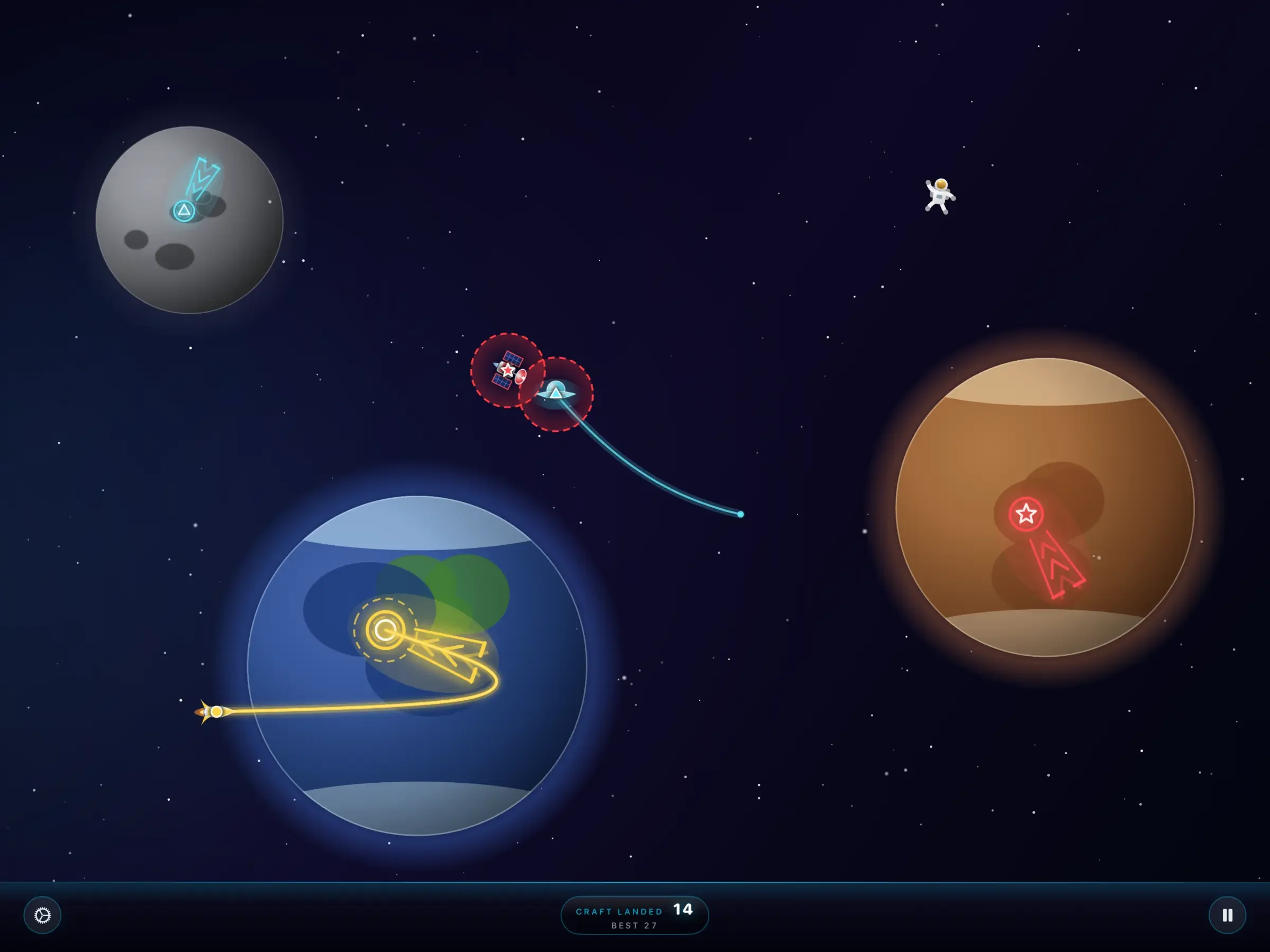
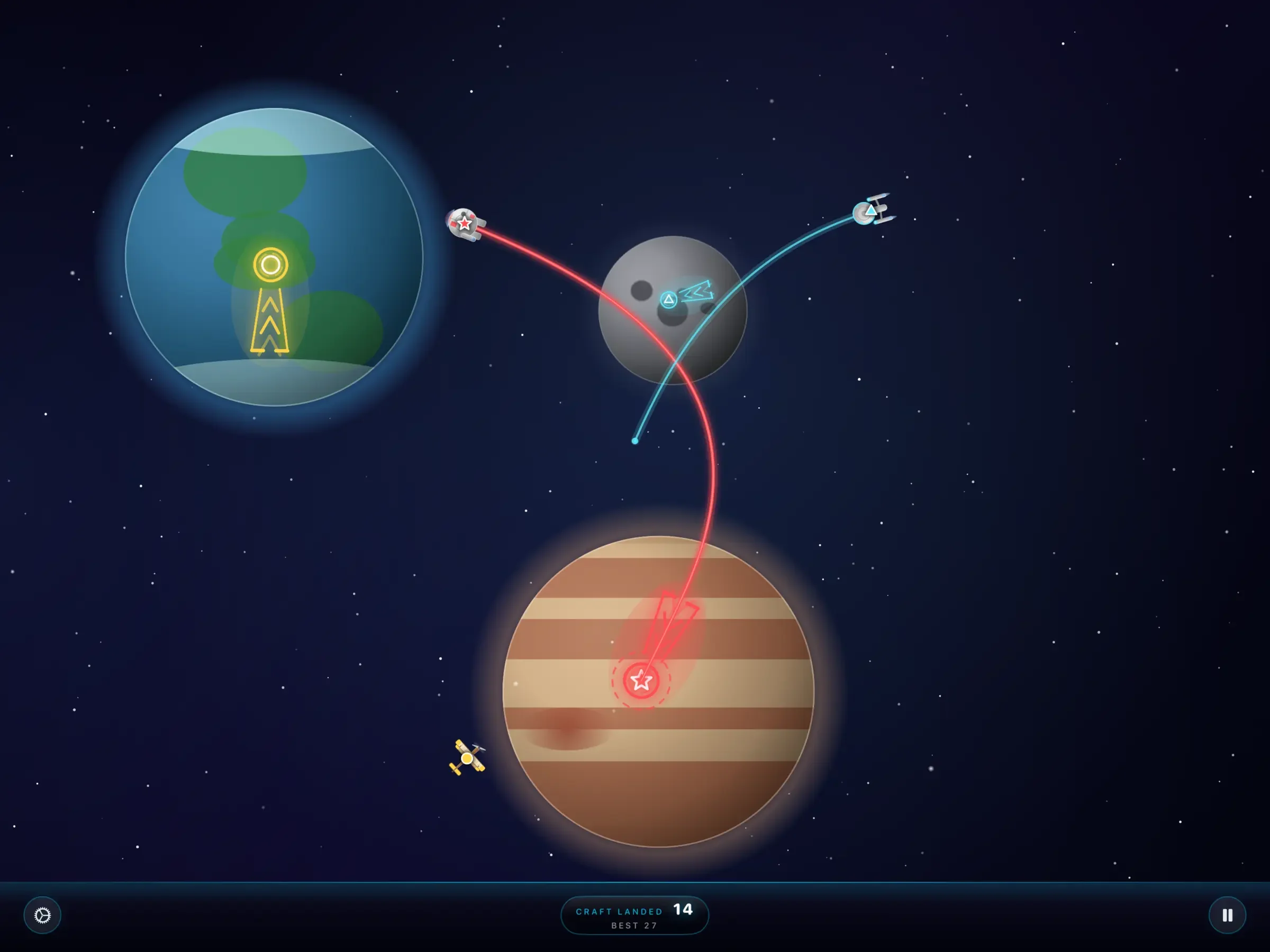
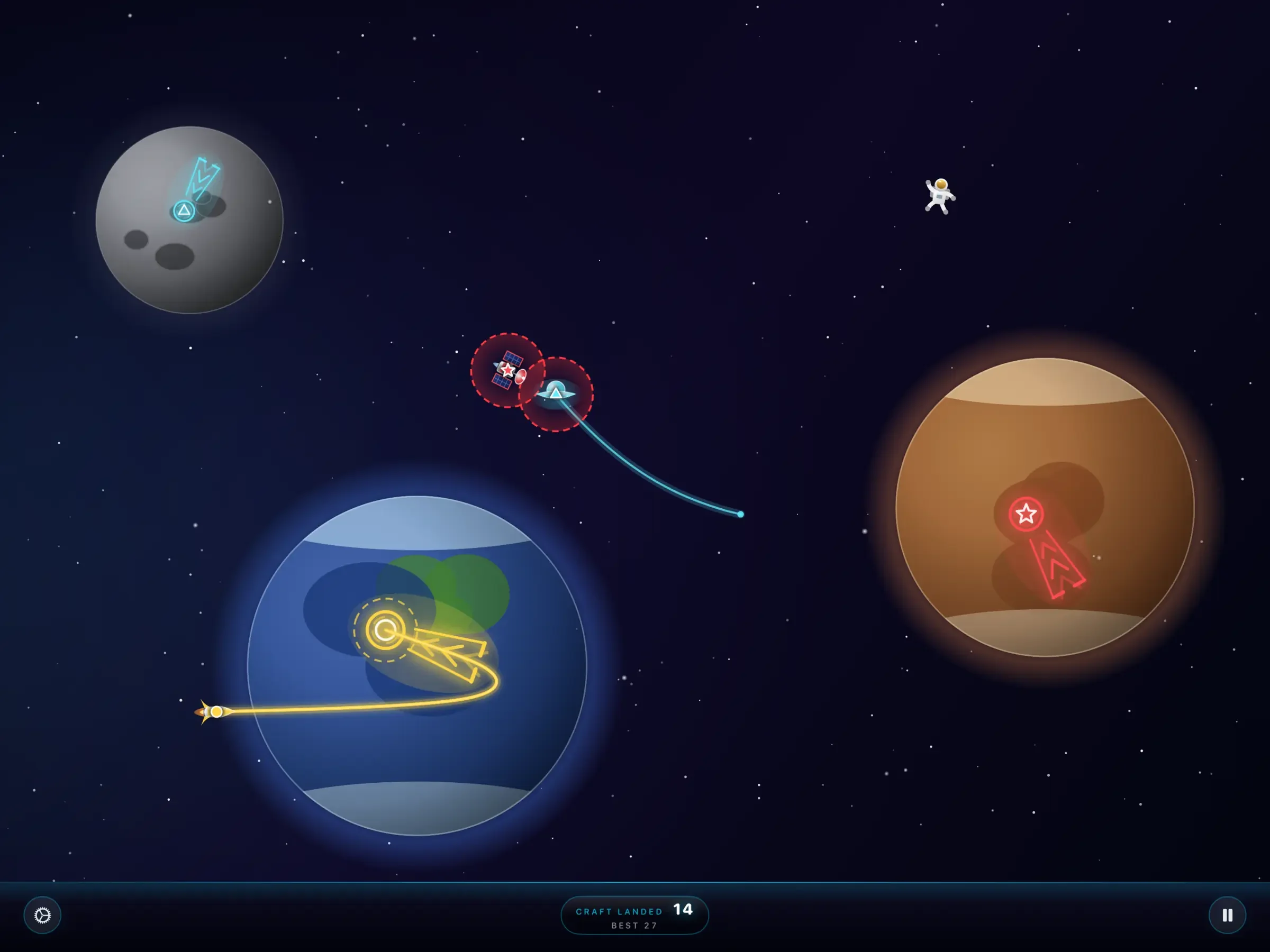
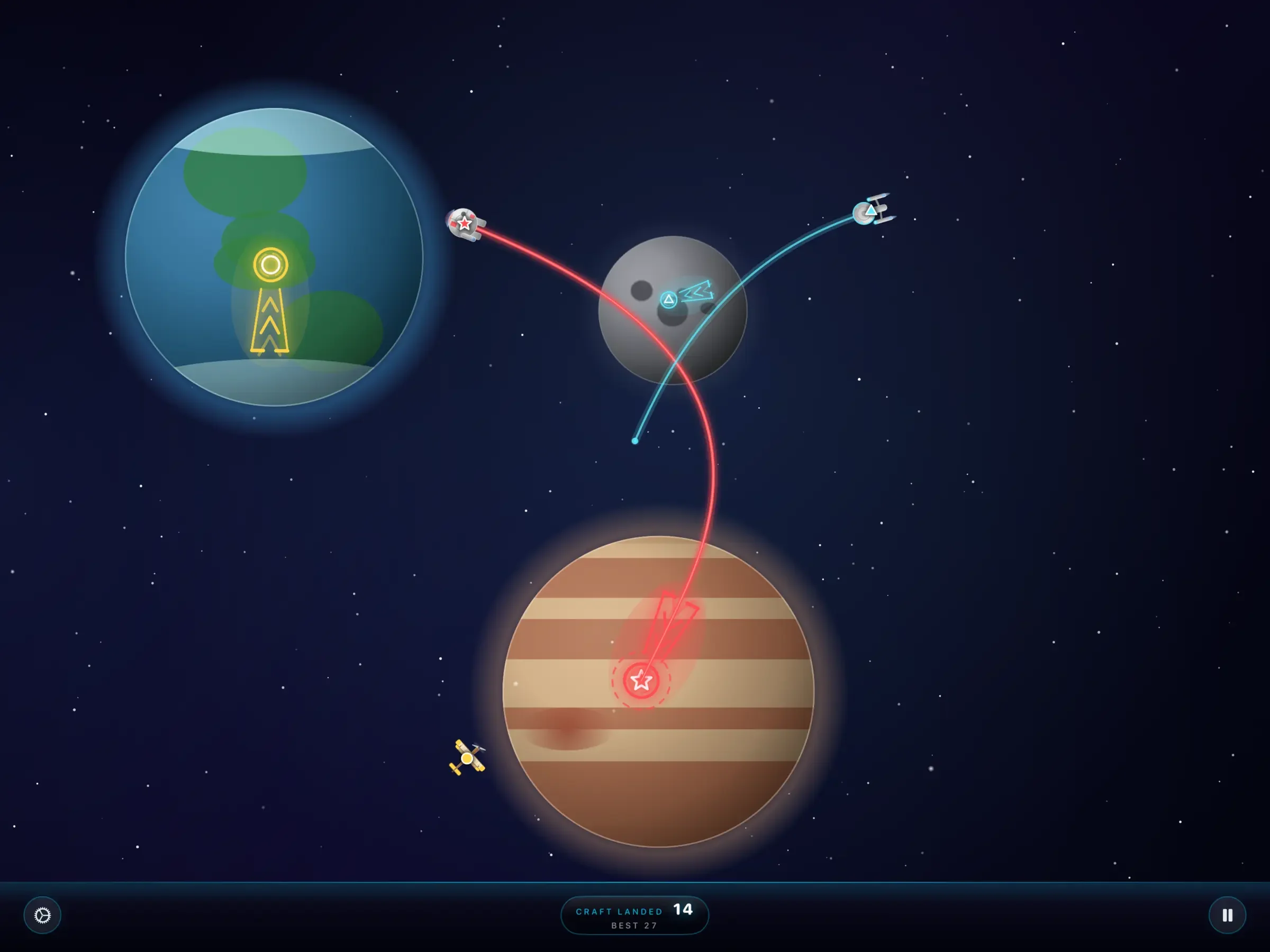
In The Universe, Controlled, you’re not landing planes; you’re running space traffic control. Craft soar in — a satellite, a UFO, a rocket — and you guide them to the planets they want. Touch one, trace a path, and it follows your line exactly. Each craft sports its own color and symbol, and needs to land on the matching world. Your job is to bring them all home while keeping them apart. Crashes, in space and in apps, are bad.
Every so often, something else drifts across the sky: a meteor, an astronaut, an alien, a superhero. These are obstacles. You must avoid them.
(If you’d prefer a more peaceful cosmos, you can turn the flying obstacles off in Settings. The game will call you a monster. It’s fine. It says that to everyone.)
⤢Red rings mean two things are in danger of crashing. Also: Mind the astronaut.
Embracing modern iOS
Flight Control was a game of its moment. In 2009, an iPhone app targeted exactly one screen size, and you held the phone the way the game told you to hold it — in landscape mode.
I wanted The Universe, Controlled to feel just as simple, but at home on the devices we actually use in 2026. So it plays in portrait and landscape. Hold your iPhone upright and play one-handed, or turn it sideways and settle in. It’s lovely on the iPad, too, where there’s a whole lot more universe to control.
A slew of tributes
I couldn’t help myself: The Universe, Controlled is packed with a few tributes to sci-fi movies and TV shows I love, or that my nerdy friends love and that I’ve heard of. The unlockable craft may look a bit familiar if you’ve ever watched a starship boldly go somewhere, or seen a certain hunk of junk make a certain run in a certain number of parsecs. The bonus obstacles include a gentle visitor with a glowing fingertip who I suspect would like to phone home, and a furry fellow from Melmac who is waving hello and possibly eyeing your cat.
There is also a pterodactyl. In space. It made me laugh. I’m a simple man.
I mean actually free. You can play forever without paying me a cent. There are no timers, no energy meters, and no levels held hostage. There are some house ads for my other apps.
If you’d like to make the ads go away — and get some fun extras while you’re at it — you can Unlock The Universe for a few bucks. That gets you no ads, ever; three skies (Deep Space, Daytime, and Golden); a bunch more spacecraft; and those extra flying obstacles.
And if you’re feeling especially generous, there’s Platinum Universe for $10, which adds a badge on your menu, your choice of four app icons, and — my favorite — your name in the game’s credits as a Platinum supporter.
The Universe, Controlled takes seconds to learn, and mere minutes to play. I’ve somehow spent hours “testing” it anyway. I really, really like this game. I hope you do, too.
It’s free in the App Store for iPhone and iPad. Space is crowded. Somebody should be in charge. I pick you.