Nick Heer points out that 9to5 Mac posts a lot of stories — including… a lot of the same story, basically, over and over again?
I do not know who this is supposed to serve. Maybe this is a play for search engine traffic or A.I. chatbot citations.
Whatever the goal, this is certainly odd. There’s already a perpetual sameness to certain kinds of Apple coverage. Apple is always working on the next iPhone, AirPods, Mac, etc. It’s the job of some Apple press outlets to write about it, sure.
But this definitely feels like a lot of regurgitation whose aim isn’t reader satisfaction, but rather something else.
Although I love podcasts, I’m not a regular audiobook listener. I’ve been meaning to change that — although I’ve been meaning to do so for years, so I’m not sure when it’ll happen. (I struggle with what to listen to when I’m debating solely between music and podcasts. Audiobooks would add a third thing! So many things!)
But I’m a sucker for great apps. Developer Dale Wiens shared his with me: StoryLogic.
The app supports DRM-free audio files (MP3, M4B, M4A, folders of multipart audiobooks, zipped folders of audio books), and is exquisitely thoughtful about how playback should work.
All audiobook listeners can find themselves distracted on occasion. StoryLogic makes it easy to jump back and to revert to previous bookmarks, and automatically tracks your five most recent plays and pauses. That way if you press play and fall asleep a few minutes later, but the audiobook plays for another few hours, you can very easily get back to where the dozing must’ve started. Smart!
Dale generously lets free users store up to five audiobooks in their library at a time. Paid users can store as many books as their iOS devices can hold — and the app syncs your current book location and other stats between your iPhone and iPad, too.
And it looks great! The interface colors are fully customizable, so you can make the app look however you want — including matching the vibe of the book you’re listening to.
Edited August 29 at 10:13am to add clarity on syncing and theming.
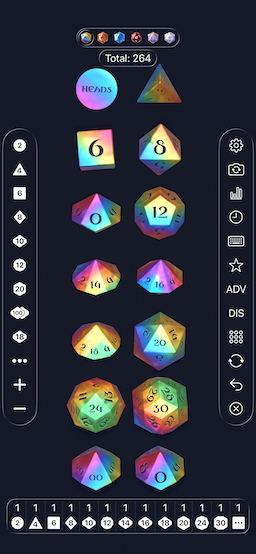
You may know that you can ask Siri (or Alexa, and probably other chat assistants) to roll a die, flip a coin, or pick a random number between two bounds.
You can also type ”flip a coin” or “roll a die” into Duck Duck Go or Google, and it just works.
There’s the lovely Dice by PCalc, from developer (and occasional Rebound guest-host) James Thomson, which lets you customize every facet of your dice and what you roll them upon.
I made a goofy little standalone website for flipping coins and rolling dice at lexfriedman.com/roll.
This piece is also random.
Mostly unrelated, if we ever play Rock, Paper, Scissors, I’m quite likely to throw Rock first.
One of the motivations for launching Lex On Tech was a Mastodon post I read that bemoaned the lack of websites highlighting indie apps. I love the idea of celebrating more independent developers — and indeed, I launched this site with Apps I Love as a core category.
Today, I want to celebrate a trio of apps from developer Colin Weir.
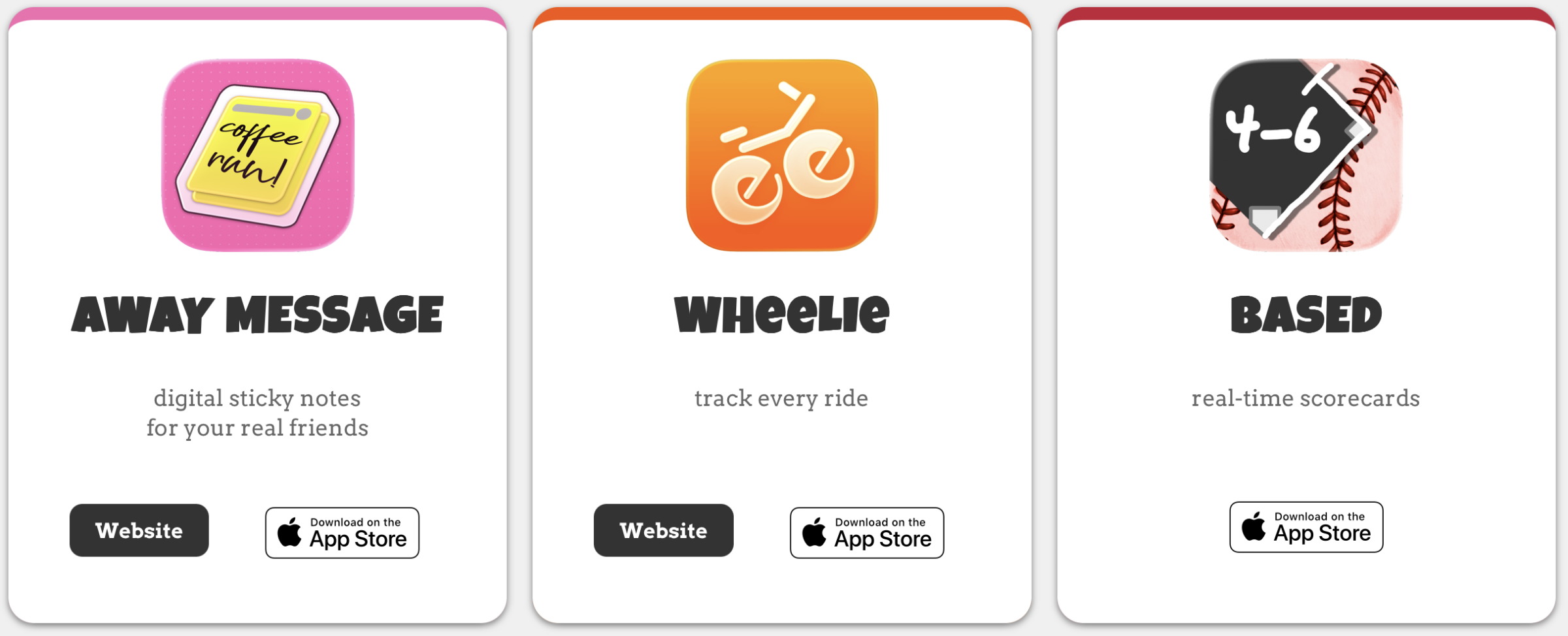
His site showcases three apps: Away Message, Wheelie, and Based.
First of all, points for naming. All three apps are named smartly, with lovely icons, to boot; if you see the app icons and names, you already have a sense of what the apps are.
Away Message aims to recapture the joy of AOL Instant Messenger away messages, and perhaps even early Twitter (may it rest in peace). Weir went out of his way to emphasize a lack of a feed or a network, so the flip side is that Away Message requires that you exchange codes with friends; the app isn’t going to suck in your contacts list. That means that for real traction with you and your friends, you’ll need a bunch of them to sign up and swap codes with you. But the app is built with joy and sweetness and aptly captures AIM away message nostalgia, if you can build a network.
Wheelie tracks your bike rides. Note I say your; I still haven’t learned to ride a bike. I’m thinking about it. Wheelie tracks your speed, elevation, and route, and keeps an iCloud-syncable, user-exportable log of all your rides. Were Strava built just for cycling, this is what it would be.
And finally, there’s Based. I was in my late 20s when I learned that some folks keep their own scorecards while watching baseball games, tracking pitches, at-bats, and plays. Based does it live for you, filling in the card as the game unfolds. It looks insanely well done, and the damn thing is free. Bonkers.
I love that I live in a timeline where Dave Barry exists. He’s one of those writers who makes me want to be a better writer.
He published a piece today on modern technology, with classic Dave Barry comedy:
Modern dishwashers — you’ve probably noticed this — take a lonnnggg time to complete a cycle. This is because, in the interest of planetary conservation, modern dishwashers do not use any water. They just make humming sounds for three or four hours, then give up. Basically they’re trying to hum the dirt off your dishes.
An aside: Do I wish Dave weren’t using Substack? Yeah. I really, really do. But I am grateful he’s still writing. Anyway, he wrote about two apps:
…[S]ome people think [technology] moves too fast, and they’re trying to slow things down. For an example of this, we turn to recent stories in the New York Times and USA Today concerning two popular new apps, Roost Social and Carrier Pidge. Both of these apps do essentially the same thing, namely, send texts, but — this is the innovative part — they send them very slowly, by pretending that the texts are being carried by birds, as in olden days. I am not making this up.
It gets more insane.
There’s a small chance that your pigeon will die before it reaches its destination, in which case you have to buy a replacement pigeon for 99 cents. I am still not making this up.
Early on when I first started freelancing for Macworld, I won some good favor with my future colleagues when they asked me to write about a bonkers app called CatPaint, which let you add cats to any photo. In my opening, I included the sentence “There’s a cat for that,” playing off Apple’s App Store slogan of the era.
If I had been writing about Roost Social and Carrier Pidge, I might have used the line “There’s a crap for that.” Listen, I actually genuinely appreciate the creativity and ingenuity in intentionally slow-delivering messages. But, also, this is idiotic. I contain multitudes.
I’ve had a few hiccups, since it’s a brand-new site with a custom CMS. If you saw some oddness or duplicates or errors in the RSS feed, so did I. But I believe those are resolved now. I can’t clean up rogue entries that your RSS reader may have cached locally, but the future looks brighter. I hope.
A few folks have asked why the RSS feed has truncated posts. I don’t love that either, but I’m holding off on changing it for now. I have no business model yet, but providing access to full feeds might be one thing I can make available to subscribers at some point soon.
I’ve also been asked if this is an Apple blog. I mean, often? It’s tech and/or whatever I feel like sharing. “Tech” is right there in the URL. But it’s not Apple-specific. It’s anything I want. That’s the joy of running your own site.
Anyway, again, seriously, thanks for reading. That’s awfully kind of you.
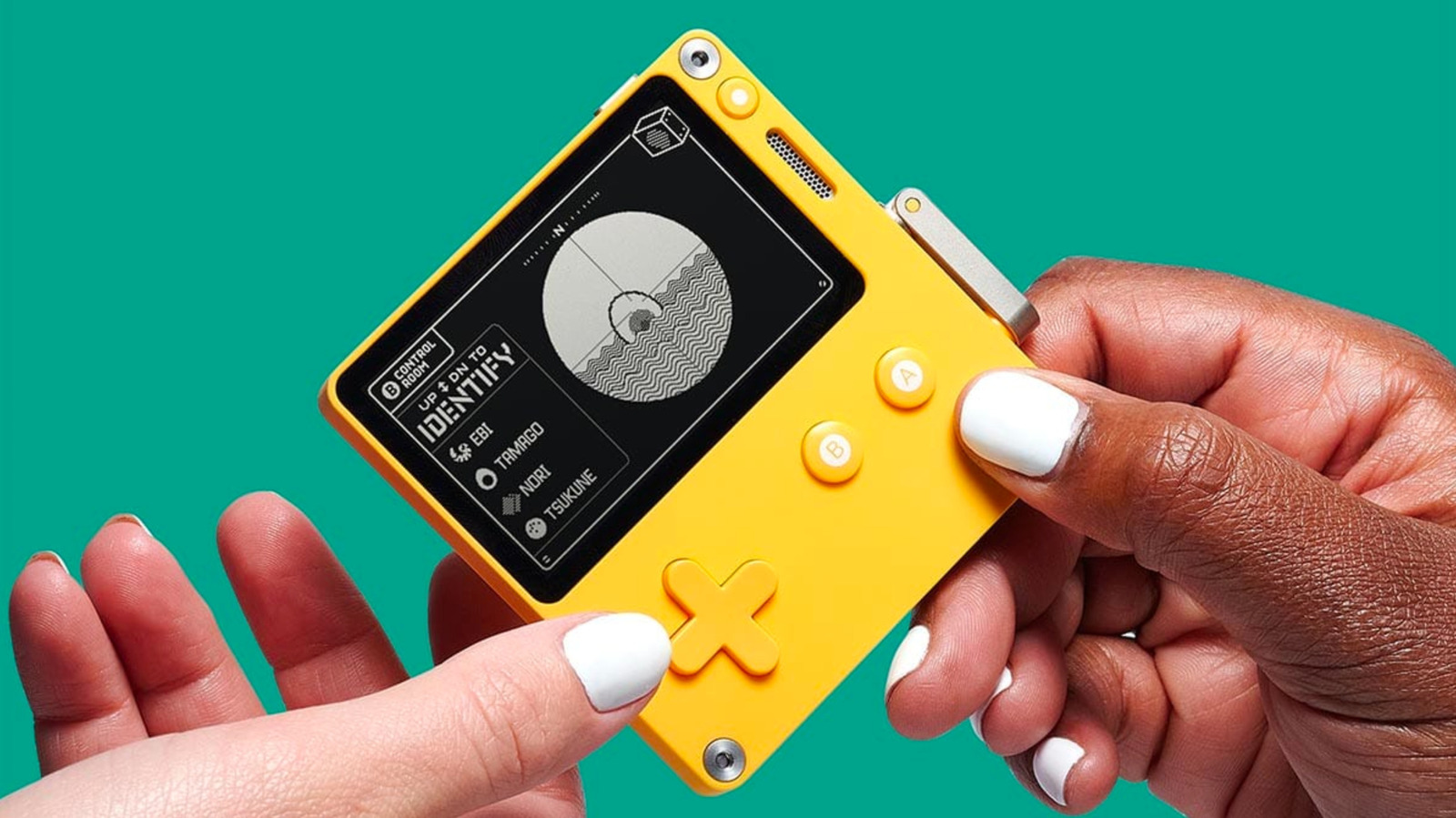
Anyway, Panic passed through tariffs and got a refund. Now, they’re refunding customers.
“When you ordered from us, we charged you for the tariff we were being charged by the US government for every Playdate we manufactured,” Panic said in an email informing customers about the refund. “We treated it like any other tax, and passed it along as a line item at checkout.”
“It’s just not our money to keep, and it felt really good to give it back,” Panic CEO Cabel Sasser said in an email to Game Developer. “That’s an easy way to know you made the right decision.”
When you browse the web, websites set cookies. Annoyingly, thanks to GDPR, they often also show you little overlays that tell you they’re using cookies, or ask you about which cookies you’re willing to accept. And to be clear, browser cookies are the least exciting kind of cookies that exist, outside of oatmeal raisin, which are garbage.
Safari has a cool menu item that appears per site in the Safari menu. Settings for (current domain) shows up there. The settings you actually get to see there, though, are stupid. “Always use Reader mode,” which I imagine almost no one uses ever, tops the list.
What that menu should show (but doesn’t) is the cookies in use on that particular website.
Manage Website Data
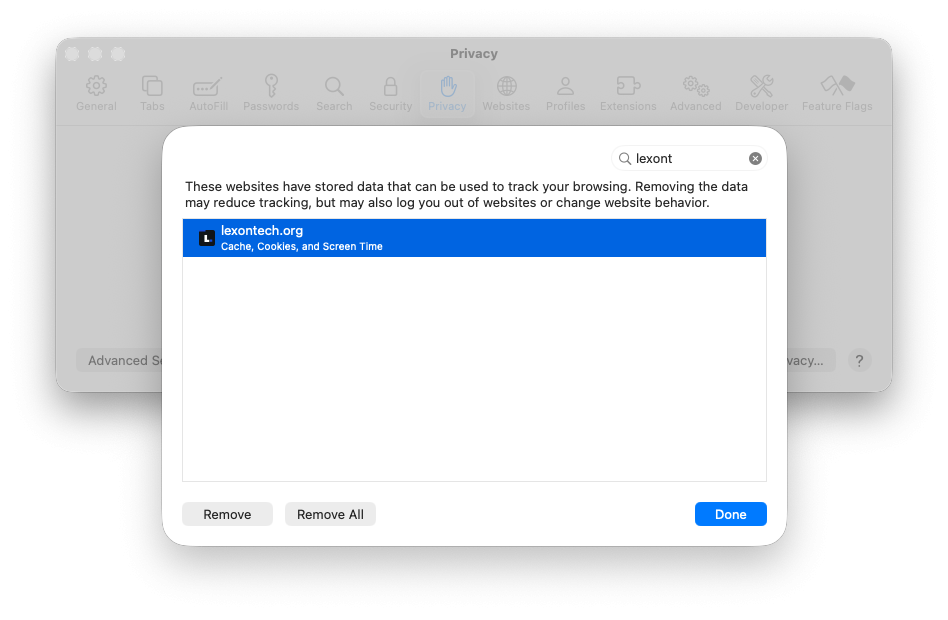
If instead you go to Safari -> Settings -> Privacy -> Manage Website Data, you can browse the websites that have data stored in Safari. I wish it defaulted to the site you were on when you opened that Settings window; it doesn’t. But you can type a search into the filter box and see… almost nothing.
You get a button to Remove the Cache, Cookies, and Screen Time data stored for the domain(s) selected. (Disappointingly, even if you have just one site selected, you get two buttons: Remove and Remove All. In this context, with only one site selected, those buttons do the same thing.)
Safari’s cookie view in the Web Inspector.
It should be easier to delete just the cookies, if that’s all you want to do. It’s not. It should be easier to see the cookies stored by the website. That’s not easy either. You have to turn on Safari’s Develop menu and open the Web Inspector to see cookie details. It’s a lot of clicks.
Most users don’t need to see their cookie contents most of the time, so I get why this doesn’t get more love from the Safari team. But they’re basically giving a Donkey Kong mallet to hammer away everything with that Remove option.
Claude on the web and Claude on the Mac don’t support easy account switching. That’s annoying. I get good use out of my Claude account, and when one of my consulting clients invited me to join their enterprise Claude account, I was of course happy to — but I wanted to leave my own Claude account available for all my other and personal work, too.
There’s no account switcher in Claude. And Claude also makes logging in a bit annoying; you have to trigger email links to yourself, which then open the app on your Mac to finish the login process. So an approach of just logging out and logging back in all the time didn’t seem ideal.
At first, my thought was to keep Work Claude in a browser and Personal Claude in the standalone Mac app, but it took about twelve seconds for me to hate that approach.
So I decided I wanted two standalone Claude Mac apps running. This can be done.
My approach: Two Claude apps, one with a custom icon, each logged into their own account, neither affecting the other in any way. (It turns out that if you use exactly the same email address for your work and personal accounts, Claude will give you a little account switcher. But first of all, who would use the same email address for both? And second of all, in practice, switching back and forth endlessly sounds annoying to me.)
The solution isn’t simply “duplicate the Claude app,” because by default, your cloned copy will log into the same account. But there’s a fix. I’m breaking down the steps below, but I’m also sharing a shell script below that does everything for you, because I’m nice. First, though, the steps:
Step one remains: Duplicate the Claude app. Fine, you were right about that.
Step two: Wrap the binary. Inside the duplicated Claude, rename the real executable and replace it with a three-line shell script that launches it with a dedicated data directory. This is what keeps the two apps’ logins separate, allowing them to live in separate worlds.
cd "/Applications/Claude Work.app/Contents/MacOS"
mv Claude Claude-bin
cat > Claude << 'EOF'
#!/bin/bash
exec "$(dirname "$0")/Claude-bin" \
  --user-data-dir="$HOME/Library/Application Support/Claude Work" "$@"
EOF
Step three: Give it a new identity. Change CFBundleIdentifier and CFBundleDisplayName in the copy’s Info.plist. Do not touch CFBundleName; Electron uses it to find its helper apps, and changing it makes the whole thing crash on launch with an obtuse error and frankly I don’t want to talk about it anymore, because it sucked.
Step four: Change the icon. You can do this in the Finder. I made a tinted version of the original Claude icon, so that I can tell at a glance which Claude I’m launching, personal or work.
Step five: Re-sign the bundle. You’ve modified a signed app, so you need to re-sign it (an ad-hoc signature is fine) or macOS will refuse to launch it:
Rather than doing all that by hand, I have a script that does the whole dance — copy, wrap, rebrand, re-icon, re-sign — in one go: install-claude-work.sh
Even with all these steps complete, you still have more work to do: You have to get both Claude apps properly signed in. Quit your original Claude app. It can’t be running. Open your newClaude Work app. Choose “Always Allow” when macOS asks whether the app can access Claude Safe Storage in your keychain.
Log into Claude Work. This will require the email song-and-dance ritual, but as long as your new Claude Work app is the only Claude app running, that’s the one the emailed deep link you receive will authenticate with.
Finally, open your original Claude, and it should still be logged into your personal account. Thank the friggin’ lord.
The Catch
Claude Work, your duplicated version, won’t auto-update. But the good news is, when you update the original Claude app, you can run the shell script again, and it’ll update things in place for you. Both apps should stay logged in.
Credit where due: The duplicate-app technique and its gotchas are well documented by Rafael Pazini and Philipp Stracker.
It’s an app that does one thing, and it does it beautifully: Launch the app, and see all the photos (and videos) you took on this day in years past.
Fun fact: My kids used to be younger.
I love reliving these moments. I often text amazing photos that come up in On This Day to my family or to the friends in those photos. It’s often emotional to me — I’m a softie — but the app gets out of the way and lets the photos be the star, which of course makes good sense.
(If I have one complaint about On This Day, it’s that sometimes the sharing gets a tiny bit fiddly, though I suspect some of that may relate to iCloud-offloaded photos not fully loading in time for the share sheet. But who knows?)
It’s a beautiful, focused app that gets out of the way, offers up thoughtful interface choices, and even lets you handle cleanup: When a screenshot sneaks into my memories, I can delete the photo right from the app. Perfection.



![Settings for [current domain]](/uploads/2026/08/screenshot-2026-08-26-at-10-29-33-pm-d0aefc3b.png)