Exciting stuff.
Jason Snell: John Ternus enters, with folding phones and AI watches
Jason Snell:
I can’t wait to try out the iPhone Duo. As someone who spends a lot of time using an iPad, I’m seriously intrigued if it might fit in my life as a primary device. But for most people, it will be not just too expensive, but too weird. That’s fine. Apple strikes me as a company that’s willing to be patient—while making a lot of money from people who want to be out there on the cutting edge.
For everyone else, there’s the iPhone 18 Pro. And that’s as it should be.
I love Jason’s writing, and I love Six Colors. This whole piece on Apple’s event yesterday — and new CEO John Ternus’s biggest public showing to date — is worth your time.
Apple raises prices of iPhone 16, iPhone 17, iPhone Air, and iPhone 17e
The new starting prices for the three models now look like this:
iPhone 16: $799 (+$100)
iPhone 17e: $699 (+$100)
iPhone 17: $899 (+$100)
iPhone Air: $1099 (+$100)
Via MacRumors. Fun!
Time To Go helps you figure out time zones from your Mac’s menu bar
There are other utilities for seeing what time it is everywhere. This one is mine.
My day job is working as a consultant for a slew of companies. I have clients in the United Kingdom, in Spain, in Chicago, in Los Angeles, and in Tel Aviv. I have family in Tucson, which doesn’t observe daylight savings time.
I never know what time it is anywhere. I’m constantly Duck Duck Go’ing or asking Siri or Alexa what time it is in a given city.
No more.
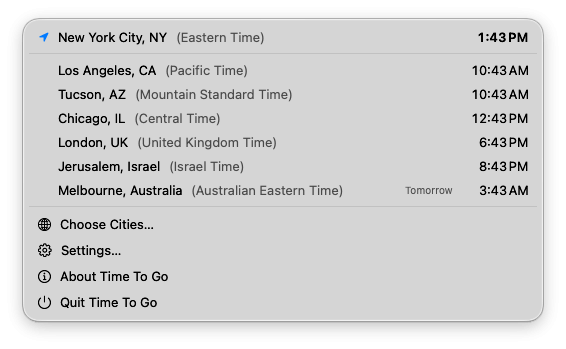
I made a tiny menu bar app called Time To Go (get it?!) that lets you choose what cities you want to see times for, and it shows you what time it is there, right now.
That’s it; that’s the app.
It’s free, because I love you. Download it now, and browse my other apps.
Apple unveils iPhone 18 Pro, iPhone Duo, AirPods 5
Apple announced the cool things that they were expected to announce. You’ll read detailed analysis about it, but you probably watched the event Wednesday, and if not, you can go watch it now.
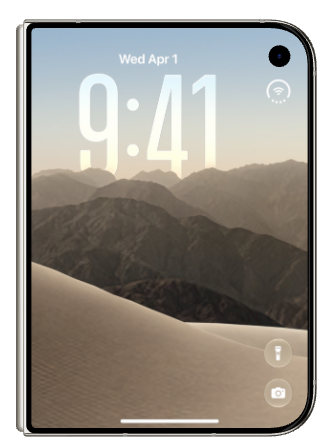
The iPhone Duo certainly looks cool and makes some clever design decisions. I’d love to play with one. I don’t want to own one as my daily iPhone. I don’t want to spend $2000 on a phone, and I have separate use cases for a single-hand handheld phone and a larger-screen iPad. (I use my iPad with a keyboard, full-time.) But it supports MagSafe, has very good cameras, and looks cool.
I don’t relish the app developers who have to figure out how to update their apps for the new screen sizes. Oh shit, I am one.
The new AirPods 5 look cool, aren’t exorbitant, and charging with your Apple Watch charger is clever and great. There are also new Apple Watches. I get less excited about those than I used to, but they seem great.
I’ll likely end up with the iPhone 18 Pro, which seems to be exactly what we all expected it to be.
A new Wordle-inspired game from Lex.Games
Look, I know the focus today is on Apple’s event, where they’ll announce a bunch of things Mark Gurman spoiled several hours early, the foldable iPhone Duo chief among them.
But I still have things to share, and I’m definitely not above shameless self-promotion.
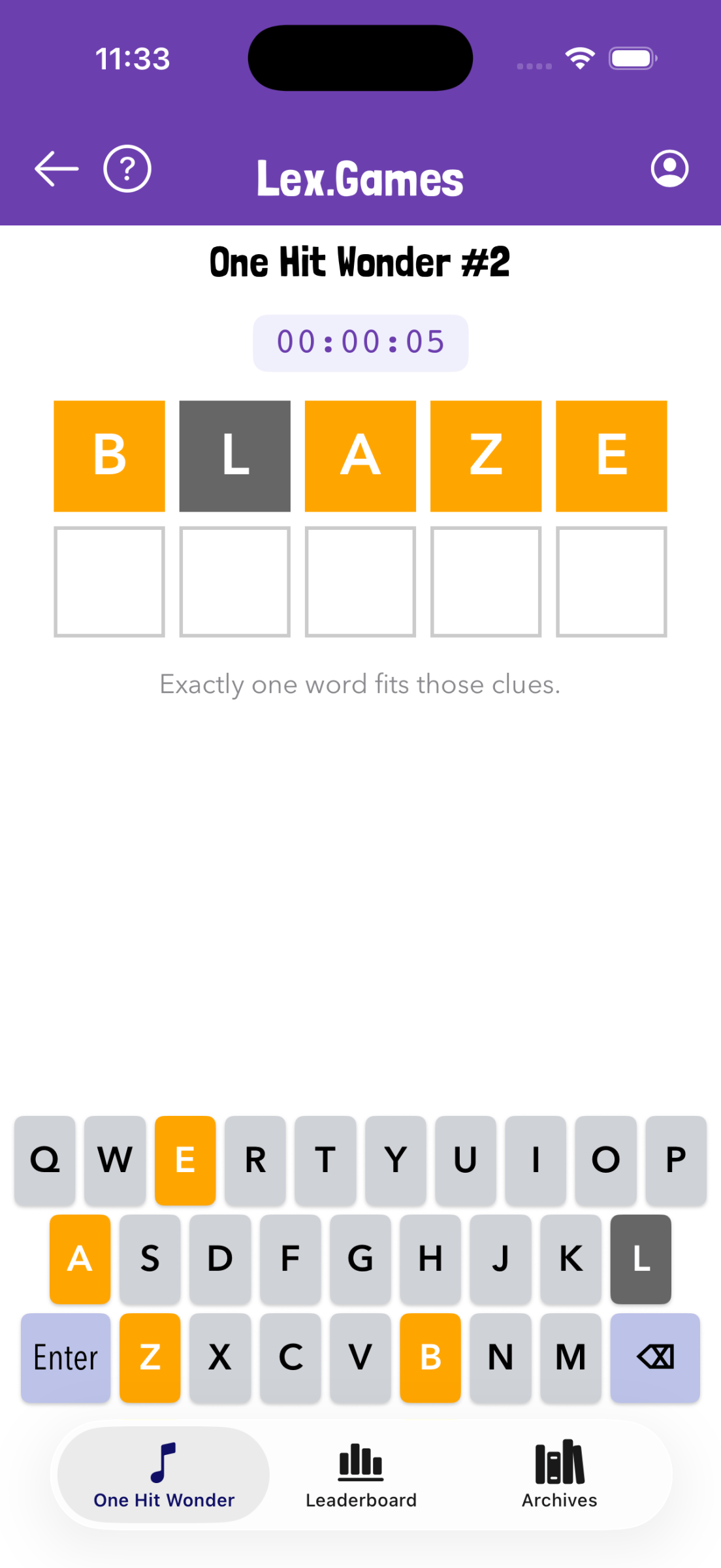
You may be aware that I run Lex.Games, which is both a website and a standalone iOS app. (It’s chock-full of different word games, including a Connections-style puzzle, crosswords, and lots more.) Now, both the web version and the app have been updated with a brand new game inspired by Wordle, which I’m calling One Hit Wonder.
In the game, you’ll see a Wordle-style interface, and a single word has already been guessed for you. Based on that word (and the familiar yellow and green identification for correct letters), you can solve the puzzle in just one more guess.
Lex.Games is free with some in-app (or on-the-web) subscriptions available for more; One Hit Wonder is free to play. The latest app update also includes improvements for Cryptograms.
The apps I use to lose weight
My friends and followers know that over the past couple years, I made a concerted effort to get in better shape. They know because I often won’t shut up about it.
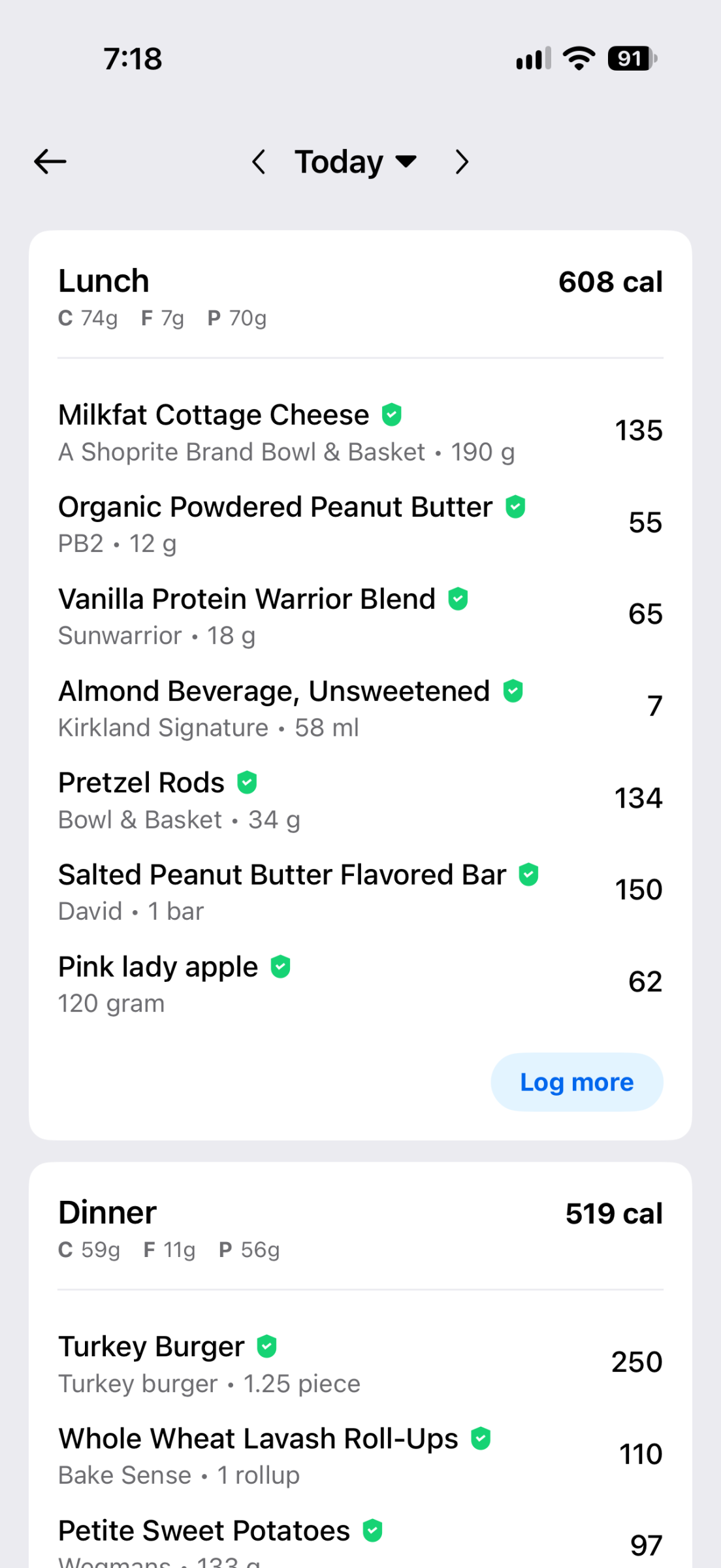
Although my weight loss (shedding 65 pounds!) involved a real-live human trainer (whom I only met in person once), a few iOS apps were instrumental. My approach to dropping weight and getting more fit involved eating less and working out more.
Several apps helped.
Tracking calories sucks and I hate it, and I do it every day. The app I like the least that I use the most is MyFitnessPal. Its interface is at best fine, and recent updates to the UI scream change for change’s sake… But the app has an excellent food database, decent enough meal and recipe handling (for when you eat the same meals often), and it’s smart about surfacing your frequently tracked foods as you search.
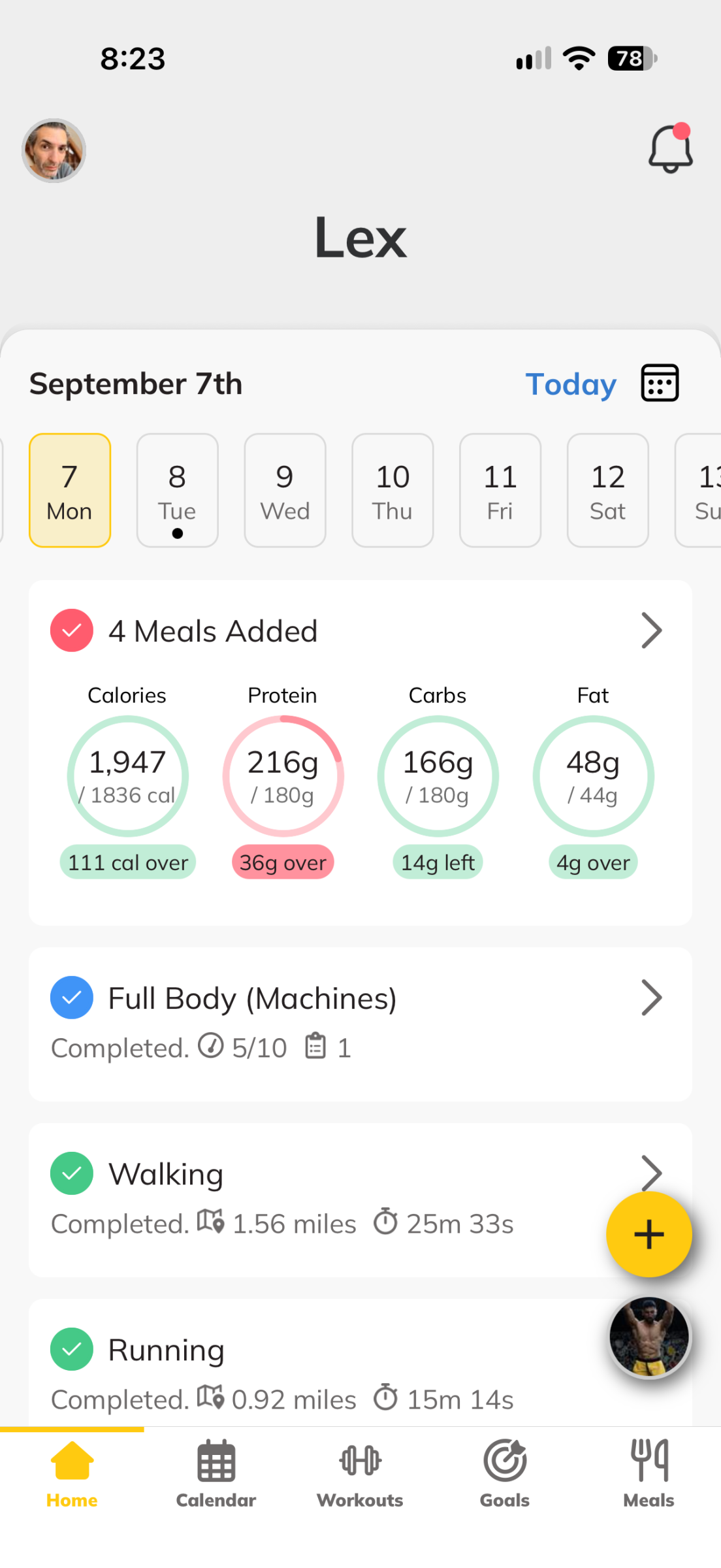
MyFitnessPal’s subscription price is steep, though it gets discounted around Black Friday into the holiday season, and it’s worth it for a handful of features: Removing the egregious ads, using the barcode scanner, and slightly easier macro tracking if you’re focused on protein or carbs or whatever. If you don’t want to pay for the subscription and are just starting out, the free trial is worth it so you can scan barcodes of your frequently eaten foods for easier tracking; they’ll show up first in your regular searches later.
Trainerize is another middling app. My trainer uses it. Many trainers use it. The core reason I use MyFitnessPal vs. some of the other calorie tracker apps is the app’s API. Though the API is private and MyFitnessPal is stingy about sharing access, Trainerize does integrate with it, which means my trainer can easily see what I’m eating and how it all breaks down nutritionally. That’s helpful.
Trainerize is also where my trainer programs in my workouts, including his own and third-party videos providing instructions on specific activities. I track all my strength training workouts in the app, and again, that data is surfaced for the trainer. The app smartly records my previous weight levels and rep counts, which is helpful.
It can be tricky to track calories at restaurants. While some restaurants publish their calorie breakdowns, many don’t. If I know I’m going out to a meal, I like to figure out what’s right for me to order in advance, because I can plan the rest of my day around making sure I hit my calorie and protein goals with that restaurant meal included.
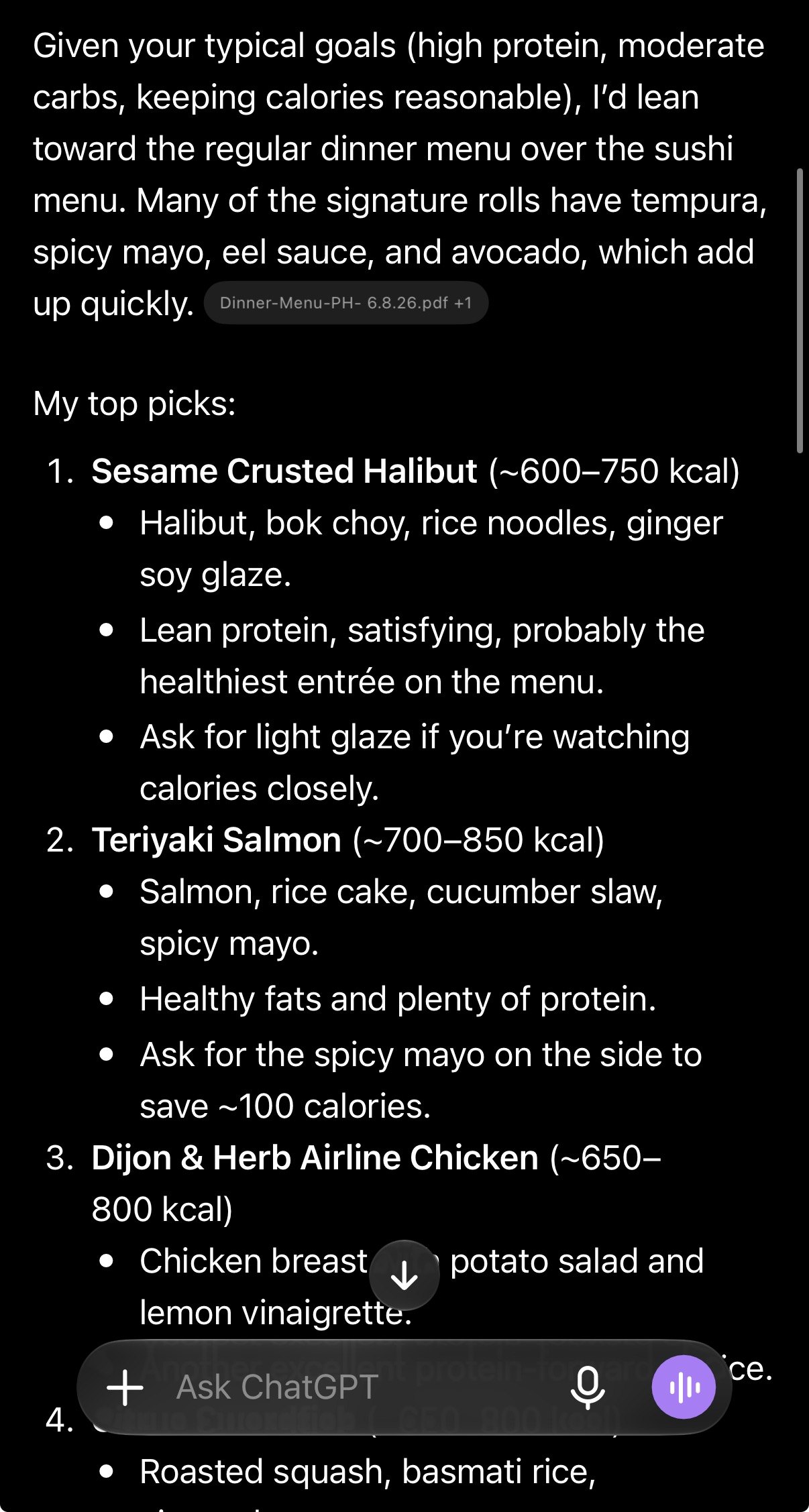
As it turns out, LLMs are uniquely well-suited to scanning menus and suggesting good dishes based on what they know of your food preferences and macro goals. In other words, because ChatGPT knows what foods I dislike (since I’ve told it), and what calories I prefer to allot to different meals, and my minimum protein requirements, it can study a menu and report back on the best options for me… along with nutrition breakdown estimates.
If the menu isn’t online, I’ll snap a photo or two of it while at the restaurant, and let the LLM do its work.
Losing weight with diet and exercise requires patience, time, and self-discipline. The apps help. And they never complain about leg day.
Link
Migrate to Apple Passwords from your current secret-keeper
Glenn Fleishman at Six Colors:
If you tried Apple’s Passwords app in the past and were disappointed, you should probably give it another try. The improvements Apple has made in the last couple of releases have brought it to what I consider parity with the most important useful features of well-designed third-party password managers.
If Ricky’s piece left you craving even more password manager advice, Glenn’s got you.
Indie developer spotlight: Marc Edwards and the Bjango team
First of all, Bjango is fun to say. What a great name for a company.
If you’re struggling to place how you know the name Bjango, you likely have familiarity with their long-beloved app iStat Menus. They call it “the ultimate system monitor,” and it is.
When Bjango founder and designer Marc Edwards first reached out to me, I was excited, because I knew iStat Menus well, and I knew Bjango was awesome. Then I got even more excited, because Marc shared a bunch of fascinating Bjango history with me. And then it turned out Bjango makes a lot more than iStat Menus, including — I did not see this coming — audio plugins inspired by a desire to crack the code of Daft Punk’s sound.
iStat Menus
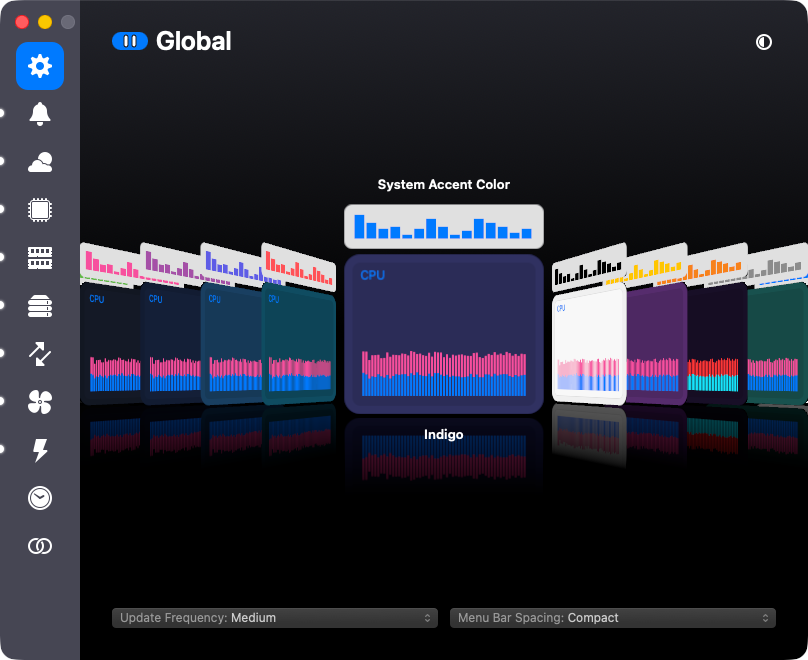
iStat Menus puts your Mac’s vitals in the menu bar: CPU and GPU load, memory pressure, disk space and activity, network throughput, temperatures, fan speeds, and battery levels for the Mac and for whatever Bluetooth gadgets are attached to it. It also does weather and world clocks, because once you’re living in someone’s menu bar you might as well be packing in as much info as possible. Everything is configurable down to the color and order of each item, and a combined mode squeezes several readouts into a single menu bar icon for when that real estate is at a premium. There’s a 14-day free trial, and the family pack covers up to five people.
The app is tied to the hardware more directly than almost anything else on your Mac. Every time Apple ships a new chip, iStat Menus needs to learn its sensors, which means Bjango often has to buy the new Macs just to test on them. The team is currently working on version 7.5 of iStat Menus, which Marc describes as a significant update.
Bjango launched in 2005, right around Mac OS X 10.4 Tiger, making free Dashboard widgets. (Dashboard! Remember Dashboard?) One of those widgets was called SysStat. SysStat became iStat Pro, and iStat Pro eventually escaped Dashboard entirely and became iStat Menus, which shipped its 1.0 in 2007.
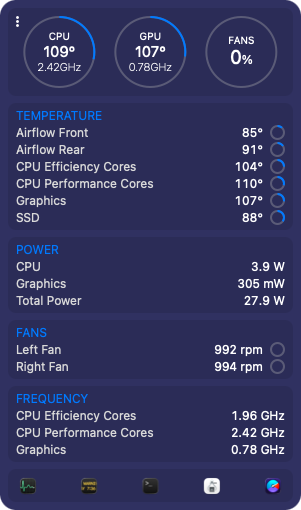
Versions 1 and 2 were free. Marc told me they never released a single point update for version 2, because the then two-person Bjango team was burnt out. “2.0” was the only 2.x that ever existed.
So, in what Marc calls a desperate bid to keep the project alive, version 3 became a paid app. There were complaints — I know you are shocked to hear that — but the overall response was overwhelmingly positive, and the money let the two of them quit their jobs and do Bjango full time. A free app people liked became a paid app people liked enough to fund a company. The indie developer dream.
There were two people at Bjango then. There are six now. iStat Menus turns 20 in 2027.
Skala and Pinwheel
Marc is a designer first, and Bjango has been making design tools for a very long time. The big one is Skala, which Bjango calls “the designer’s design tool.” The pitch is that it respects the conventions of classic design apps while pushing on what’s possible: an open document format that works properly in a Git repository, a color picker that understands OKLCH and OKLAB, and guides that behave like layers, with names, colors, and opacity, that you can group and copy between documents.
Work on Skala started in the middle of 2011, and it’s not shipping yet. That is a long development cycle, and Marc is upfront about it: Given the team’s ambitions and its size, the project has taken an incredible amount of time. They’re now down to around 25 main checklist items. Those vary wildly in size, so Bjango is not yet promising a shipping date, but it’s getting done. Some of what Skala does is still under wraps. I’m excited to learn more.
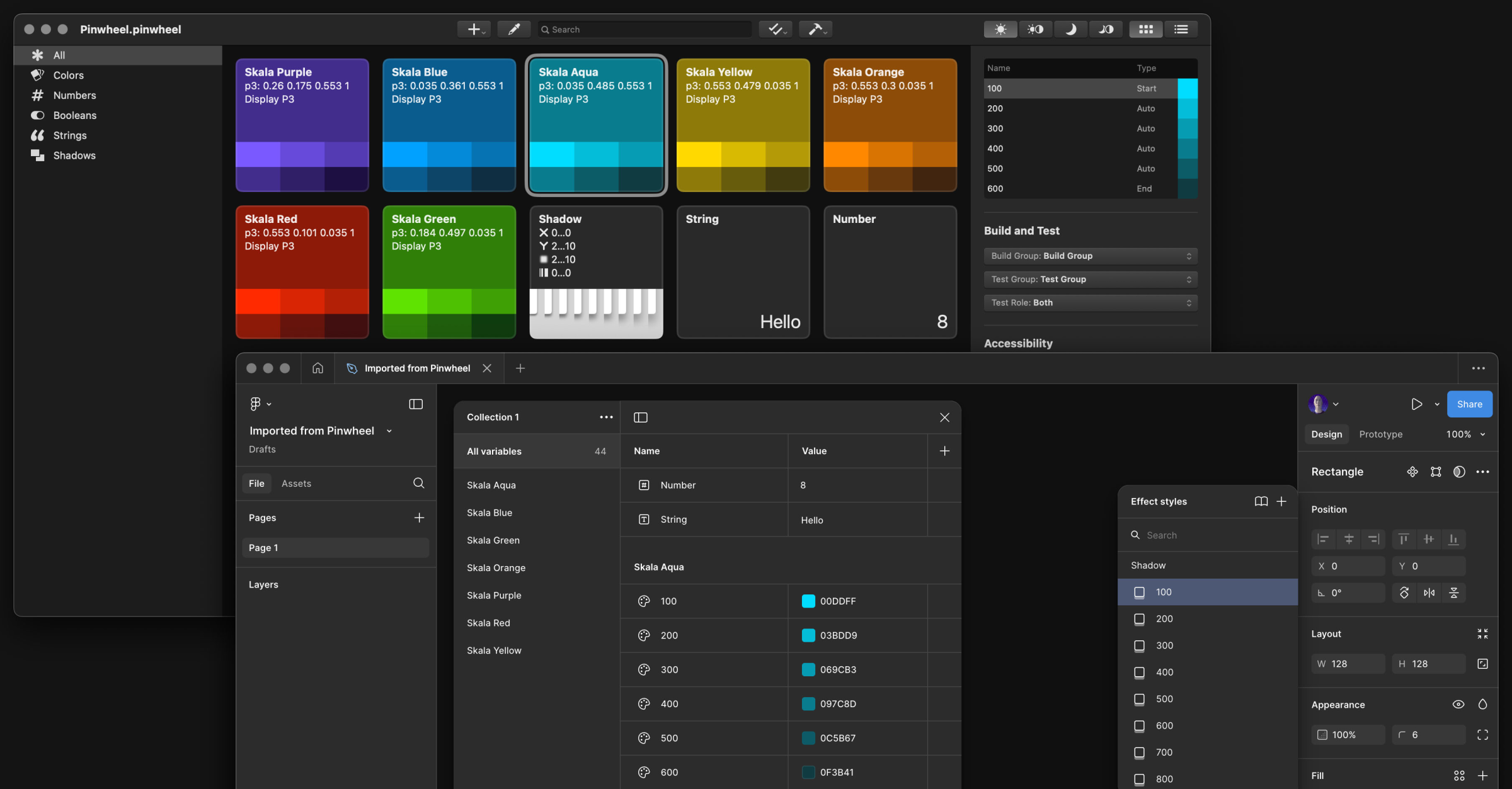
Pinwheel is a sibling app that shares concepts and some code with Skala, and you can buy it today for $9. It does color wrangling and conversion, builds palettes and color systems, checks contrast against both WCAG 2 and APCA in real time, and generates code for design systems in Swift, CSS, or SCSS, with Figma and Design Tokens support along the way.
If you’ve ever read a truly thorough article about designing for Retina displays, or matching drop shadows across CSS, Android, iOS, Figma, and Sketch, there’s a decent chance Marc wrote it. Bjango’s articles are a genuinely useful design reference, entirely separate from anything they sell.
The audio plugins
Tools for nerds, tools for designers… and also, tools for musicians.
Marc has been producing music for around 30 years. A while back he went deep researching Daft Punk’s vocal effects, for no reason beyond curiosity, after deciding that a lot of what’s written online about them had to be wrong. He then bought and tested more than $10,000 worth of hardware to find out. The result is a 4,500-word article and two videos that sort out, album by album, which sounds came from a talk box, which came from a vocoder, and which came from a harmonizer, and which widely repeated claims are simply incorrect. This, Wikipedia, and Lex.Games — this is why the Internet was born.
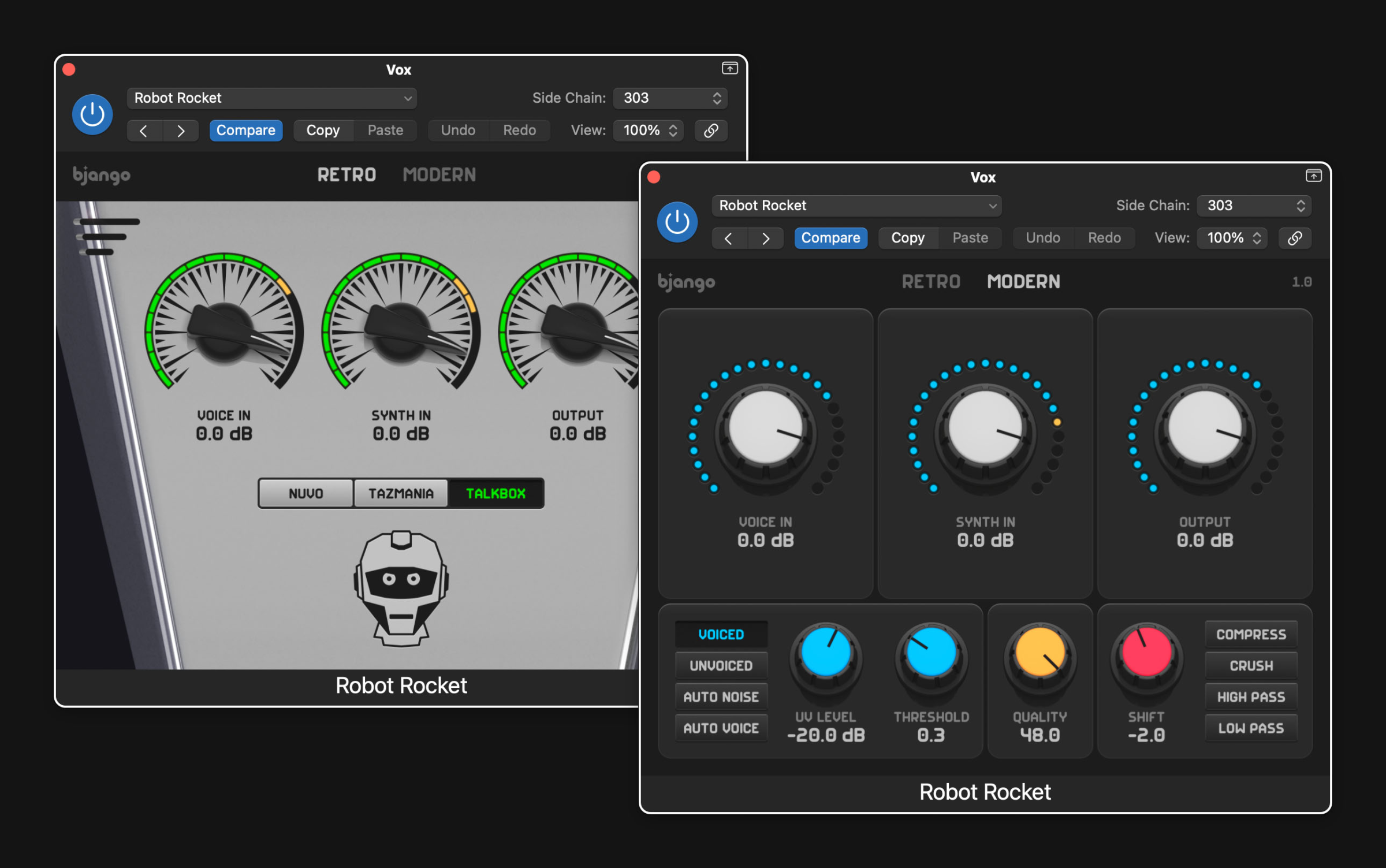
Marc noticed that no plugin came close to the main vocoder behind Daft Punk’s best-known vocal sound, the DigiTech Talker. So he tried to build one himself, and failed. He asked Russell Ivanovic, of Pocket Casts fame, for help, and Russell finished it. (Russell now works at Bjango, on Skala and other things.) That plugin shipped as Robot Rocket in September 2025, for $39. The tagline is “a vocoder plugin that rules the nation,” and that sounds better than some other nation rulers, so I’m all for it.
Robot Rocket launched a Bjango side hustle. The company now offers eight plugins, all in Audio Unit and VST3 form, for Mac and Windows:
- Reality Distortion analyzes incoming audio and rebuilds it with up to 64 oscillators, then lets you bend the result.
- Buckets And Decay models bucket-brigade and PT2399 delay chips for warm, gritty delay, chorus, and flanger effects.
- Chaos Line generates four random sequences at once and lets you morph between them.
- Robot Vowels is a formant filter with distortion.
- MIDI Memories records MIDI and detects chords and scales.
- Instant Vibes is a groove unquantizer, which is to say it makes your perfectly timed MIDI sound like a person played it.
- Double Freak follows the pitch of whatever you feed it and layers synth waves on top. It’s free.
Marc says being able to build the tools he has always wanted is a dream, and you can tell. The plugins have the same trademarks as Bjango’s Mac apps: careful design, one-time pricing with a real trial, and no analytics or tracking.
Marc anticipated the obvious question about a six-person company with a catalog this long, and answered it himself: “Do we have a lot of apps for such a small team? Yes. You gotta fight for your right to not get a real job.”
Preach.
Check out Bjango’s apps.
Mark Gurman: Apple’s foldable iPhone marks biggest design shift in nearly 20 years
Mark Gurman at Bloomberg:
Ternus will now need to persuade consumers — beyond the most devoted Apple customers — to shell out more money for a device that introduces new complexity and some trade-offs. The phone has to be opened to take full advantage of it, and it may be less durable than a conventional iPhone. It also offers a weaker camera system and less battery life.
I have no idea if I’ll want to buy this first folding iPhone. I’ll know after I see it unveiled later this week.
But I do know that Apple would need to do a lot of work to make me want to buy it. I’ve loved all my iPhones, and I’ve never once felt gee I wish this thing unfolded to be larger. I don’t want to drop two grand on a phone.
And the absolute top driver of every iPhone upgrade I’ve purchased in recent years is the camera. I’m not a pro photographer, but I love taking photos — of my family, of our pets, of our travels, and on and on. I’m hard-pressed to imagine a scenario where I’d knowingly buy an iPhone with a worse camera than the iPhone I already use.
Indigo 1.3
Today’s update to Indigo is a real juicy one. We’ve got a bunch of big improvements across the app and a new pricing option for single-network users.
Ben and Aaron really built a beautiful app for posting to and browsing from both Bluesky and Mastodon.
Today’s update makes the app more affordable for single-network users, and more powerful for folks who like to use both.

Ricky Mondello on switching password managers in 2026
I haven’t used 1Password or any third-party password manager in years, and I don’t miss it. But I know the fear and angst and intimidation in switching password managers. (So do the companies that make them; the intimidation is a form of lock-in, which is good for business.) I use Apple’s Passwords app and iCloud syncing. I don’t know any of my passwords. It’s great.
Ricky Mondello is a true expert on passwords and security. They wrote up a great post on migrating from 1P or other apps. Read the whole thing.
You can use the relatively rare and potentially disruptive event of switching password managers as a reason to clean house a bit.
…
1Password’s recent investment in the Omarchy Linux distribution, created by the outspoken and dangerous David Heinemeier Hansson, and the subsequent industry conversation, inspired me to “fast”-track publishing updated advice on switching password managers. This investment was justifiably criticized by many, including employees of 1Password. I feel for those employees because it’s a terrible feeling when the impact of your work is diminished by actions you had no say in and can’t control.