I swapped my Eero network for three UniFi Express 7s, and so far, life is better
(Hate videos? I got you: Here’s a modified transcript to turn the video into an article. You’re welcome.)
I’m not gonna lie: I was a little nervous. I’ve had a lot of frustration with my Eero network at home. So the plan was this: Swap out my Eero network and replace it with a UniFi Express 7 network. I was going from six Eeros to three UniFi Express 7s, and I was hoping it would all justwork. I wanted to keep the same network name. I wanted to get my network back up and running. And yes, I was nervous, because I didn’t want to break everything in my whole house and have everybody in my family — including me — hate me.
Unboxing the Express 7s was fine, but the instructions were microscopic and mostly warnings. But there was some iconography that basically indicated: Connect the Internet to the router, then use the UniFi app. The lack of instructions was hilarious, but I dived in.
I plugged in the first UniFi Express 7. There are two Ethernet ports on the back, and I wanted to be smart about this. I assumed that the one with the globe was for the Internet and the other one was for the rest of the network. That made sense to me.
Then I started freaking out. My whole plan was to name the new network with exactly the same name and credentials as my old network, so that most devices could just pick it up. That meant I had to unplug all the Eeros, which was scary. There are several of them. But I didn’t want to create the new network with the same name as the old network while the old network was still running. That felt like a recipe for pain.
So I took my house offline. I unplugged all the Eeros with one exception: the one that’s also my Ring base station, which has been the bane of my existence. I didn’t want to mess up my alarm. I hadn’t necessarily thought through exactly how that was all going to work, but I figured that was a problem I’d solve once the house was back online. If the house got back online.
The UniFi app noticed the new Express 7, attempted to connect to the Internet, and failed. Twice. I restarted the modem, which the app didn’t tell me to do, but which seemed like the right next step. Indeed, that worked. The UniFi app tested the connection, I started to be in a pretty good mood, and then it was ready to update the firmware.
While that was happening, I plugged my unmanaged switch into the first UniFi, which in theory would start spreading Internet to the wired devices around my house. My iPhone automatically joined the new network, which was exciting. I was hopeful-ish. Then the network went down, but I assumed that was to be expected during a firmware update. (It was.)
I will say the little tiny screen on the UniFi router is cool. It gives you a sense of what’s happening even if you’re not checking the app. The app itself was a little less clear. I got a notification that the firmware update was complete, relaunched the app, and it said it was still installing the firmware update, and would be for another couple of minutes. I think the alert probably meant that the update had been downloaded in full, but I don’t know.
Once it was back, I used the app to tell UniFi to use maximum speeds instead of conservative speeds, because I’m not a monster. Hopefully that wasn’t a mistake.
The app never told me to go set up the other two, but I went and tried anyway. It occurred to me that I had no idea what I was doing.
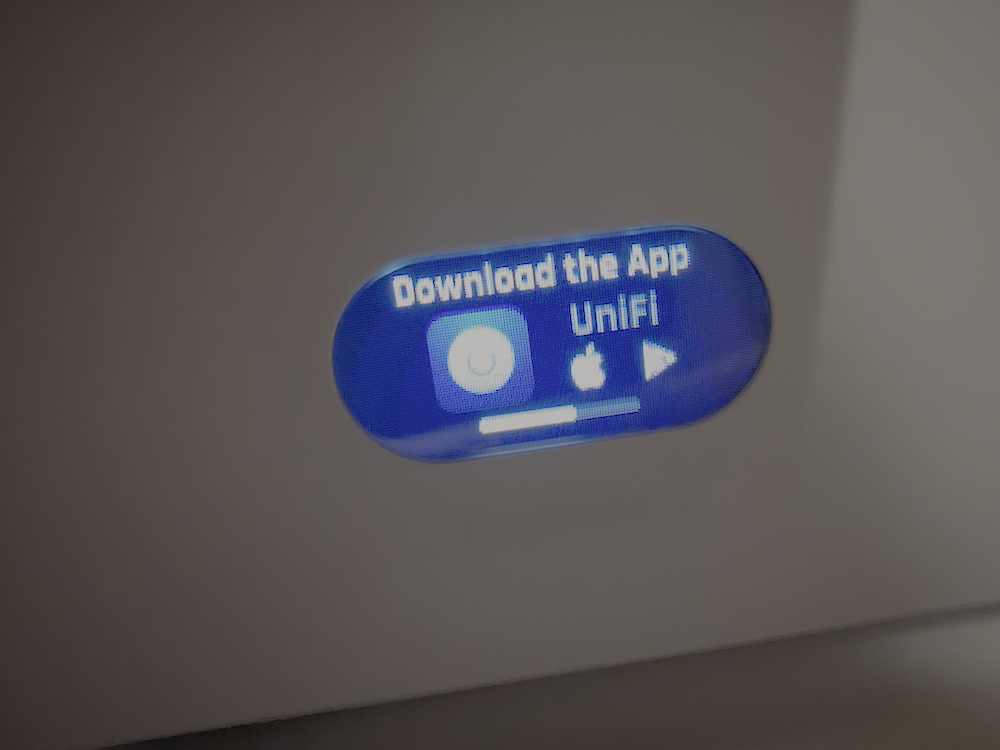
The second Express 7 went on the floor of my office, wired into the same unmanaged switch as the first. While it started up, the screen just told me to download the app, above a tiny little progress bar. That’s kind of a mislabeling. I already had the app. What it meant was “wait while I’m booting up,” and it could say that, too, even if it flashed between messages. So I sat on the floor and waited for that fairly slow progress bar. When it finished, the screen said “ready for adoption.” Same, same.
While the second one updated, I went and set up the third. That’s the one that’s going to be entirely wireless.
The Express 7 includes the router itself, a power brick, and an adapter cable. It is decidedly not as slim as the old wall-plug-only Eero setup was. My wife is not going to approve. I’m going to get questions about this. It might mean that I end up moving it to another spot. We’ll see.
The third UniFi device was found and adopted by the network, too. At one point the UniFi app reported that one of my ports had lost its internet connection, but I think that was just during the firmware update and reboot, because everything looked kosher afterward. I also figured out how to rename the routers, which was good, because they were all called Express 7, which wasn’t super helpful.
Then came the first thing I was truly unhappy about. My Mac has a wired Ethernet connection. It had an IP address and said it was online, but it would not see an Internet connection until I unplugged it and went on Wi-Fi. The good news is that unplugging and re-plugging the Ethernet cable got the wired connection working.
At that point I realized I hadn’t checked whether the things I wanted to just be back online were. My phone was. So I asked the Echo in my office.
“Alexa, are you online?”
“Yeah, I’m here. What’s on your mind?”
I told it I just wanted it to know that I appreciated it, and not to worry, I totally didn’t have an Apple HomeView in my hands. (My new HomeView arrived literally while I was working on all this. It’ll be the first thing I set up on the new Wi-Fi.)
All the old devices seemed to just recognize the Wi-Fi, which is killer. So I was feeling pretty good. I thought, hey, I’m kind of done. But I wasn’t done.
I forgot something. I had given my Synology, which is also my Plex server, a static IP address in the Synology’s own settings. That was on the old network. Eero uses a different default subnet from the one that UniFi uses, so I could not see my Synology on my network at all.
The fix was fussy, but I got it done. I had to wire my iPad directly to the Synology with an Ethernet cable and turn off Wi-Fi on the iPad. Then I had to set manual IP address settings on the iPad so that it would be on the same subnet as the Synology. But then I could get in there, tweak its settings, and tell it to use the IP address and network that it should. My Synology was accessible again.
I’d also had some old port forwarding set up for Plex. It turned out that giving the Synology a fixed IP address was pretty easy within the UniFi app, as was setting up the port forwarding.
So here’s the thing: I’m done. I’ve switched from six separate Eero devices to just three UniFi devices, and everything so far is just working. A couple of family members came home and they were online automatically. They didn’t know anything had changed until I told them.
The only thing I still haven’t solved is that Ring alarm. It’s the weird Ring-Eero hybrid, and I have to figure out how to make that Ring be a base station without using the Eero’s internet connection, which no longer exists. I haven’t solved it, but I’m reasonably confident I will. I mean, worst case, you could just come burgle my home, I guess. Please don’t do that.
I’ve only been using it for a couple of hours, but thus far I am extremely pleased with my UniFi Express 7 setup. And again, it’s only been hours, but I don’t miss Eero at all.