As a person with a growing number of apps in the App Store, and now one with a tech site, I take a lot of screenshots. Like many of you, I know Apple’s keyboard shortcuts for taking screenshots by heart, and I use them frequently.
Shareshot upgrades screenshots. It takes your screenshot, wraps it in the right device frame, drops it on a good-looking background, adds lighting and shadow, and hands you back something you’d be happy to put in a blog post, an App Store listing, or a social post. The app originally launched in August 2024, and the just-released version 2.0 is a significant upgrade.
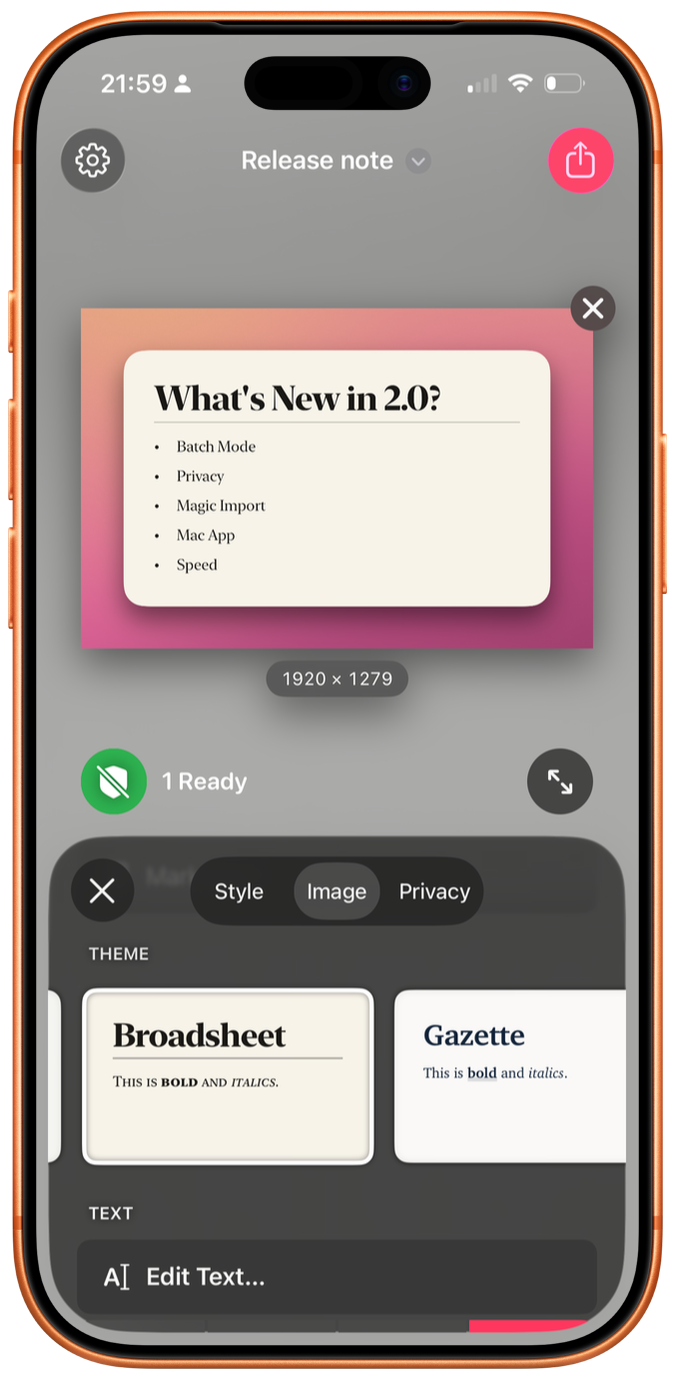
The framing is now free
Let’s start with the pricing, because it’s the most surprising part of the update. In Shareshot 2, framing a single screenshot over a background — lighting and shadow controls included — is free, with no watermark. Previously, the watermark was the nudge toward paying. Now the developer has simply removed it for the core use case.
That’s a bold move for an indie app. The upsells still exist: custom image backgrounds, batch mode, and the new Magic Import features apply a watermark until you go Pro. But the thing many people install the app to do is now just… free. You know how I feel about paying developers, and Shareshot Pro is $2 a month or $15 a year. That should be very affordable if you’re in the target market for this app.
Privacy redactions, also free
Anyone who takes a lot of screenshots knows that sometimes your image contains information you’d rather not share with the Internet — your phone number, your address, your kid’s face, whatever. Shareshot 2 uses on-device text and face detection to find that stuff. You tap a word or a face to hide it. It knows how to spot names, email addresses, phone numbers, payment details (including IBAN and BIC codes), QR codes, and dates.
The clever bit is that Shareshot remembers what you redacted. Hide your email address once, and the next time it shows up in a screenshot, it’s hidden automatically. That’s damn clever.
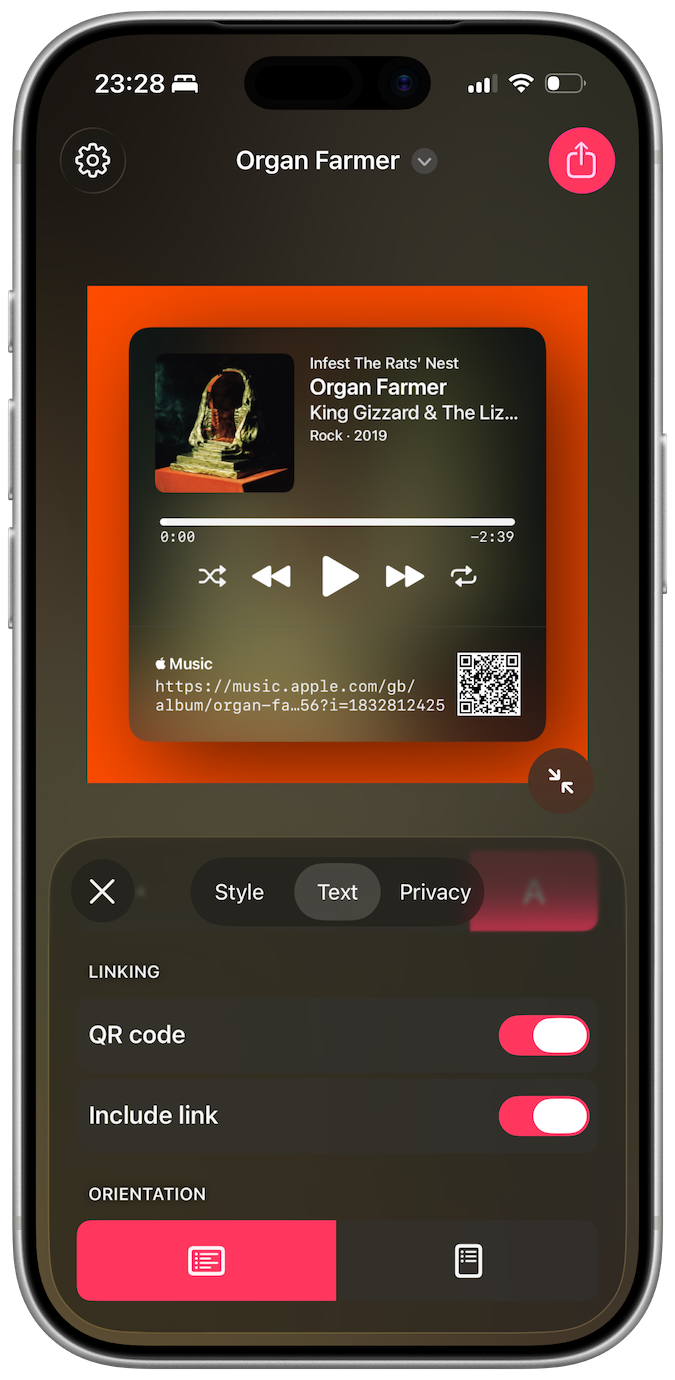
Magic Import
Magic Import is another one of those features I’d never have thought of, but it’s awfully smart. Paste or type text, and Shareshot renders it as an image with one of a bunch of included themes. Write Markdown, and you get headings, bold, italics, lists, and block quotes. Paste source code, and you get syntax highlighting. It even understands the App Review format from Apple’s App Store Connect app, so a developer can copy a nice review and paste it straight into Shareshot to get a shareable card. I give this feature five stars.
Better still, feed Shareshot a link and it builds a card appropriate to what’s at the other end: posts from Bluesky and Mastodon; Apple Music songs, albums, and artists; podcast episodes and feeds; Apple Maps locations; YouTube videos and channels; App Store apps; and a general OpenGraph preview card for everything else. Each type gets its own style options, and you can include the source link as text, a QR code, or both.
Batch mode, on every platform
If you’re assembling an Instagram carousel, or App Store screenshots for a new release, you want ten images that all match. Shareshot 2 lets you drop in a bunch of images — or a mix of images and text files — and process them all with the same style and output size, with automatic naming for the results. Previously this required a Shortcuts workflow. Now it’s built in.
A real Mac app
The Mac version is no longer a Catalyst app. It’s native, macOS 26 and up, with a proper sidebar and inspector, a real Settings window, multi-window support, and file drops right onto the Dock icon. There’s a Control Center widget on both platforms that creates a Shareshot from whatever is on your clipboard, and on the Mac you can put that widget in the menu bar. The whole app is also considerably faster; style changes render nearly instantly.
The developer
Shareshot is made by Marc Palmer, who runs a one-person shop called Montana Floss Co. in Stroud, in the Cotswolds. Marc has been shipping software for decades.
His other app is Captionista, which adds subtitles and captions to videos for iPhone and iPad. You can transcribe yourself or let it do it for you, tap to split subtitles for precise timing, move and style the captions, and import or export SRT files.
There’s a pattern in Marc’s work: Both apps take a task you’d otherwise do badly in a hurry — framing a screenshot, subtitling a clip — and make doing it well faster than doing it badly.
Shareshot 2 is free on the App Store for iPhone, iPad, Mac, and Vision Pro, with Apple Watch frames included. Pro is $2 a month or $15 a year, and if you make screenshots on the regular, you want it.