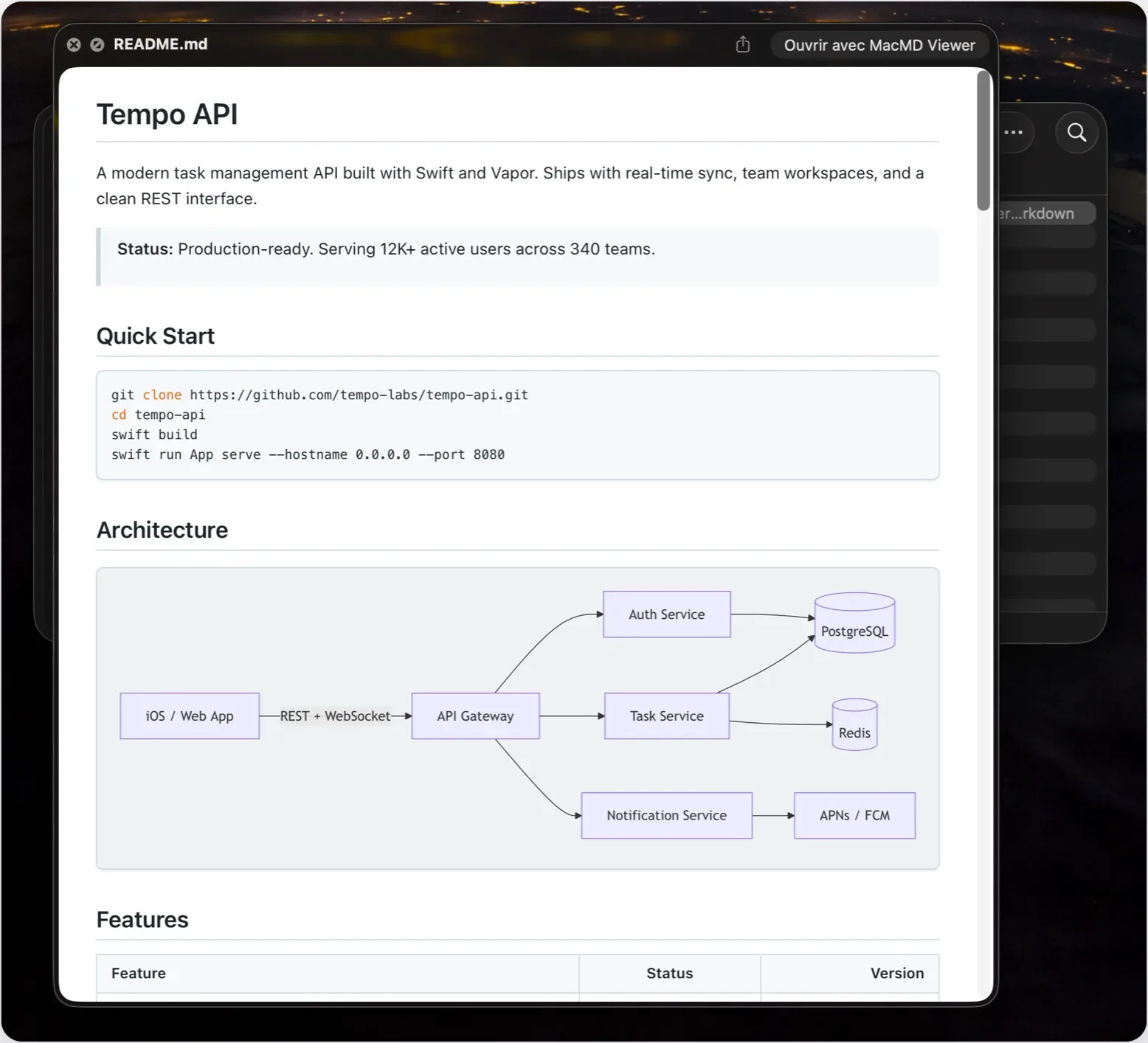
Markdown has exploded. When I work with Claude Code, it leaves Markdown files everywhere: plans, specs, READMEs, notes to its future self. Those files are meant to be read by humans, and yet they’re by definition a mix of pound signs, asterisks, and pipes. Markdown is readable. Technically. So are CSV files, but I still prefer viewing those in a spreadsheet editor.
Developer Arthur Teboul had the same thought, and he did what indie developers do: He built the thing he wanted. It’s called MacMD Viewer, and it does exactly one thing.
Like Preview, for Markdown
Arthur is a solo developer based in Paris. His background is product and growth at early-stage startups, and these days his focus is automation. He started MacMD Viewer about six months before it shipped, because, as he puts it on his About page, whole days of his are spent reading what AI agents produce, and macOS defaults to showing all of it as raw text.
So MacMD Viewer is a viewer. Not an editor. It’s read-only on purpose; it never touches your source file. You write wherever you already write (BBEdit, VS Code, Obsidian, or, increasingly, let’s be honest, nowhere, because an LLM robot wrote it), and MacMD Viewer shows you the rendered result.
Arthur’s own one-line pitch is “Like Preview. For Markdown.” That’s about right.
What it does
The app is great, so is its upgrade to macOS via Quick Look. Install the app, flip on its Quick Look extension in System Settings, then select any .md file in the Finder and press Space. You get a properly formatted document: headings, tables, syntax-highlighted code blocks — it just works.
When you want to actually settle in and read, you open the file in MacMD Viewer itself. There’s an outline sidebar for jumping through long documents, a word count and reading time at the bottom of it, and a stack of document themes (GitHub, Sepia, Solarized, Nord, Dracula, Tokyo Night, a serif “book” look, and more). Pick a paired theme and it swaps between its light and dark variants as your Mac does. Your Finder previews follow whichever theme you pick, too.
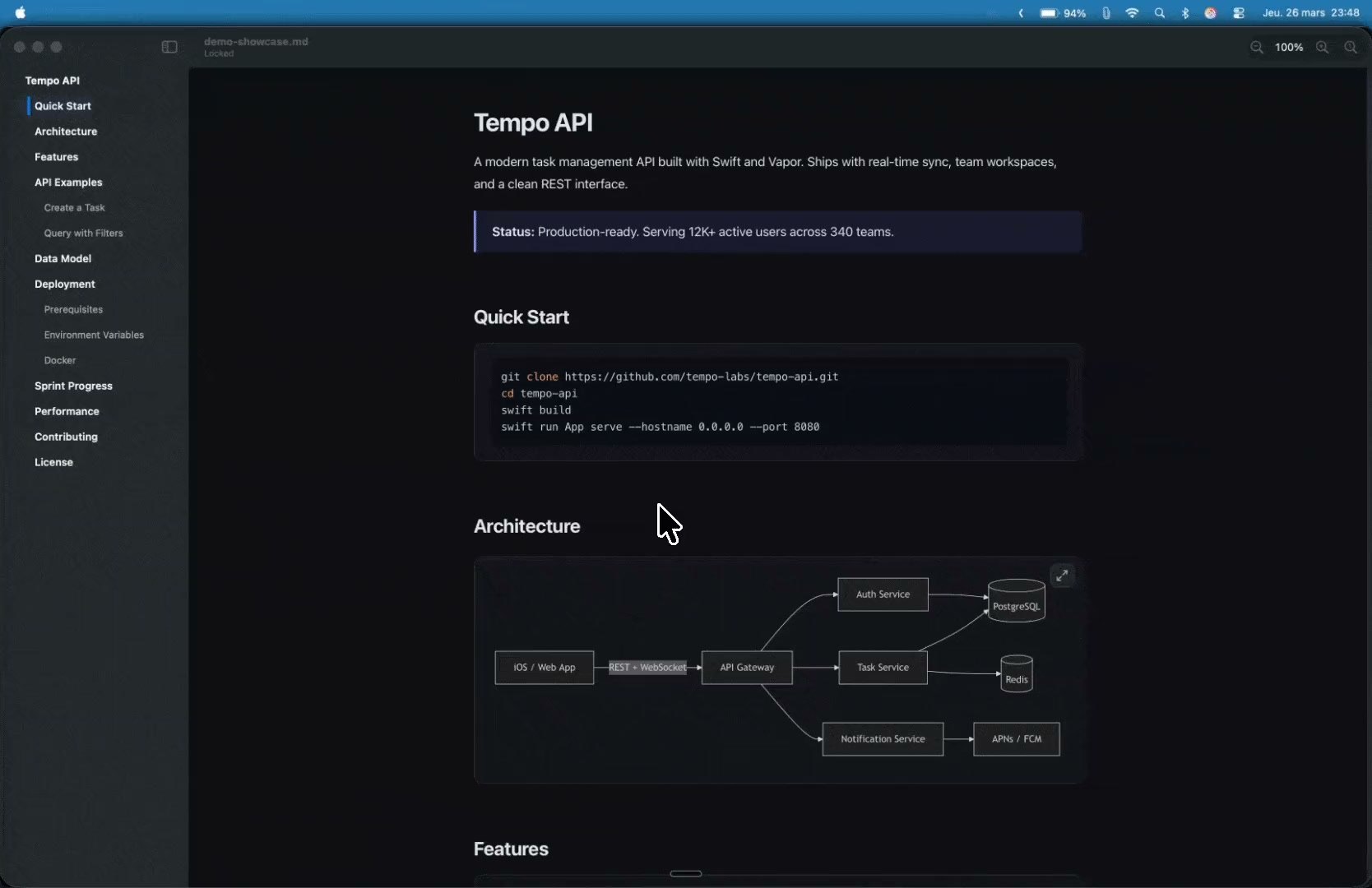
It renders Mermaid diagrams inline. If you don’t know what Mermaid is: It’s a way to write flowcharts and sequence diagrams as text. If you do know what Mermaid is, you already know that AI coding tools love it, and that most Markdown previewers don’t.
Built for the agent era
MacMD Viewer has live reload: Keep a document open, and when the file changes on disk, the view updates.
Arthur leans into this. There’s even a /macmd skill for Claude Code, so the agent can pop a file open in the viewer for you (with a toggle if you’d rather it didn’t).
The little things
I spent some time with the changelog, and it’s a good one. Version 1.0 shipped in March. Since then, Arthur has added PDF export and printing, tabs, rendering of YAML front matter as a tidy Properties block, local images, adjustable text column width, and a “Copy as Markdown” command that grabs the raw source (⌥⌘C) while plain old ⌘C still copies the rendered text.
What I really appreciate, though, is how the changelog is written. Each fix comes with a plain-English explanation of what was actually wrong, and often a thank-you to the specific person who reported it.
How it compares
If you’re a longtime Mac nerd, you might be thinking: Doesn’t Marked already do this? Marked 2 is a terrific, deep app, and if you’re a writer who wants previews with style checks and export options galore, it’s worth a look. MacMD Viewer is narrower and lighter: a quick, focused reader that lives in the Finder and keeps up with your agents.
Pricing
MacMD Viewer costs $19.99, once. No subscription, no account. There’s no free trial, but there is a 14-day money-back guarantee. A license covers one Mac at a time and is transferable; there’s a $39.99 family pack for three Macs and a $129 pack for ten.
It’s sold directly rather than through the Mac App Store, and you can also get it via Homebrew or Setapp. It requires macOS 14 Sonoma or later, and runs natively on both Apple silicon and Intel Macs.
If you live in Markdown, or if you’ve found yourself squinting at the piles of .md files your AI tools leave behind, check out MacMD Viewer.