I don’t know who invented the “read it later” app concept. I know I’ve used and loved several apps for later reading over the years. The read it later craze was at one point so frothy that my pal Dan Moren and I created a joke bookmarklet called Read It Now. We both still think it’s very, very funny.
Anyway, I was delighted to hear from developer Max Melzer recently about his app Flyleaf, which is built around deferred reading — and pagination.
Max is a solo developer in Germany. Flyleaf is a read-later app for iPhone, iPad, and Mac. You save an article, and Flyleaf strips out the popups, ads, and trackers, and then lays out what’s left as pages you turn, like a magazine or an ebook, instead of one long column you scroll forever.
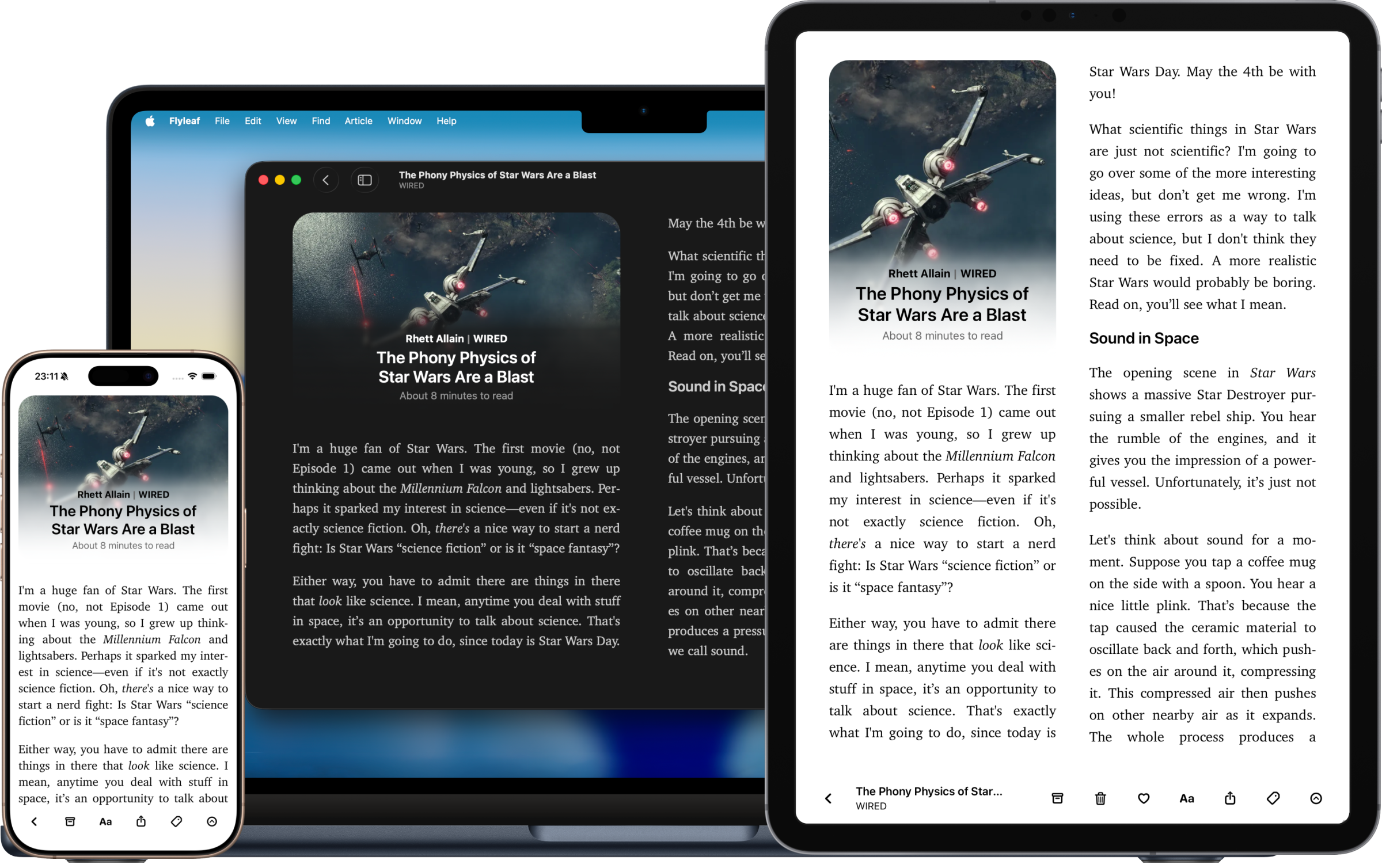
Max believes vertical scrolling isn’t great for focused reading. He’s believed that a long time. His first iOS device was a second-generation iPod touch, and the first app he bought for it was Instapaper, back when Marco Arment’s app could lay out articles as horizontal pages. “I absolutely loved that thing,” he wrote in his post about why he built Flyleaf. When Instapaper eventually came to the Mac, the pages didn’t come with it. Max decided that if he wanted that reading experience back, he’d need to build it himself.
So he did, slowly. Version one was a JavaScript plugin that paginated his own blog. (“I didn’t want to read my own blog, I wanted to read other people’s stuff.”) Then, after WWDC in June 2023, Max built a SwiftUI app.
Flyleaf 1.0 shipped in March 2024. Max builds it in the evenings; by day, he’s a Java developer at a small product company. Before that, he studied theology, and he moved into software, in his words, because it’s “a more reliable way to feed a family.” His earlier side project, Devotionalium, is a daily verse app that draws from the scriptures of multiple world religions. Holy moly. (See what I did there?)
What it does
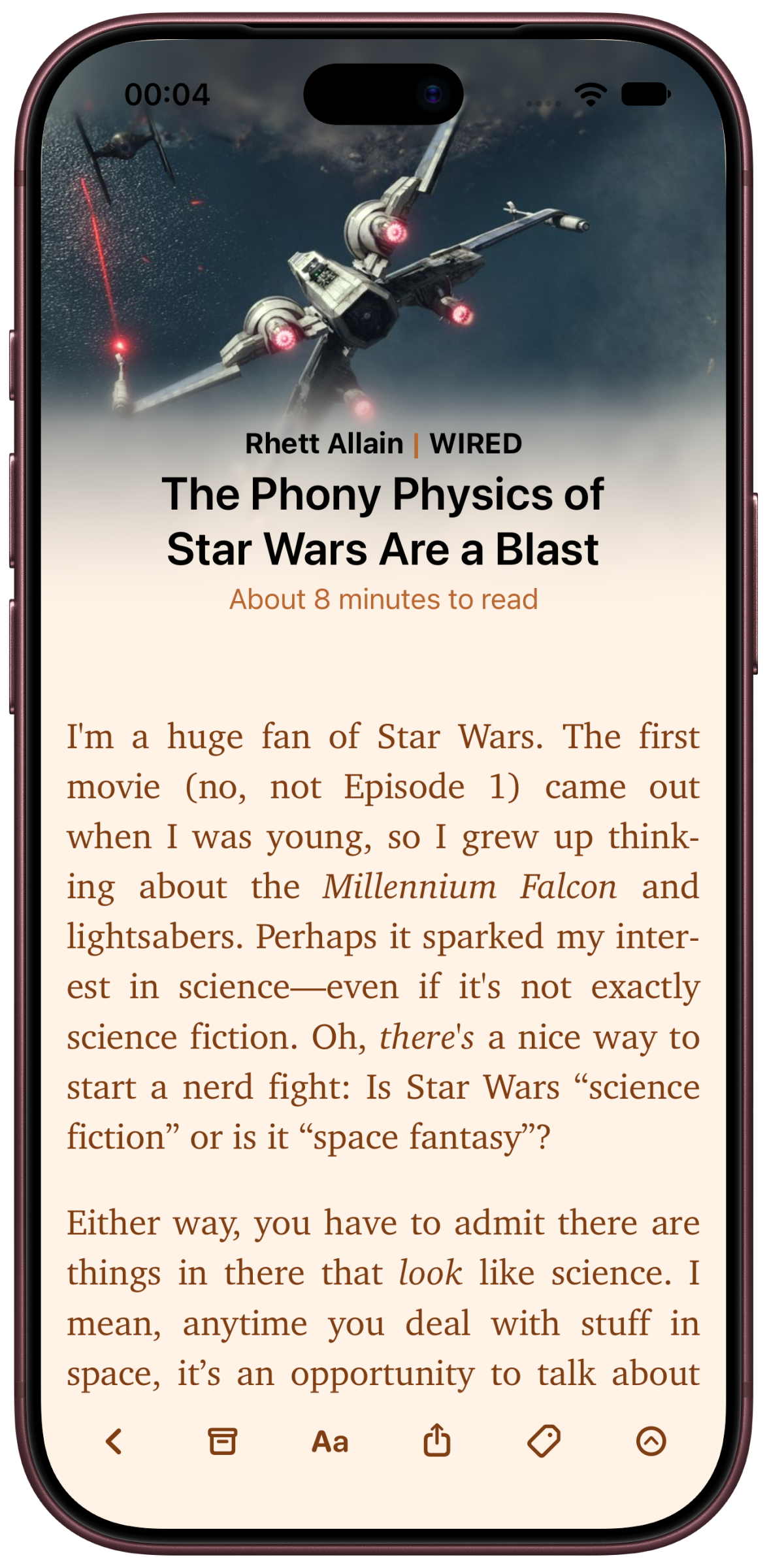
The basics are what you’d want: You save links from the share sheet (or a bookmarklet), and they sync across your devices with iCloud, with no account to sign up for. There are color themes and real typography controls. There are tags. There’s a Discover view that resurfaces things from your list, which anyone who’s ever used a read-it-later app understands the importance of immediately. Most of us are better at flagging long articles to read later than we are at actually, you know, reading them. Discover reminds you of the gems you’ve tucked away.
And there’s a fullscreen mode where the interface gets out of the way entirely, with gestures to bring the controls back when you need them.
A few other nice touches: If an article is blocked in your region or sits behind a login, Flyleaf can pull it from archive.today in one tap. You can import local PDFs. There’s Markdown export, and a table of contents for long pieces. And if you’re coming from somewhere else, there are importers for Pocket (RIP), GoodLinks, and Readwise Reader.
Built for the Duo
The new 2.7 update adds support for the iPhone Duo, ahead of its October 23 ship date. I complained about how hard Apple made it for developers to get Duo-ready in time, so credit where it’s due: Max got there. Unfold the phone and Flyleaf shows a sidebar for your lists, and it reads two pages side by side, like the iPad version.
The update also adds an optional “Stack” page-turn style, where each page sits on top of the next and you swipe it away to reveal the one underneath, rather than sliding across one long continuous strip. Max says it makes for less distracting motion.
Hand-crafted
Max pitched Flyleaf to me as “hand-crafted, not vibe-coded,” and he means it literally. He wrote a note about AI on the Flyleaf site: “No AI agent has ever seen the code base.” He made the app icon by hand in Pixelmator. He’s also refreshingly honest that this isn’t a vow: He uses Claude Code at his day job “with mixed results,” he’s worried about what these tools will do to his skills, and he thinks they could help indie developers like him if used with intention. Whatever you think about AI coding tools (I use them; I’ve written about it), I appreciate that Max thinks about these things, and that he clearly develops with intention.
He also follows Apple’s conventions instead of fighting them, which shows. The Mac version is a native Mac app, not a stretched-out iPad port. And the App Store privacy label says Flyleaf collects no data at all.
Pricing
Flyleaf is free, and the free version gets you the pagination, the clean reading view, and iCloud sync. An optional subscription, $2 a month or $17 a year, unlocks the extras: themes, tags, and the archive.today integration. One subscription covers iPhone, iPad, and Mac. It requires iOS 17 or macOS 14.
If you’ve always found scrolling through long articles a little exhausting, and you’re the kind of person who misses Instapaper’s old page-flipping mode, check out Flyleaf on the App Store.