I read with interest today this lengthy post (which seems to be at least partially AI-written, to my eye) about a personal graph that your Mac may generate based on inferences it knows about you. I didn’t understand all of it.
But I gathered that your Mac does build a pretty healthy set of data about you, which isn’t shocking — you tell your Mac a ton about you. Mine can see my calendar, my contacts, my reminders, my notes, and on and on.
I think some of this data that the Mac aggregates is used for Apple Intelligence, and some is used for Siri, and some for Siri AI, and there’s some overlap across all those things.
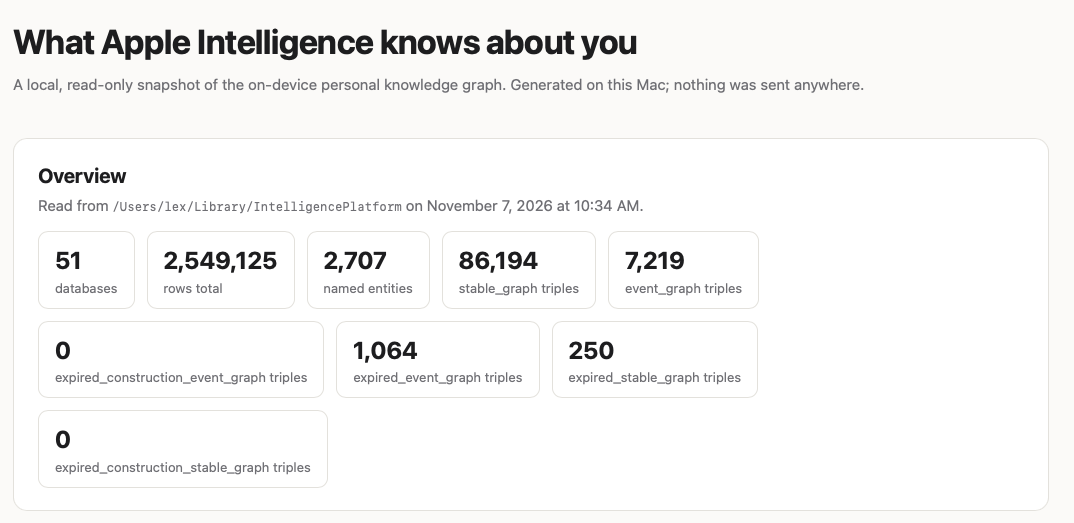
With Claude’s help (and yes, irony noted), I put together this Python script. First, you’ll need to give Terminal Full Disk Access (System Settings → Privacy & Security → Full Disk Access), then quit and reopen Terminal. Then I ran it like this:
python3 ~/Downloads/apple_kg_report.py
The script parses the files that Apple keeps with the data outlined in the article, creates a static website that lives on your Mac, and opens it in your default browser. (You can read the Python script to assure yourself your data stays local.)
Mine knows who I am, who my most contacted people are, and includes all sorts of details about them and me — pulled not just from my Contacts app, but from my calendar, my photos, and who I message and call (though not what we said). It also infers whether they’re family or friends, and how important they are. It knows places I frequent and common meetings.
Basically, it’s aggregated a bunch of data I already know my Mac knows. It doesn’t worry me. Much.