First of all, Bjango is fun to say. What a great name for a company.
If you’re struggling to place how you know the name Bjango, you likely have familiarity with their long-beloved app iStat Menus. They call it “the ultimate system monitor,” and it is.
When Bjango founder and designer Marc Edwards first reached out to me, I was excited, because I knew iStat Menus well, and I knew Bjango was awesome. Then I got even more excited, because Marc shared a bunch of fascinating Bjango history with me. And then it turned out Bjango makes a lot more than iStat Menus, including — I did not see this coming — audio plugins inspired by a desire to crack the code of Daft Punk’s sound.
iStat Menus
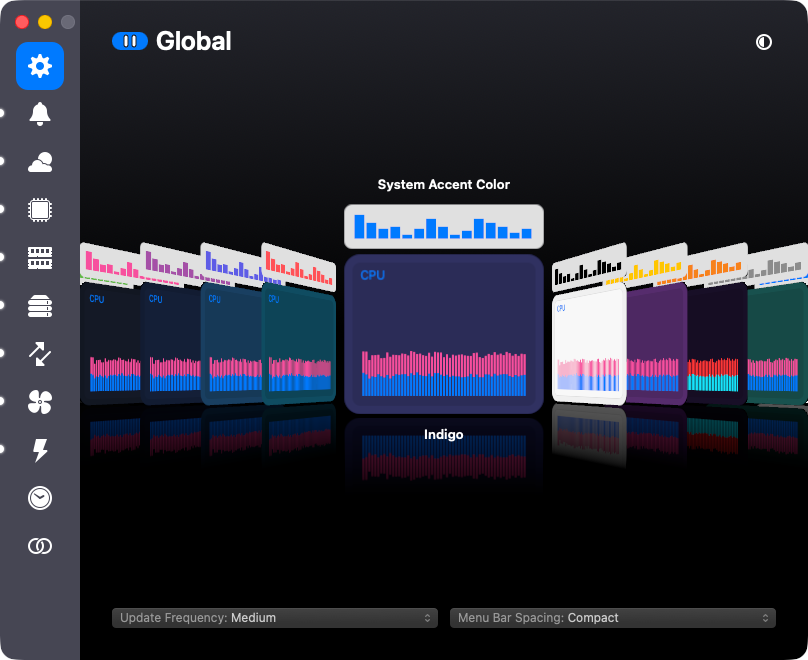
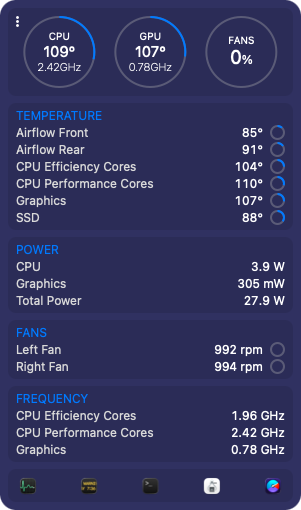
iStat Menus puts your Mac’s vitals in the menu bar: CPU and GPU load, memory pressure, disk space and activity, network throughput, temperatures, fan speeds, and battery levels for the Mac and for whatever Bluetooth gadgets are attached to it. It also does weather and world clocks, because once you’re living in someone’s menu bar you might as well be packing in as much info as possible. Everything is configurable down to the color and order of each item, and a combined mode squeezes several readouts into a single menu bar icon for when that real estate is at a premium. There’s a 14-day free trial, and the family pack covers up to five people.
The app is tied to the hardware more directly than almost anything else on your Mac. Every time Apple ships a new chip, iStat Menus needs to learn its sensors, which means Bjango often has to buy the new Macs just to test on them. The team is currently working on version 7.5 of iStat Menus, which Marc describes as a significant update.
Bjango launched in 2005, right around Mac OS X 10.4 Tiger, making free Dashboard widgets. (Dashboard! Remember Dashboard?) One of those widgets was called SysStat. SysStat became iStat Pro, and iStat Pro eventually escaped Dashboard entirely and became iStat Menus, which shipped its 1.0 in 2007.
Versions 1 and 2 were free. Marc told me they never released a single point update for version 2, because the then two-person Bjango team was burnt out. “2.0” was the only 2.x that ever existed.
So, in what Marc calls a desperate bid to keep the project alive, version 3 became a paid app. There were complaints — I know you are shocked to hear that — but the overall response was overwhelmingly positive, and the money let the two of them quit their jobs and do Bjango full time. A free app people liked became a paid app people liked enough to fund a company. The indie developer dream.
There were two people at Bjango then. There are six now. iStat Menus turns 20 in 2027.
Skala and Pinwheel
Marc is a designer first, and Bjango has been making design tools for a very long time. The big one is Skala, which Bjango calls “the designer’s design tool.” The pitch is that it respects the conventions of classic design apps while pushing on what’s possible: an open document format that works properly in a Git repository, a color picker that understands OKLCH and OKLAB, and guides that behave like layers, with names, colors, and opacity, that you can group and copy between documents.
Work on Skala started in the middle of 2011, and it’s not shipping yet. That is a long development cycle, and Marc is upfront about it: Given the team’s ambitions and its size, the project has taken an incredible amount of time. They’re now down to around 25 main checklist items. Those vary wildly in size, so Bjango is not yet promising a shipping date, but it’s getting done. Some of what Skala does is still under wraps. I’m excited to learn more.
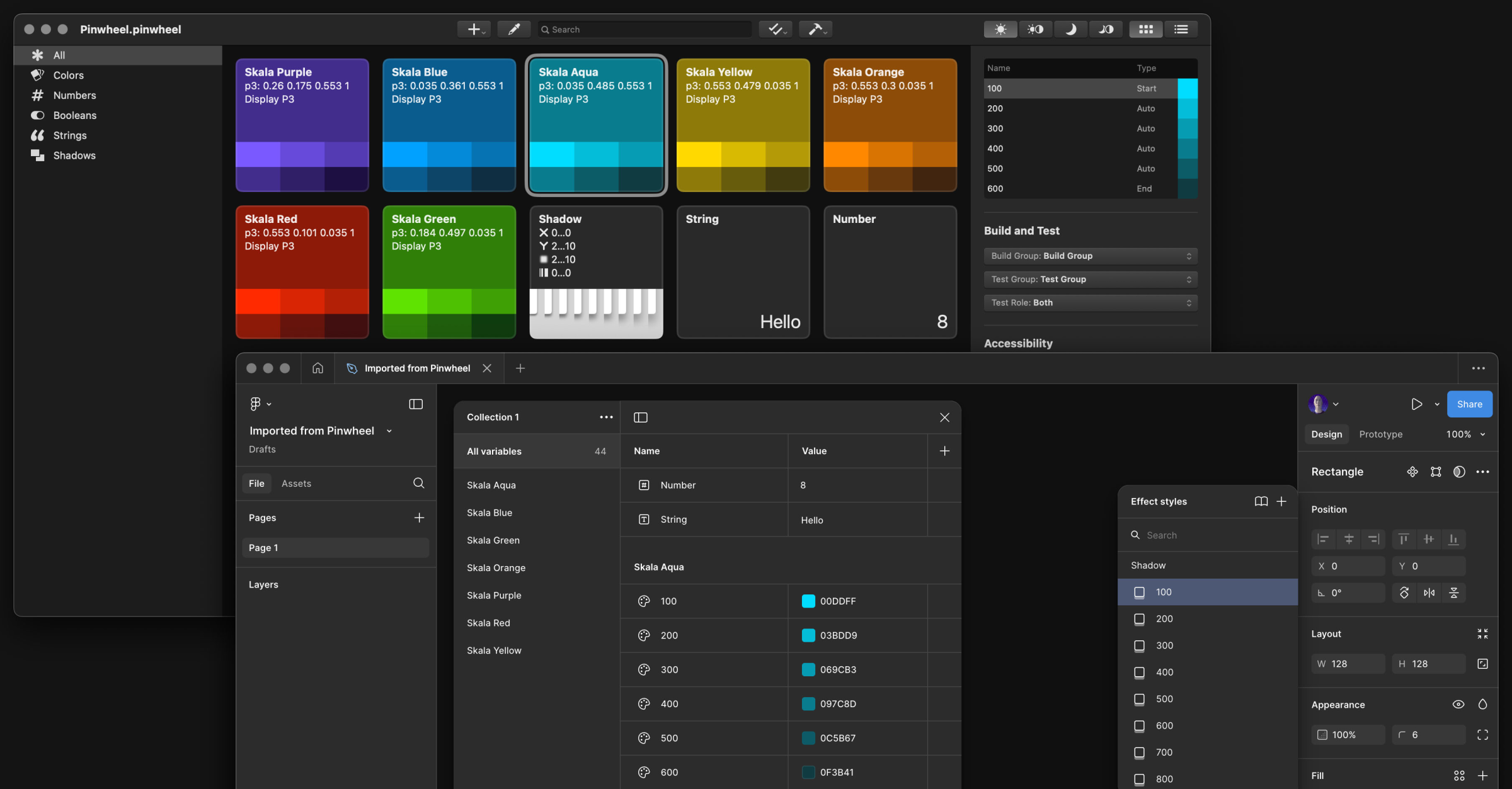
Pinwheel is a sibling app that shares concepts and some code with Skala, and you can buy it today for $9. It does color wrangling and conversion, builds palettes and color systems, checks contrast against both WCAG 2 and APCA in real time, and generates code for design systems in Swift, CSS, or SCSS, with Figma and Design Tokens support along the way.
If you’ve ever read a truly thorough article about designing for Retina displays, or matching drop shadows across CSS, Android, iOS, Figma, and Sketch, there’s a decent chance Marc wrote it. Bjango’s articles are a genuinely useful design reference, entirely separate from anything they sell.
The audio plugins
Tools for nerds, tools for designers… and also, tools for musicians.
Marc has been producing music for around 30 years. A while back he went deep researching Daft Punk’s vocal effects, for no reason beyond curiosity, after deciding that a lot of what’s written online about them had to be wrong. He then bought and tested more than $10,000 worth of hardware to find out. The result is a 4,500-word article and two videos that sort out, album by album, which sounds came from a talk box, which came from a vocoder, and which came from a harmonizer, and which widely repeated claims are simply incorrect. This, Wikipedia, and Lex.Games — this is why the Internet was born.
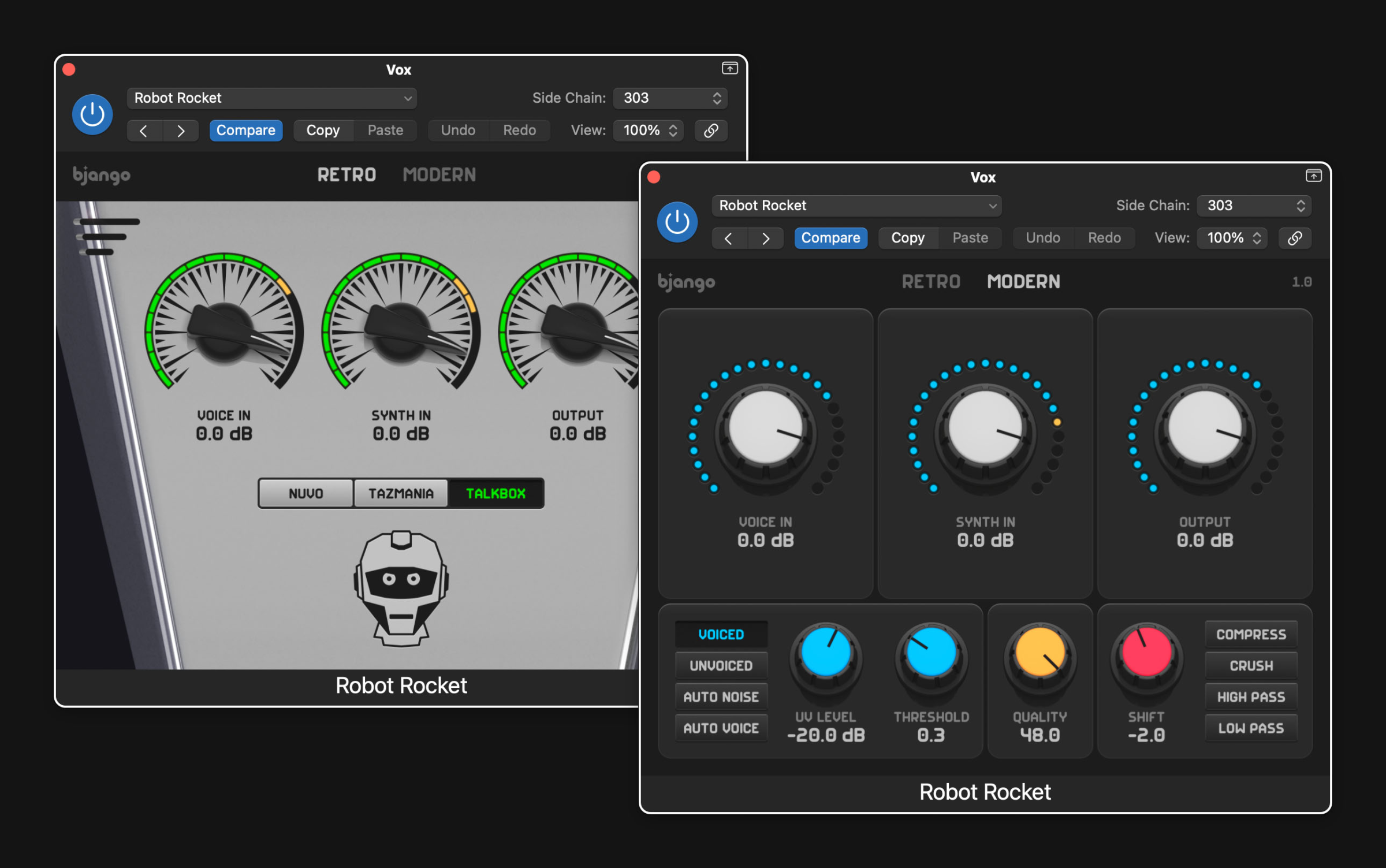
Marc noticed that no plugin came close to the main vocoder behind Daft Punk’s best-known vocal sound, the DigiTech Talker. So he tried to build one himself, and failed. He asked Russell Ivanovic, of Pocket Casts fame, for help, and Russell finished it. (Russell now works at Bjango, on Skala and other things.) That plugin shipped as Robot Rocket in September 2025, for $39. The tagline is “a vocoder plugin that rules the nation,” and that sounds better than some other nation rulers, so I’m all for it.
Robot Rocket launched a Bjango side hustle. The company now offers eight plugins, all in Audio Unit and VST3 form, for Mac and Windows:
- Reality Distortion analyzes incoming audio and rebuilds it with up to 64 oscillators, then lets you bend the result.
- Buckets And Decay models bucket-brigade and PT2399 delay chips for warm, gritty delay, chorus, and flanger effects.
- Chaos Line generates four random sequences at once and lets you morph between them.
- Robot Vowels is a formant filter with distortion.
- MIDI Memories records MIDI and detects chords and scales.
- Instant Vibes is a groove unquantizer, which is to say it makes your perfectly timed MIDI sound like a person played it.
- Double Freak follows the pitch of whatever you feed it and layers synth waves on top. It’s free.
Marc says being able to build the tools he has always wanted is a dream, and you can tell. The plugins have the same trademarks as Bjango’s Mac apps: careful design, one-time pricing with a real trial, and no analytics or tracking.
Marc anticipated the obvious question about a six-person company with a catalog this long, and answered it himself: “Do we have a lot of apps for such a small team? Yes. You gotta fight for your right to not get a real job.”
Preach.
Check out Bjango’s apps.