A fix if that iPhone to HomeView website handoff feature isn’t working for you
The magical AirPlay handoff feature was not working on my new HomeView, adding to my list of HomeView frustrations.
You’re supposed to be able to open a website on your iPhone, hold that iPhone close to the HomeView, and watch the website leap from one device to the other.
On mine, the only change you could detect was in my demeanor as I grew frustrated, looking like an idiot, holding my phone near the HomeView as nothing happened.
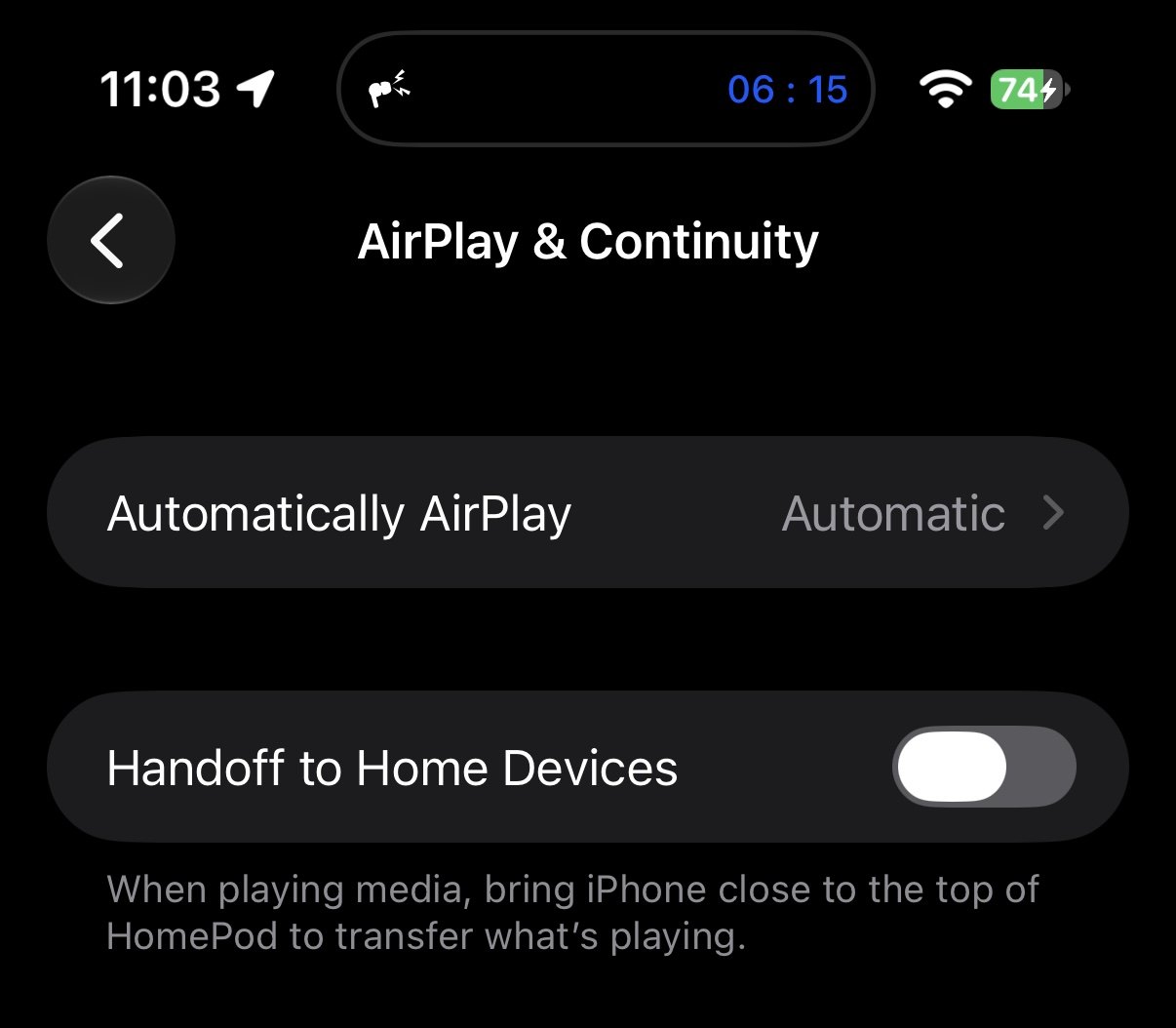
Well, that’s not really true. Mastodon user _IanOfEarth fixed it for me. He saw me complaining about this on Mastodon and suggested I check a toggle in Settings, specifically under Settings → General → AirPlay & Continuity.
There’s a toggle called Handoff to Home Devices, which enables precisely that feature. Mine was turned off.
This was my fault. I have a HomePod mini in my office, and my iPhone often sits near it on my desk. It was constantly handing off stuff to the HomePod mini when I didn’t want it to. So I had the feature disabled. For a couple years. And forgot all about it.
There’s no perfect fix for Apple for this problem. But my iPhone and HomeView do know when they are near each other. A notification of some sort saying that handoff is turned off would be rather useful in this scenario.
I also wish I could control that setting on a per-device basis, because now that I’ve fixed the problem, my HomePod mini is mistakenly thinking I’m trying to hand things off to it again.
But regardless, if your HomeView isn’t doing that magical handoff transition, check this setting.