I love RSS, and the rise and fall of Google Reader had nothing to do with it; I was never a user. I’ve long loved NetNewsWire, and while I dabbled with Reeder on iOS at some points in the past, I’m now NetNewsWire on my Mac, iPhone, and iPad. I’ve been a heavy RSS feed reader for years, and it’s only gotten more important to me since launching Lex On Tech; if there are interesting tech stories, I want to be sure I see them, so that I can link to them.
I use Feedbin as my RSS syncing tool. It ensures that my Mac, iPhone, and iPad are all in sync; articles I’ve read on one device don’t show up as unread on another. That’s just the way I like it.
But Feedbin isn’t “just” an RSS syncing tool. It offers several power user features under the hood.
Stop the madness
Though I love my RSS feed for gathering a slew of articles across topics I care about — Apple and other tech, the Philadelphia Eagles, entertainment news, essays from writers I admire, weird posts from the band They Might Be Giants… some posts make me crazy.
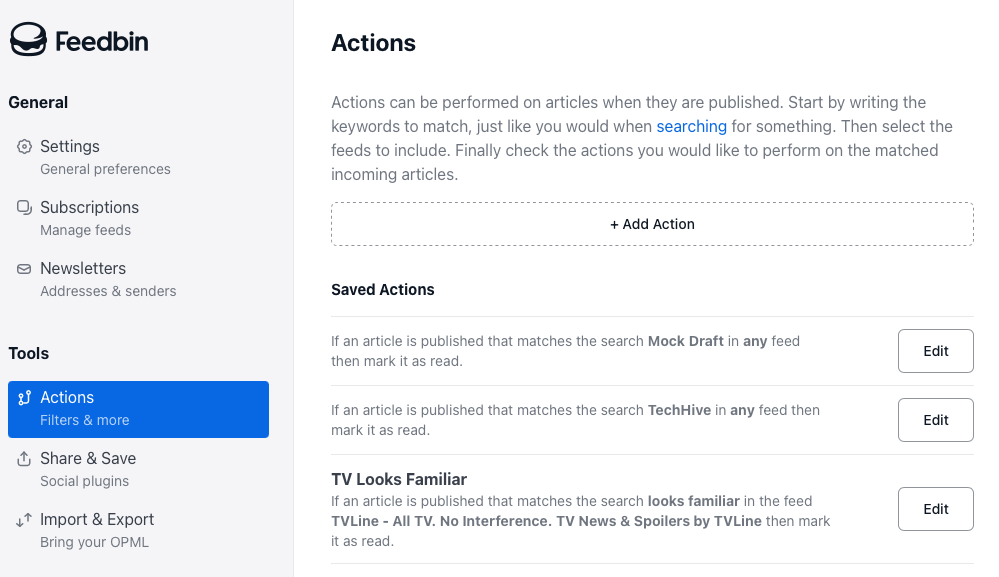
I enjoy my NFL fandom feeds during the season. But I have never once cared about a mock draft. Seeing those posts annoys me. And thanks to Feedbin, I don’t have to.
Through its web app, I can configure filters that automatically mark posts as read, so they never request my attention. You can set filters across all your feeds, on categories of feeds, or on individual ones. I truly delight in not seeing posts that annoy me and limiting my feed to the stories I actually want to read. The tools (labeled Actions in Feedbin’s interface) are robust and clever — and intuitive to use. I’m a big fan.
Clean up on aisle five
People stop writing on their blogs. It happens.
Your RSS reader can end up overstuffed with dead feeds. Feedbin helps clean up the mess. The Subscriptions tab lists all your feeds, with icons indicating which ones are completely dead, and flatlines indicating ones that have gone silent for years on end.
There are some I’ll keep in there just in case the writer ever starts publishing again. But removing some dead weight feels good.
Even better, though, Feedbin offers an option to repair some broken feeds. The Repair Feed button helped me resurrect a feed that hadn’t published updates since 2022 on the old URL, but in fact steadily publishes on a newer feed I knew nothing about. That’s great.
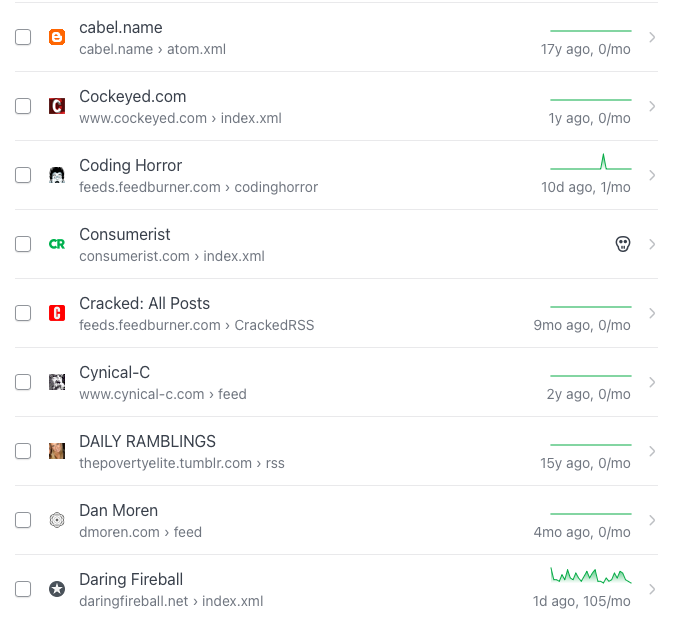
You can filter to dead feeds and fixable ones, removing cruft and resurfacing others.
The letter of the law
Finally, Feedbin offers ways you can get your email newsletters directly as pseudo-RSS feeds. It’s clever. You subscribe to your newsletters with a custom Feedbin address that’s unique to you, and they’re now one fewer thing clogging up your inbox — while appearing in your newsreader app.
None of these Feedbin features are new, but I’d forgotten they were there. Spending a little time in the web interface has vastly improved my RSS consumption.